Notus User Manual
Page | 32 Copyright©2021 ZKTECO CO., LTD. All rights reserved.
The fields description is as follows:
Update: Click Please select a file, the file format must be emfw.cfg, and the size must be less than
200 MB.
Click OK to complete the firmware upgrade operation.
Factory Reset: The Factory Reset function restores the device settings such as communication
settings and system settings, to the default factory settings.
Reboot: Restart the device.
Load Certificate 5.4.2
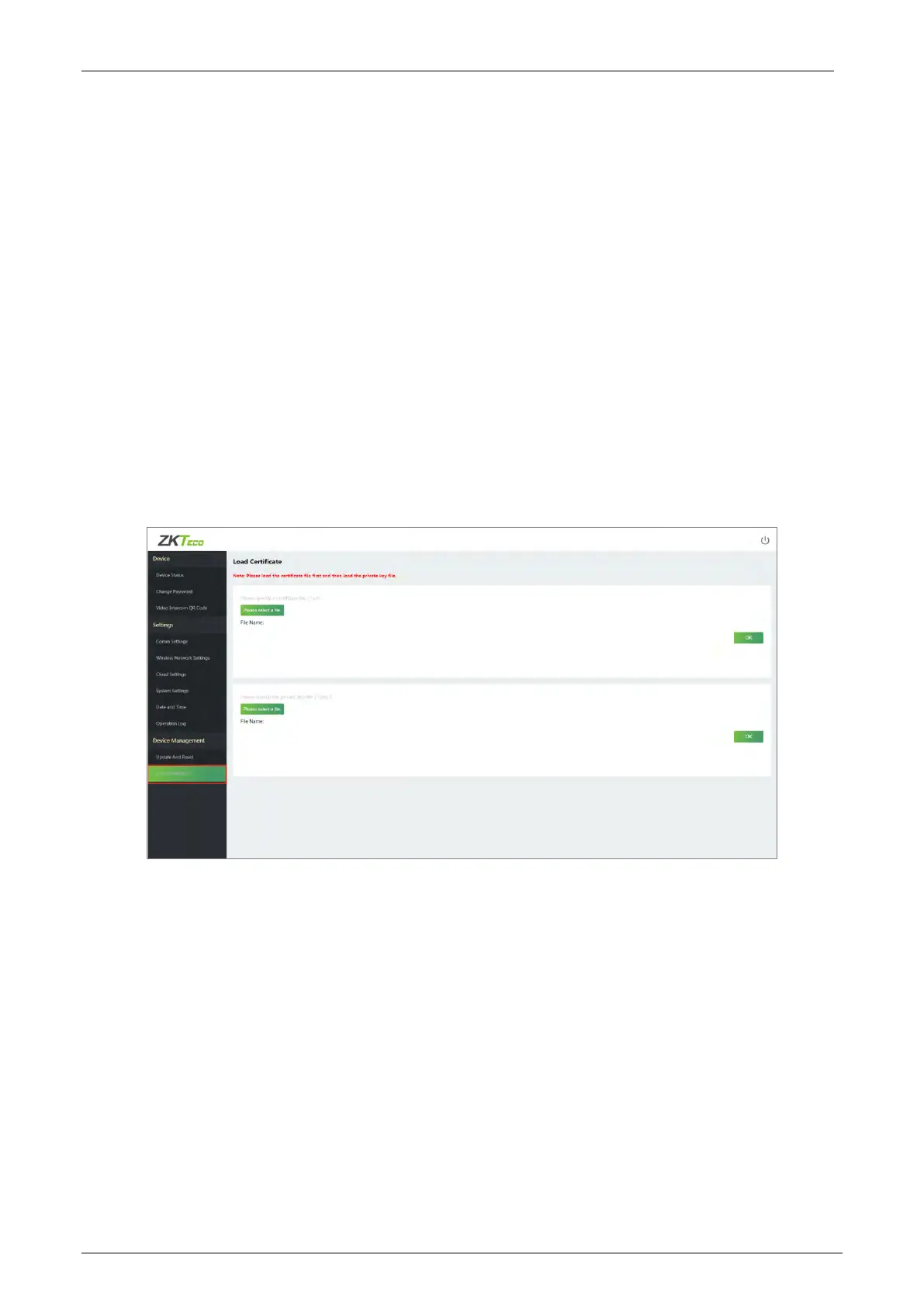
Click [Load Certificate] to upload the device certificate file and private key file.
Click Please select a file, upload the certificate file and private key file, and click OK to complete the
file upload operation.
Note: Please load the certificate file first and then load the private key file.


 To Next Page