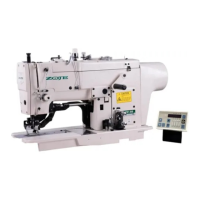
5. Basic Operating Instruction
5-3 Settting Methods of Patten Program
5-3-1 Interface for Inputting Sewing
Data
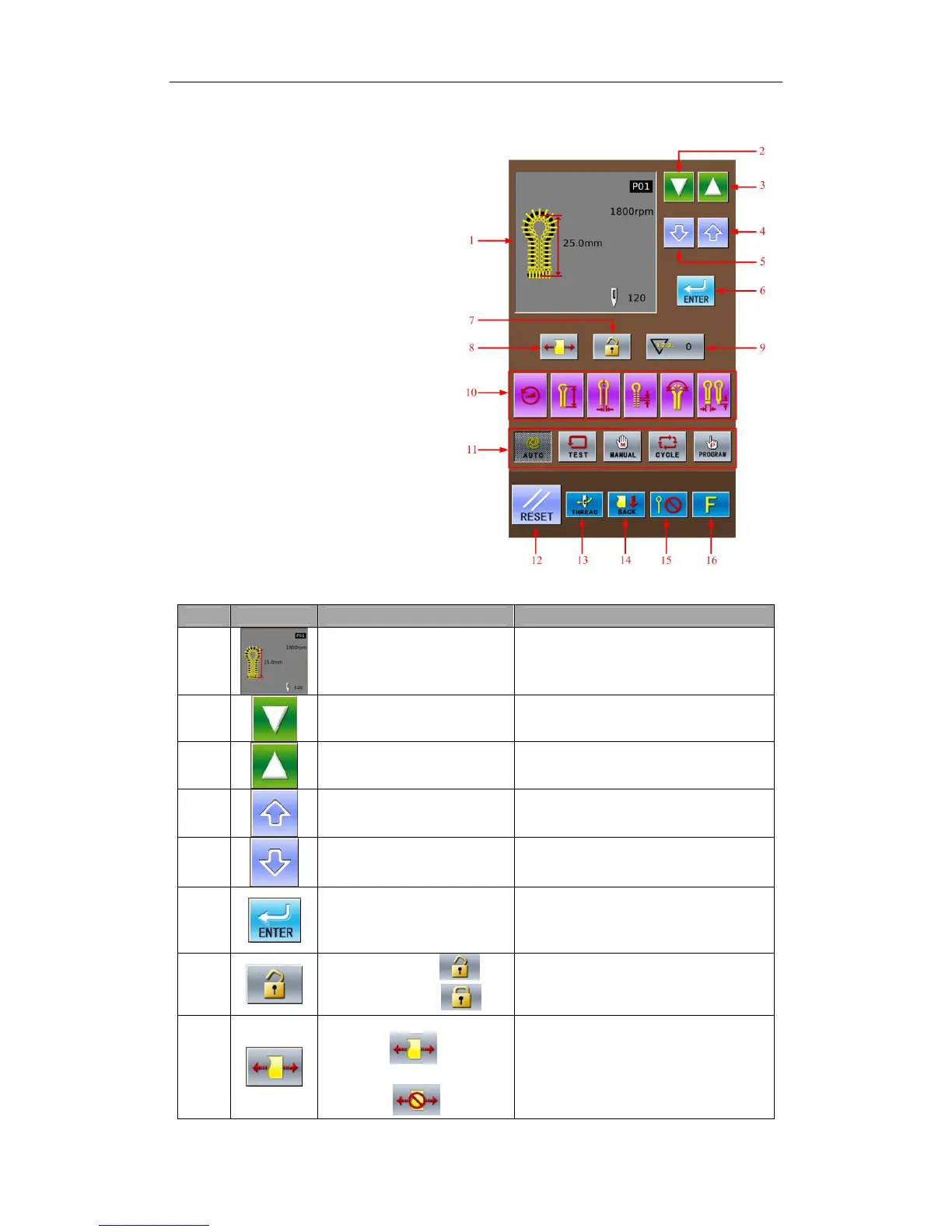
The data input interface is shown In
the right figure. For detailed functional
instructions, please refer to Table 1:
Button Instruction Table.
Table 1:Button Instruction Table:
No. Figure Functions Remarks
1 Display of Sewing Shape
Display the pattern number, patter
shape, length, stitch number, sewing
speed and so on.
2
Decrease Number of
Software & Parameter
3
Increase Number of
Software & Parameter
4
Increase Value & Parameter
Content
5
Decrease Value & Parameter
Content
6
ENTER(Confirmation)Key
Confirm the parameter and the pattern
data.
7
Unlock Panel:
Lock Panel:
8
Cloth-tightening
Permitted:
Cloth-tightening
Forbidden:
The default setting is the
Cloth-tightening Permitted. If user sets
it as Cloth-tightening Forbidden, this
parameter will return to default setting
when one pattern is finished.
21



 To Next Page