6. Instructions on Sewing Operations
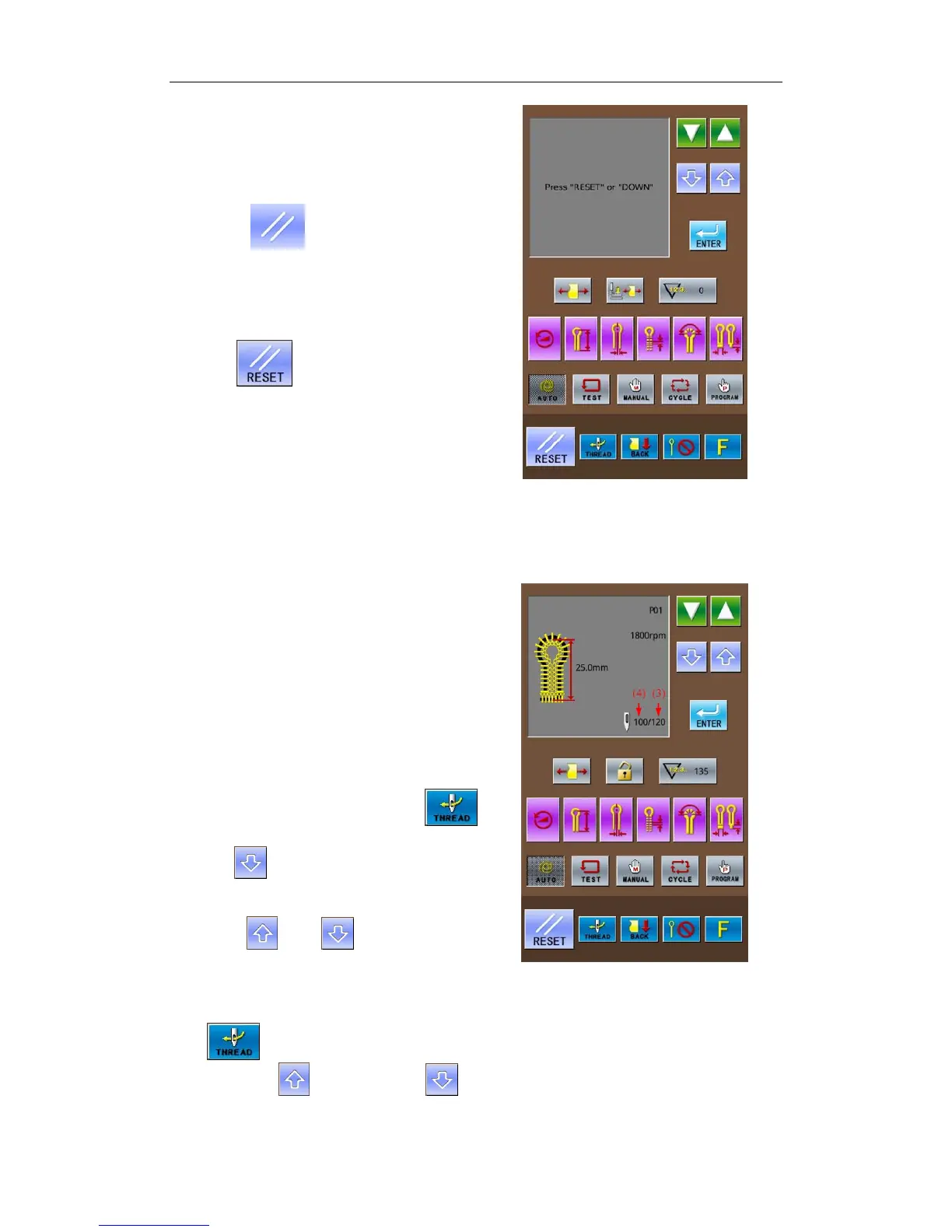
6-3-2 Method for Releasing Pause (For
Stopping the Work)
① Press
(2) when the interface
displays “InstancyStop Error”.
Then the operation penal will show the
sewing interface, and the pattern data display
area shows “Press ‘Reset’ or ‘Down’”
② Release the error causing the pause.
③ Press
. After the needle rod and the
cloth-feeding board performs the origin test,
they will return to the position for setting
cloth.
6-3-3 Method for Releasing Pause (For
Continuing the W
ork)
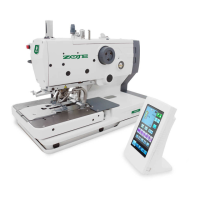
① Press RESET button (2) when the interface
displays “InstancyStop Error”.
Then the operation penal will show the
sewing interface, and the pattern data display
area shows “Press ‘Reset’ or ‘Down’
② Release the error causing the pause.
If the upper thread is broken, press
to have access to the threading mode.
③ Press to display the total stitch number
of pattern (3) and the leftover stitch number
(4) in the pattern data display area.
④ Press
or to move the
cloth-feeding board according to the shape
of pattern so as to confirm the position for
continuing the sewing job.
If the upper thread is broken, please
press
to have access to threading mode.
Note: press
to proceed; press to
reverse. Holding means to keep proceeding or
37



 To Next Page