7. Interface of Parameter Setting Mode
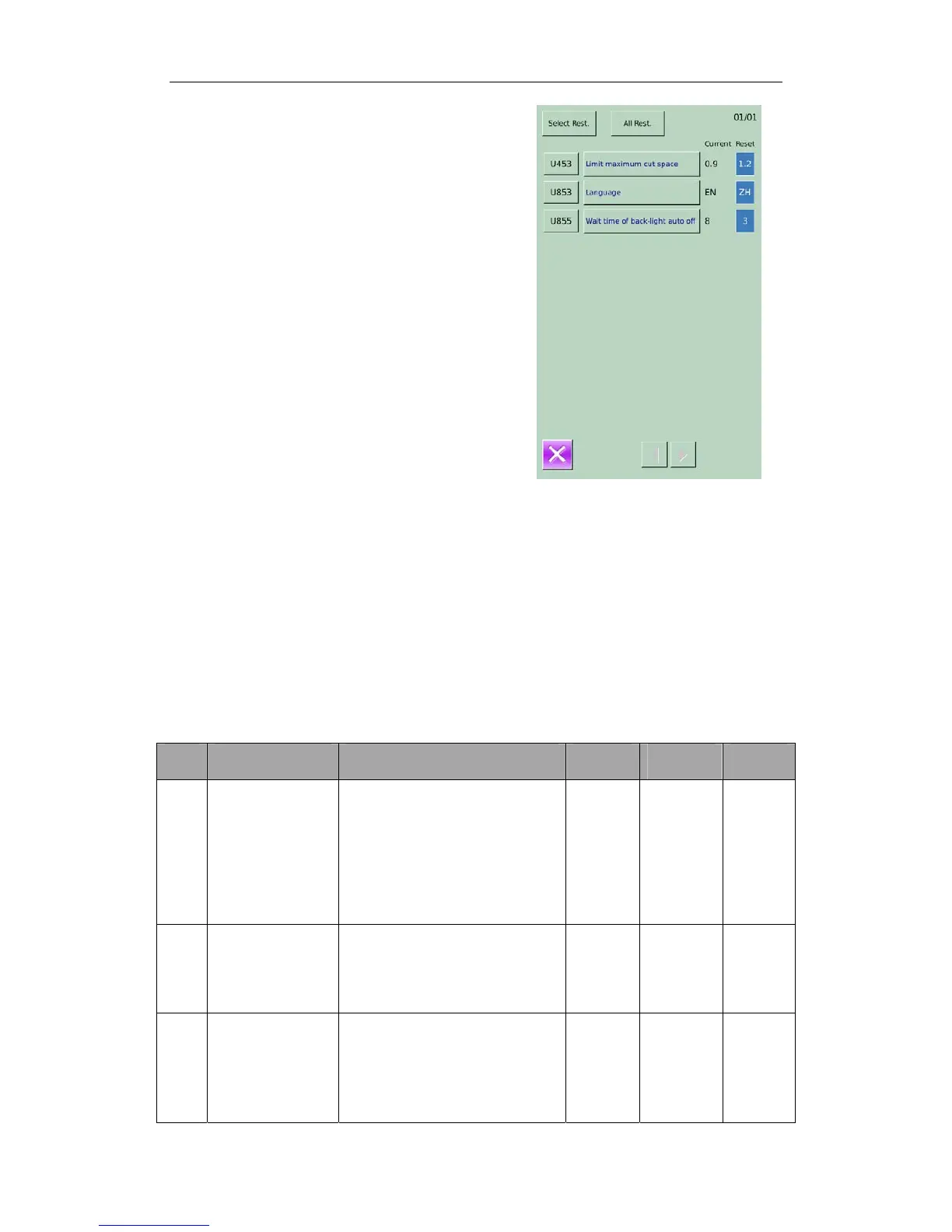
④ Check the changed parameter
A、 When parameter is changed, the system
will display “Modified” key at parameter
setting interface.
B、 In the parameter setting interface, press
【 Modified 】 to check the changed
parameters.
At first, the system will ask user to input
the password. For the operation at
password input interface, please refer to the
“A” at ② . After inputting the right
password, user can enter the interface for
inquiring changed parameters.
C、 Under the interface of changed parameter
inquiry, user can find the list containing all
the changed parameters with their current
value and default value.
In that interface:
Press【All Rest】 will restore all the
changed parameters to their default
values
Click Parameter Name, like【Limit
maximum cut Space】 and then press
【 Select Rest. 】 to restore this
parameter to the default value. User
can select many parameters at here.
Press Parameter Number, like【U453】
to enter the parameter setting
interface, where user can reset the
parameter value.
7-6-2 List of Parameters at U Level
No. Functions Description Range Changing
Step
Default
Setting
U001
1
Pedal/2 Pedals
Switch
0:Single Pedal(Simulation)
1:
Step the start pedal to lower the
presser, and the sewing machine
starts.
2:
Press the presser switch to
lower the presser. Then step the
start pedal to start the sewing
machine.
0~2 1 2
U051
Delay time before
cut for 1 Pedal
model
For automatic sewing in
Cut-before-Sewing mode, this
parameter will determine the
delay time of knife action after
the pedal 1 is stepped
0~800 50ms 0
U056
Lower clamp
when move front
0:OFF
After sewing, the cloth-feeding
board moves to the position set
before with the presser at up
position; the presser keeps up at
searching the original
0~1 1 0
50



 To Next Page