7. Interface of Parameter Setting Mode
7-5-2 Input/ Output U Level Parameters
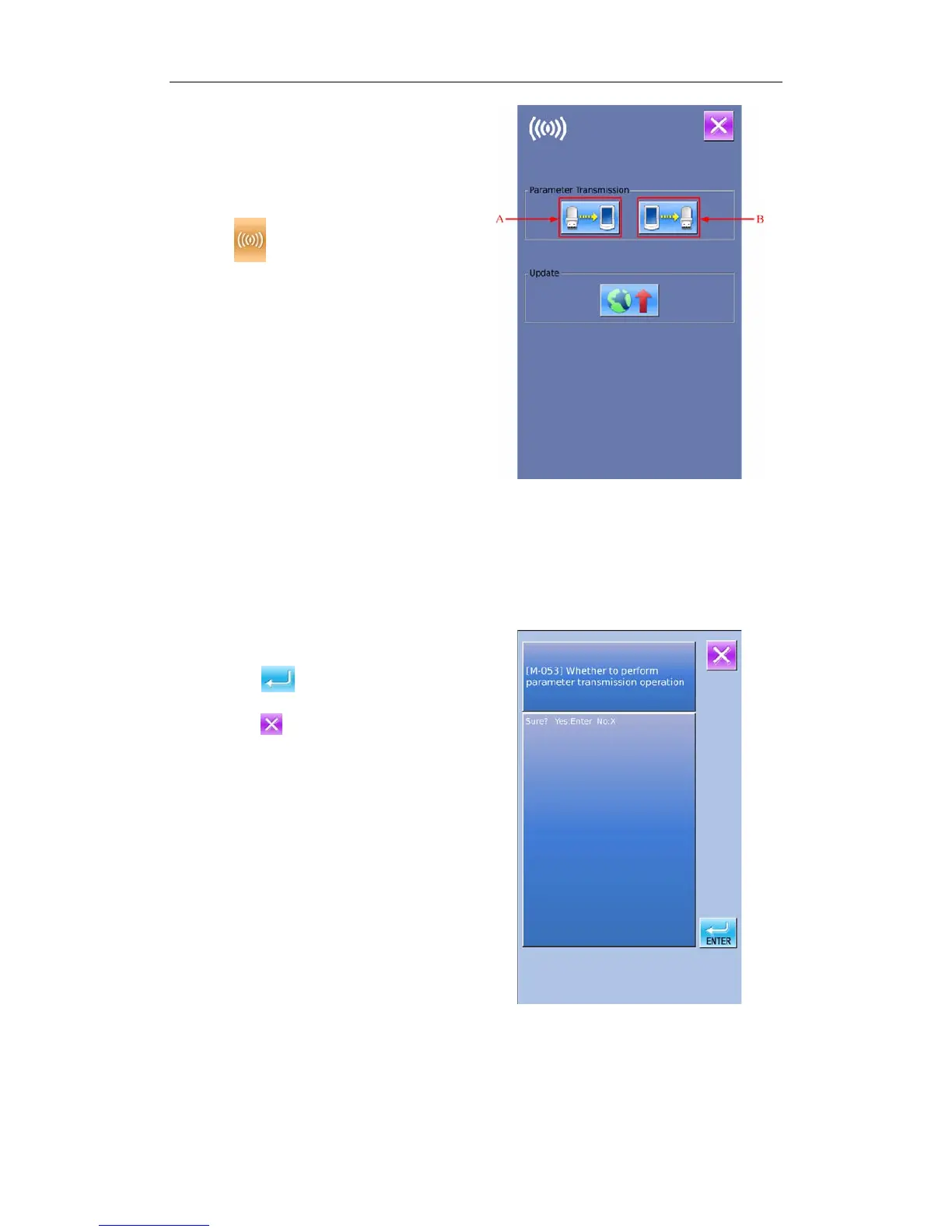
① Display the Communication Interface
Insert U disk. In the level 2 of Setting Mode,
press
to have access to the
Communication function mode
A: Input Parameter from U disk to Panel
B: Output Parameter from Panel to U disk
※ When inputting patterns from U disk,
user has to save the parameters into the
DH_PARA in the U disk with name
9820Param
※ When outputting patterns from operation
panel, user has to save the parameters into
the DH_PARA in the U disk with name
9820Param
※ The parameter file is the binary file,
which is operated on the control panel.
User can not change that file manually on
PC, or the file may be damaged
② Press Button A to Input Parameters from
U Disk to Operation Panel
A、Press
to input the parameters and
quit
B、Press
to quit directly.
46



 To Next Page