7. Interface of Parameter Setting Mode
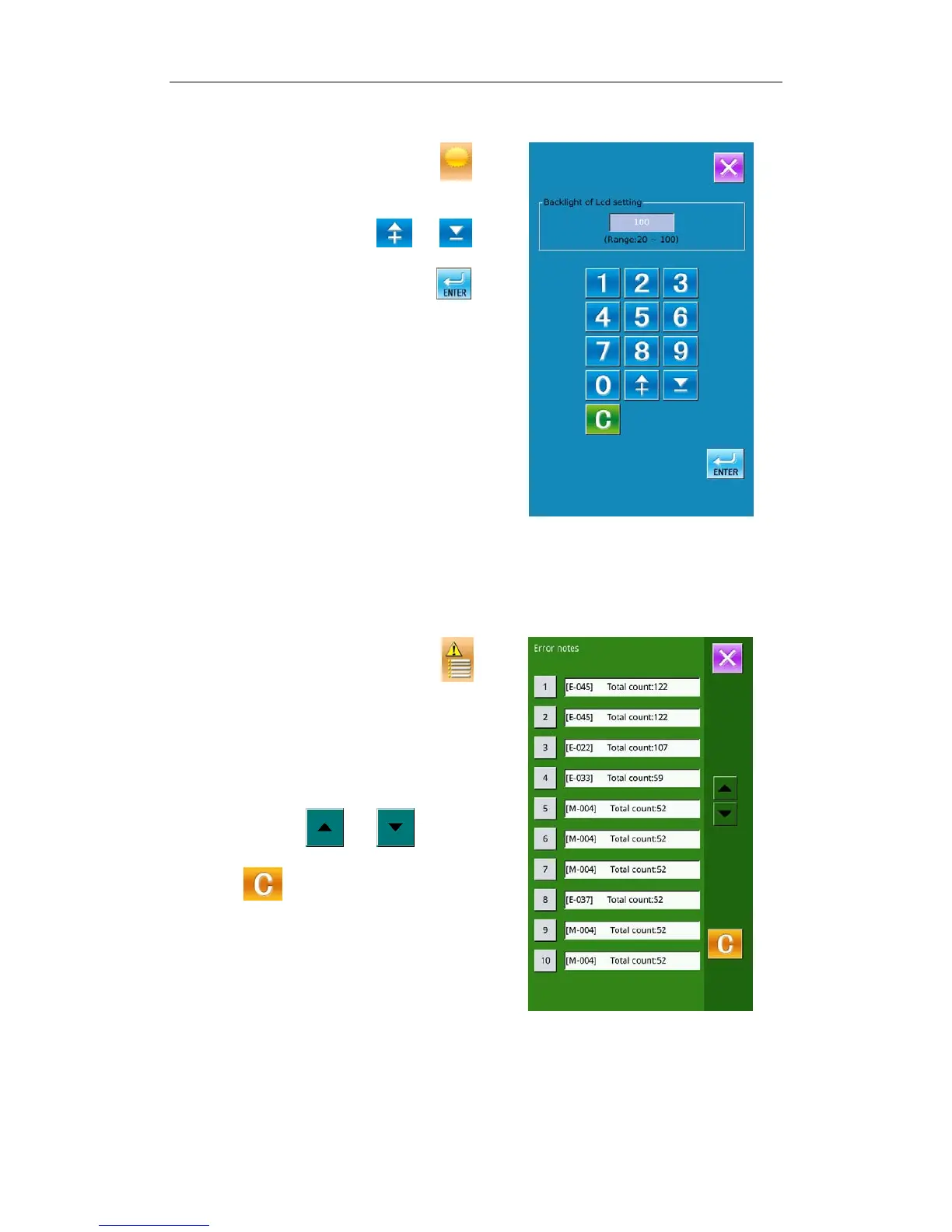
7-3 Lightness Adjustment
In Level 1 of Setting Mode, press to
have access to the interface of lightness adjustment
(as shown in the right figure), whose range is
from 20 to 100. User can press or to
adjust the value and it is also possible to input the
value via the number keys. Press
to
confirm the input.
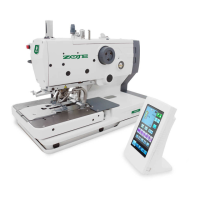
7-4 Error Information Record
In Level 1 of Setting Mode, press to
have access to the interface for recording the error
information (as shown in right). In the interface,
the times of the various kinds of errors and the
recent error information will be displayed. The
smaller number means the later occurrence.
Additionally, the system will also record the
production number at each warning.
User can use
or to turn the
pages for checking more error information.
Press
to clear all the error records.
43



 To Next Page