5. Basic Operating Instruction
② Move cloth-feeding board to backside
(standard position for setting cloth)
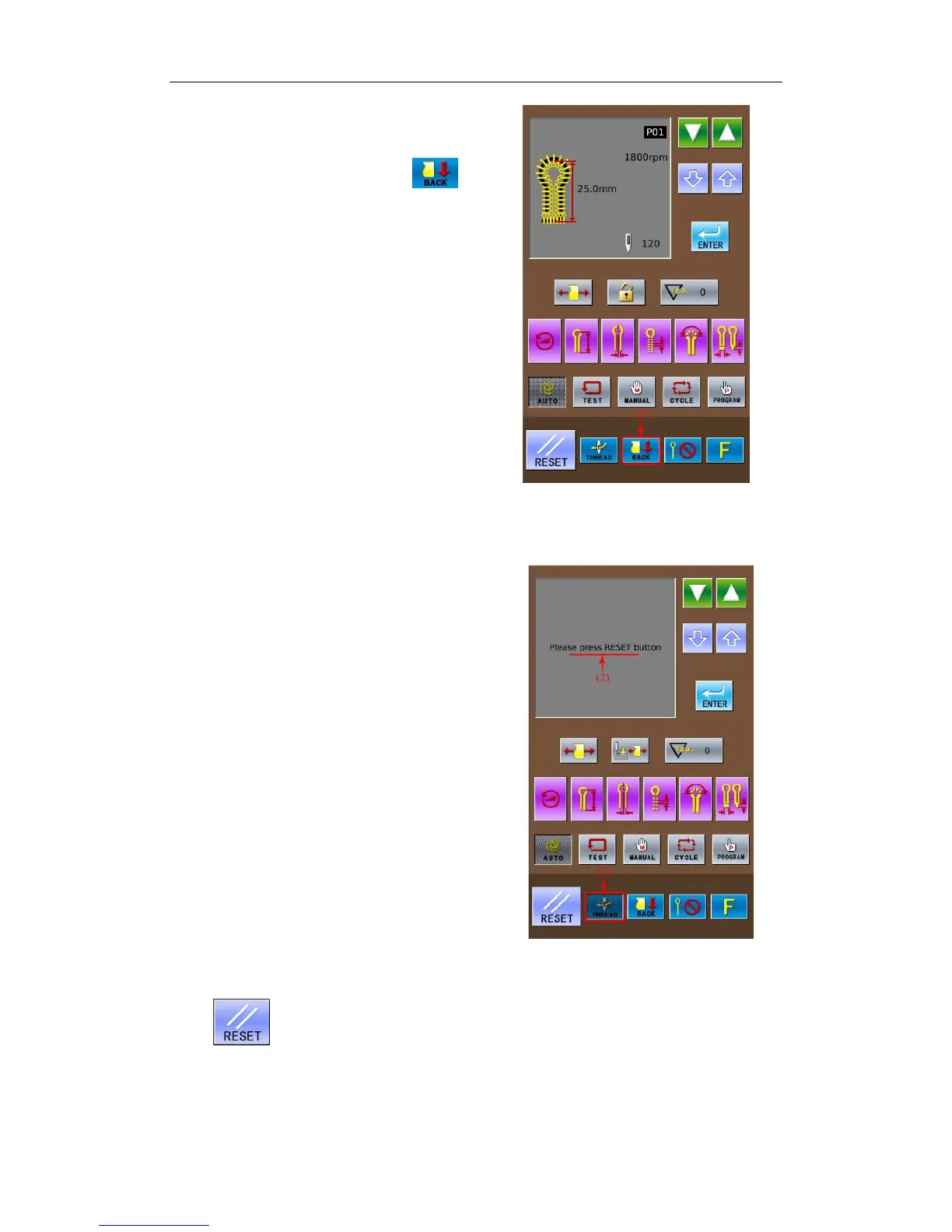
Press the Cloth Position Shift Key (2) again
to change the cloth-feeding mode to
. At
the moment, the cloth-feeding board will return
to the backside (the standard position for setting
cloth).
5-7 Threading Mode
This mode is used in threading the upper
thread. At threading mode, if the Z axis of needle
rod turns 180 degree, the excitation of stepping
motors on X, Y and Z axis will be cut off. At this
time, the needle rod and cloth-feeding board can
move freely so as to be easy for threading the
upper thread.
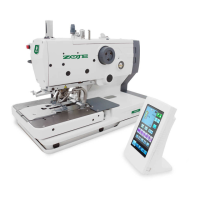
① Have access to threading mode
In the readiness status of Auto mode, Test
Feed mode or Manual mode, press Threading
Mode Key (1) to shift from cloth-feeding mode to
threading mode. At this time:
1.The pattern data display area will have
“Threading mode press ‘RESET’ ” (2).
2.The thread-holder goes into open status.
3.The buzzer rings and the needle rod returns for
180° , then the excitation of the stepping motors
on X, Y & Z axis will be cut off
② Threading Upper Thread
After 3 minutes, the thread-holder will be
turned off automatically.
③ Finish of Threading Upper Thread
After threading the upper threads, please
press
.
When the needle rod and cloth-feeding board
are moved to origin for origin test, they will return
to the position for setting cloth.
The thread-holder is off.
32



 To Next Page