7. Interface of Parameter Setting Mode
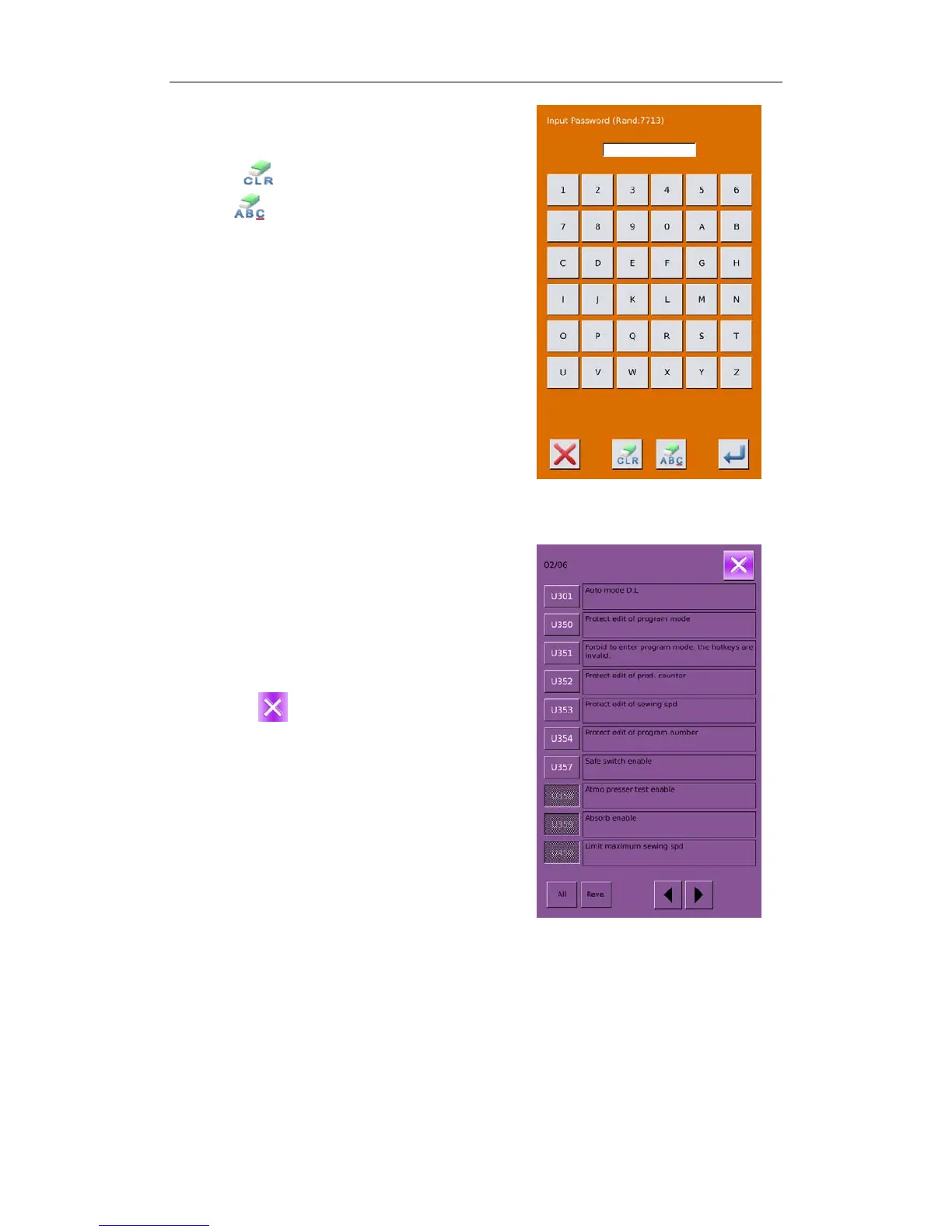
② Parameter Encryption
Press “Encryption” to enter the password input
interface.
Press
to clear all the content
Press
to erase one figure at each pressing
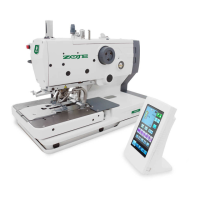
③ Change the Parameter
Input the right password to enter the interface for
parameter encryption
A、Select the parameter for encryption
B、Press 【Select All】 to attach password to all
the parameters
C、Press【Reverse】 to select parameter for
encryption in reverse way
D、Press
to quit the encrypting function
49



 To Next Page