Preface
Preface-2 www.zoll.com 9650-000278-01 Rev. B
Related Documents
The following documents are related to this manual.
• ZOLL 330 Multifunction Aspirator Operator’s Guide
• ZOLL Remote Calibration System Operator’s Manual
Service Manual Updates
An issue or revision date for this manual is shown inside its front cover. If more than 3 years
have elapsed since this date, contact ZOLL Medical Corporation to determine if additional
product information updates are available.
All users should carefully review each update to understand its significance and then file it in
its appropriate section within this manual for subsequent reference.
Product documentation is available through the ZOLL website at www.zoll.com. From the
Products menu, choose Product Manuals.
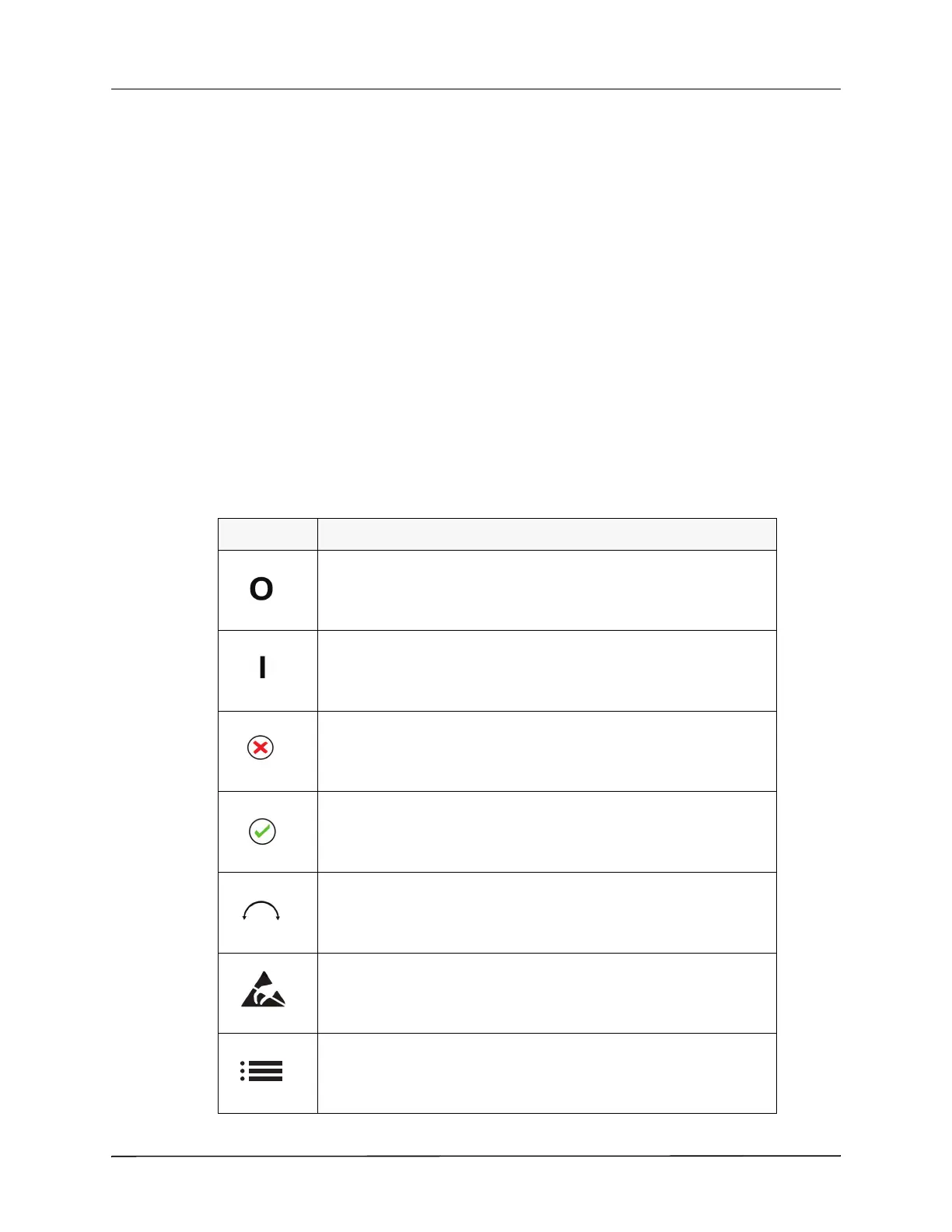
Symbols on the Aspirator
The following symbols appear on the aspirator, its display, or in this manual.
Symbol Description
Device Off
Device On
Mute/Cancel: Identifies the button that mutes the active alarms or
cancels the parameter selection.
Accept / Confirm: Identifies the button that accepts (confirms) a
parameter selection.
Identifies the Rotary Encoder Dial that allows the selection of parameter
values.
ESD: Warns that connector pins should not be touched.
Menu icon. This icon identifies the button that, when pressed, displays a
menu of options that you can select to configure the aspirator.











 To Next Page