EasyManua.ls Logo

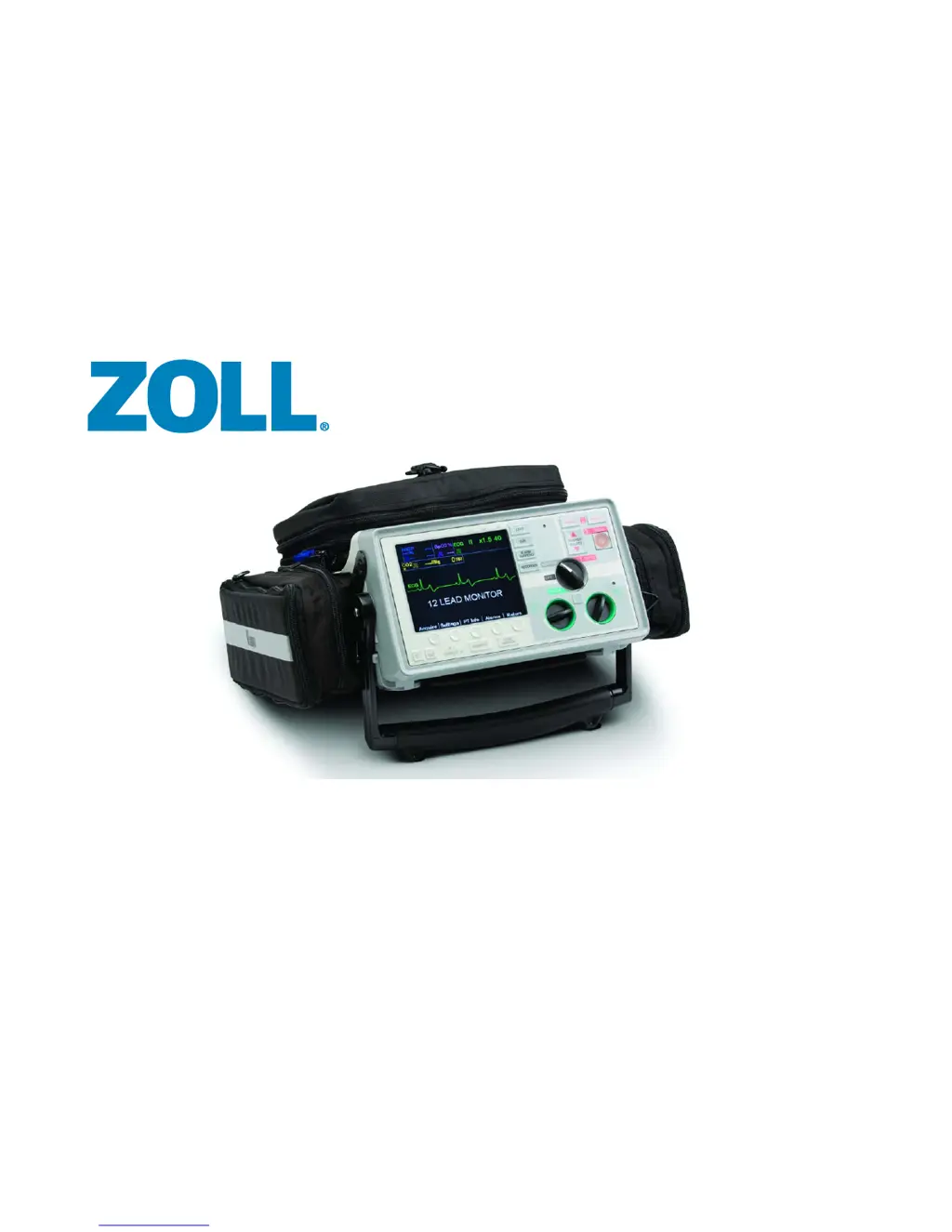
ZOLL E Series - Service Manual

ZOLL E Series
280 pages
Print Icon
To Next Page IconTo Next Page
Loading...
9650-1450-01 Rev. D January 2014
E Series
®
Service Manual

Table of Contents

Questions and Answers

  • L
    Lisa DixonAug 13, 2025
    What causes flash or arcing under defibrillator pad on ZOLL E Series Medical Equipment and how to prevent it?
    • P
      Paula FlemingAug 13, 2025
      To prevent flash or arcing under the defibrillator pad, avoid using alcohol and betadine around the treatment area, as these can increase conductivity. Check for gel droop and replace the electrode if gel has leaked. Ensure pads are properly coupled to the patient’s skin and connected to the universal cable. Also, check for dried out gel on the pad and replace if expired. Clip excessive hair; do not shave. Avoid chest compressions through the pads to prevent damage. Apply the back electrode first to prevent the front electrode from lifting. Ensure that wet gel pads are stored flat.
  • C
    Carol BowersAug 25, 2025
    Why does V LEADS OFF message display on ZOLL Medical Equipment?
    • T
      Thomas GutierrezAug 25, 2025
      If the V LEADS OFF message appears, attach the V lead connector terminator plug to the cable’s V lead connector if V leads are not in use. If a V1 lead wire metal snap comes into contact with the patient’s skin, the system will show all V leads as OFF. To resolve this, remove V1 leads and others away from the patient. Then, turn off the unit, wait ten seconds, and turn it back on.
  • A
    Andre ThomasAug 28, 2025
    What to do if displayed heart rate is not accurate but there is no artifact present on ZOLL E Series Medical Equipment?
    • P
      Patricia LloydAug 29, 2025
      If the displayed heart rate is not accurate and no artifact is present, verify that the heart rate flashes with each QRS on the display. Try changing the lead selection, adjusting the ECG size, or repositioning the ECG electrodes.
  • A
    Anthony SalazarSep 1, 2025
    How to resolve electronic interference with ZOLL E Series?
    • J
      John TaylorSep 1, 2025
      To address electronic interference, check for excessive radio frequency interference. Move patient cables away from other electrical equipment. If the issue persists, turn off sources of excessive RFI or move the E Series unit away from the RFI source.
  • J
    james25Sep 8, 2025
    What causes false “Pacer Pulses Seen” on ZOLL E Series Medical Equipment and how to resolve it?
    • M
      Mary KnoxSep 8, 2025
      If false “Pacer Pulses Seen” messages appear when the patient does not have an internal pacemaker, disable “Enable Pacer Detection” to reduce high-frequency artifact.
  • C
    Chelsea HudsonNov 16, 2025
    What to do if CHECK PADS/POOR PAD CONTACT message displays on ZOLL E Series Medical Equipment?
    • M
      Michael BanksNov 16, 2025
      If you receive a CHECK PADS/POOR PAD CONTACT message, try the following: * Remove and reinsert the PADS connector into the universal cable. * Inspect the defibrillator pads, wires, and connector for damage. * Check for dried out or expired defibrillator pads. * Clip the patient’s hair (do not shave) and dry the pad contact area. * Connect the cable to the test plug. A DEFIB PAD SHORT message should appear, indicating proper cable function. If it does, check pad connections to the patient and cable. If not, remove the defibrillator from service. Alternatively, connect the universal cable to the shorting plug. The DEFIB PAD SHORT message should appear when you SELECT PADS. If the message does not appear, try another universal cable. Also, check the cables from the universal cable...
  • N
    Nathan TranNov 19, 2025
    How to fix ECG LEAD OFF message on ZOLL E Series?
    • J
      James WalkerNov 20, 2025
      To resolve the ECG LEAD OFF message, check the ECG electrode site preparation by cleaning, lightly abrading the patient’s skin, and/or clipping hair at the site. Replace dry electrodes with new ones from a freshly opened package and verify that all leads are attached. You can also try setting the monitor to another lead and ensuring that the electrodes are not expired. If the problem persists, try reproducing it using a simulator. Inspect the ECG cables for corrosion or broken connector pins. Check for intermittent connections by flexing the cable at the yoke and snap connectors. Verify the cable connection to the defibrillator, inspect the ECG input connector and its pins, and replace if necessary. Also, inspect the ECG cable connection to the system board, the system board ECG shielding...

Summary

Chapter 1 Maintenance Tests

Defibrillator Self Test

Describes the procedure for performing the internal defibrillator self-test.

Shock Test

Outlines the procedure for testing defibrillator shock delivery at various energy levels.

Chapter 2 Troubleshooting

Troubleshooting tables for ECG Leads Off Messages and Monitor Displays

Provides tables for troubleshooting ECG lead off messages and monitor display issues.

ZOLL E Series Error Messages

Lists and explains various error messages and their technical actions.

Chapter 3 Replacement Parts

Replacement Parts

Lists available replacement parts for ZOLL E Series devices with part numbers and item numbers.

Chapter 4 Functional Description

High Voltage Module

Describes the high voltage module's components and function for pacing and defibrillation.

Chapter 5 Disassembly Procedures

Safety Precautions

Provides critical safety warnings and precautions before servicing the unit.

Front Panel Removal

Step-by-step instructions for removing the front panel assembly.

Front Panel Disassembly

Detailed steps for disassembling the front panel into its components.

System Board Removal

Detailed instructions for removing the main system board.

High Voltage Assembly Removal

Outlines the procedure for removing the high voltage assembly.

E Series Operator’s Guide

Defibrillator Function

Describes the defibrillator's capabilities and intended use.

Safety Considerations

Provides general warnings and safety considerations for operating the device.

Operator Safety

Details safety precautions for the operator.

Patient Safety

Provides essential safety guidelines for patient care.

SECTION 2 OPERATING CONTROLS AND INDICATORS

4. SHOCK Button

Describes the function and operation of the SHOCK button for defibrillation.

SECTION 3 MANUAL DEFIBRILLATION

Emergency Defibrillation Procedure with Paddles or MFE Pads

Outlines the emergency defibrillation procedure using paddles or MFE pads.

SECTION 4 ADVISORY DEFIBRILLATION

Advisory Defibrillation

Explains the process of advisory defibrillation and when it is indicated.

3 Press SHOCK

Outlines the procedure for pressing the SHOCK button to deliver energy.

SECTION 5 AUTOMATED EXTERNAL DEFIBRILLATOR (AED) OPERATION

AED Semiautomatic Operation

Describes the recommended method for AED analysis and defibrillation.

2 Press ANALYZE Button

Details how to initiate ECG analysis in semiautomatic mode.

3 Press SHOCK

Outlines the procedure for pressing the SHOCK button in AED mode.

AED Manual Mode Operation

Describes how to enter Manual mode from Semiautomatic mode.

SECTION 6 SYNCHRONIZED CARDIOVERSION

Synchronized Cardioversion

Explains the procedure for synchronizing defibrillator discharge with ECG R-waves.

2 Charge Defibrillator

Instructions for charging the defibrillator while in Sync mode.

3 Deliver SHOCK

Outlines the procedure for delivering a synchronized shock.

SECTION 7 REAL CPR HELP

Prepare the Patient and Attach the CPRD-to-MFC Connector

Instructions for preparing the patient and connecting CPR-D-padz to the MFC connector.

CPR Compressions Indicator

Describes the bar graph indicator for compression rate and depth quality.

SECTION 8 SEE-THRU CPR

See-Thru CPR

Explains how See-Thru CPR enables ECG rhythm viewing during CPR.

SECTION 9 NONINVASIVE TEMPORARY PACING (PACER VERSION ONLY)

Noninvasive Temporary Pacing

Describes the VVI demand pacemaker and its functionality.

4 Set Pacer Output

Details how to increase PACER OUTPUT mA until stimulation is effective.

5 Determine Capture

Explains how to determine electrical and mechanical capture.

SECTION 10 ECG MONITORING

Alarms

Discusses the unit's alarm system, including setting limits and priorities.

Setting Alarm Limits

Provides steps to set alarm limits for patient vital signs.

Suspending and Silencing Alarms

Explains how to suspend or silence alarm tones.

SECTION 11 GENERAL MAINTENANCE

Cleaning

Details recommended cleaning solutions and procedures for the unit and accessories.

Testing the E Series Unit

Covers testing of the stripchart recorder, defibrillator, and pacer.

Testing the Defibrillator (Semiautomatic Mode)

Procedures for testing the defibrillator in semiautomatic mode.

Defibrillator Test

Tests the defibrillator's rhythm analysis and shock delivery.

Testing the Defibrillator (Manual Mode)

Procedures for testing the defibrillator in manual mode.

Operator’s Shift Checklist for E Series Products (Semiautomatic)

Checklist for semiautomatic mode shift checks.

SECTION 12 BATTERY MANAGEMENT

Changing the Battery Pack

Step-by-step instructions for removing and installing the battery pack.

Charging and Testing Battery Packs

Details how to charge and test battery packs using ZOLL chargers.

SECTION 13 TROUBLESHOOTING GUIDELINES

Monitor

Provides troubleshooting steps for monitor-related issues.

Recorder

Offers troubleshooting steps for issues related to the recorder.

Pacer (Pacer version only)

Troubleshooting steps specific to the pacer function.

Defibrillator

Provides troubleshooting steps for defibrillator-related problems.

AC Charger

Troubleshooting steps for issues related to the AC charger.

APPENDIX A SPECIFICATIONS

Defibrillator

Lists specifications related to the defibrillator's waveform and energy.

CPR Monitoring

Provides specifications for CPR monitoring, including compression depth and rate.

APPENDIX B MEDICAL REPORT CAPABILITY

Troubleshooting

Lists messages encountered during data transmission problems.

ZOLL E Series Specifications

General IconGeneral
Display TypeColor LCD
ECG MonitoringYes
PacingYes
Pacing Rate30-180 ppm
SpO2Optional
NIBPOptional
EtCO2Optional
PrinterIntegrated
Data ManagementYes
CPR FeedbackYes
IP RatingIP55
Pacing Output0 - 140 mA
Battery TypeRechargeable lithium ion
Battery Life4 hours
Energy Selection1-360 Joules
Display Size6.5 inches

Related product manuals