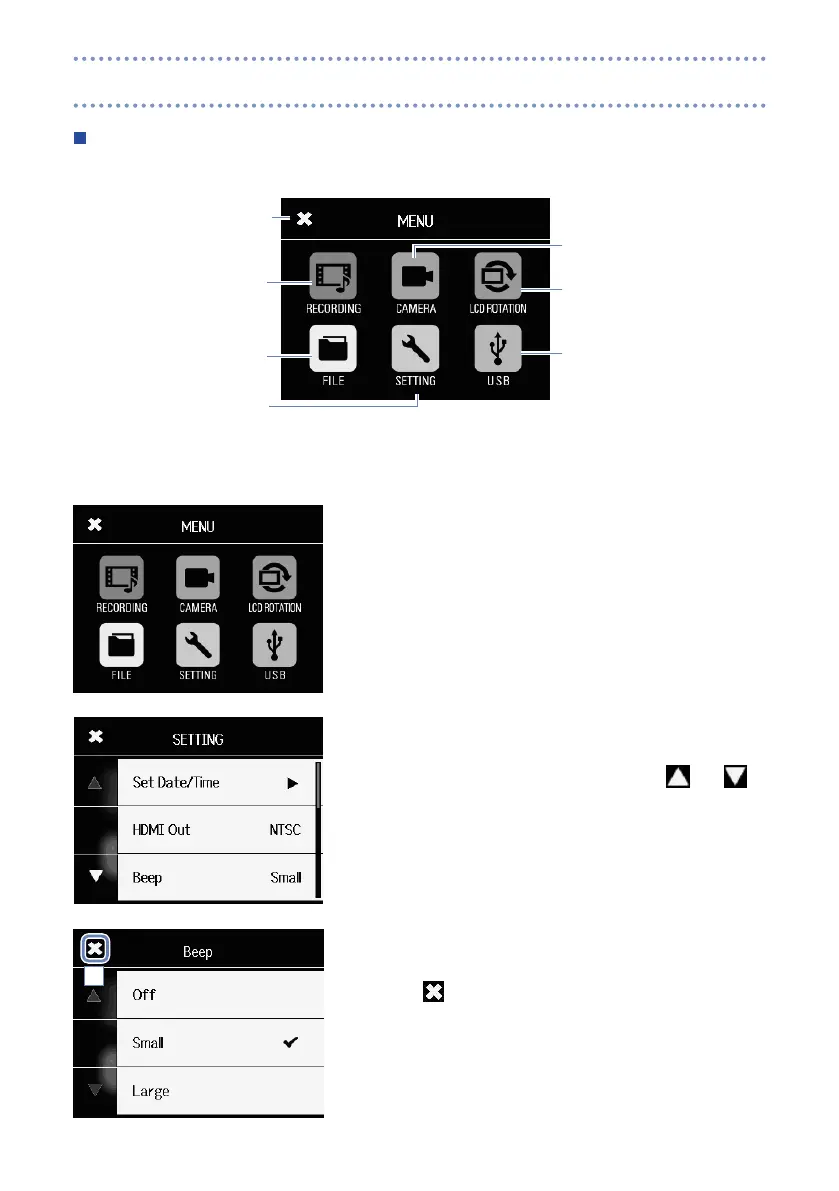
Menu screen
Open
camera settings
(→ P. 27)
Open
LCD ROTATION setting
(→ P. 38)
Open
USB settings
(→ P. 35)
Return to
previous screen
Open recording
mode settings
(→ P. 25)
Open file list
(→ P. 30)
Open
system settings
(→ P. 39)
Using the menu
1. Touch the icon for the function you want to use.
2. Select the item you want to set.
When settings have multiple pages, touch
and
to
change pages.
If an item has a submenu, repeat these steps as necessary.
3. Make the change on the setting screen.
4. Touch at the top left of the screen to return to the first
screen.
4
Display overview (continued)



 To Next Page