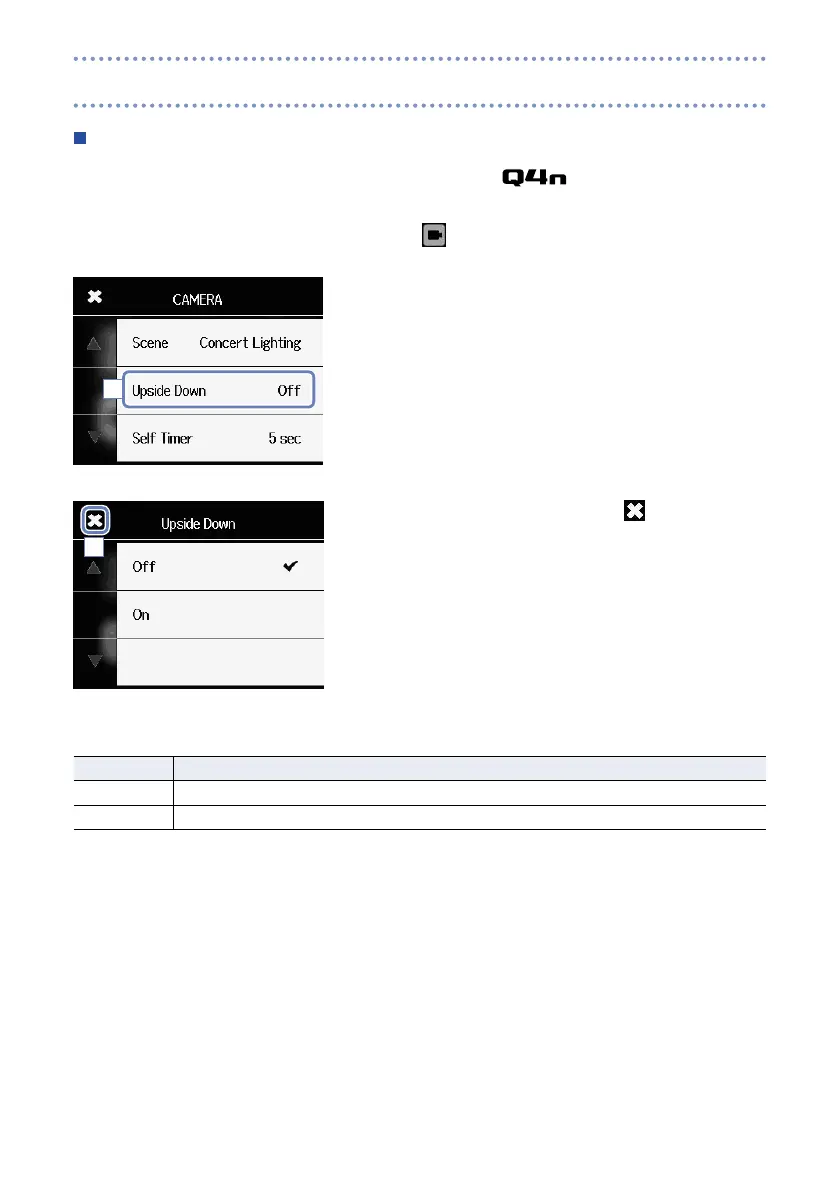
Upside Down
Video will be saved with the image rotated 180°. Use when the is recording upside down, for
example.
1. Touch
on the Menu screen.
2. Touch Upside Down in the submenu.
3. Touch the setting value in the submenu.
4. After completing the setting, touch to close the sub-
menu.
Upside Down: reverse vertical orientation when recording
Setting Explanation
Off Video is not rotated.
On Video will be saved with the image rotated 180°.
2
4
Camera settings (continued)



 To Next Page