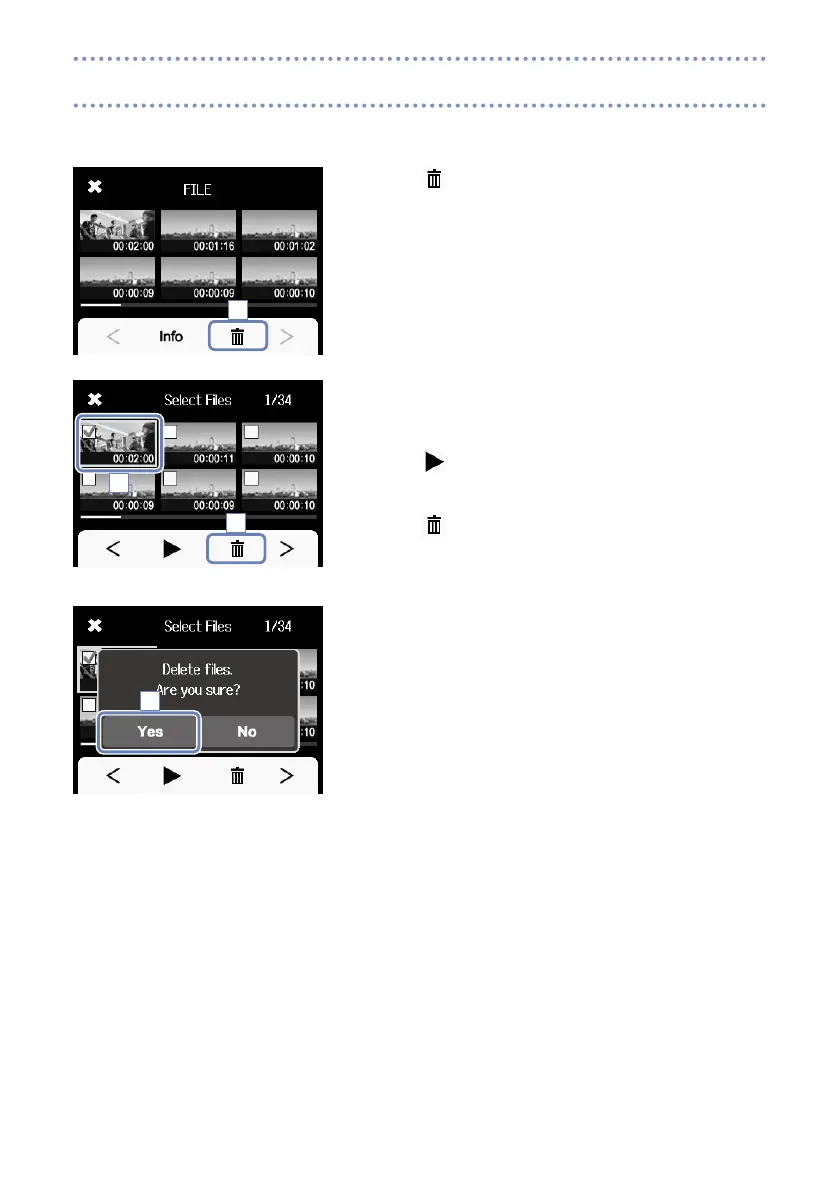
You can delete files that you do not need.
1. Touch
on the FILE list screen.
Checkboxes appear on the file thumbnails.
2. Touch a file to add a check to its box, marking it for dele-
tion.
Touch
to play the last selected file, which is framed in
green.
3. Touch
.
4. Touch Yes on the confirmation screen.
The selected file(s) will be deleted.
Touch No to cancel the operation.
1
2
3
4
Deleting recordings



 To Next Page