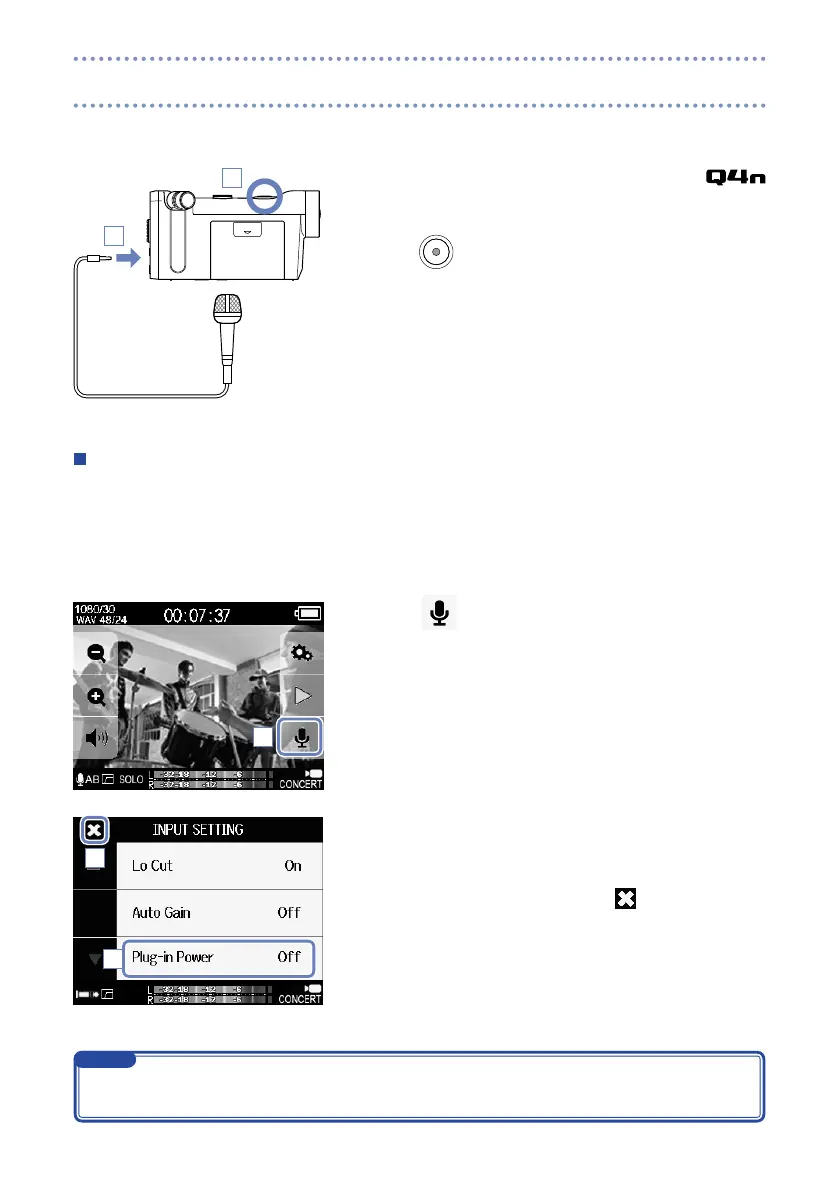
You can capture audio with an external mic or audio device when recording video.
1. Connect the external mic or audio device to the
external input jack.
2. Press
.
This starts recording.
Using microphones that require plug-in power
Enable plug-in power for mics that require it.
1. Connect the mic that requires plug-in power to the exter-
nal input jack.
2. Touch
on the Main screen.
This opens the INPUT SETTING screen.
3. Touch Plug-in Power on the INPUT SETTING screen, and
change the setting to On.
4. After completing the setting, touch to close the INPUT
SETTING screen.
1
2
2
3
4
Plug-in Power will not appear when nothing is connected to the external input jack.
•
The built-in mics are disabled when an external device is connected to the external input jack.
•
NOTE
Connections to the external input jack



 To Next Page