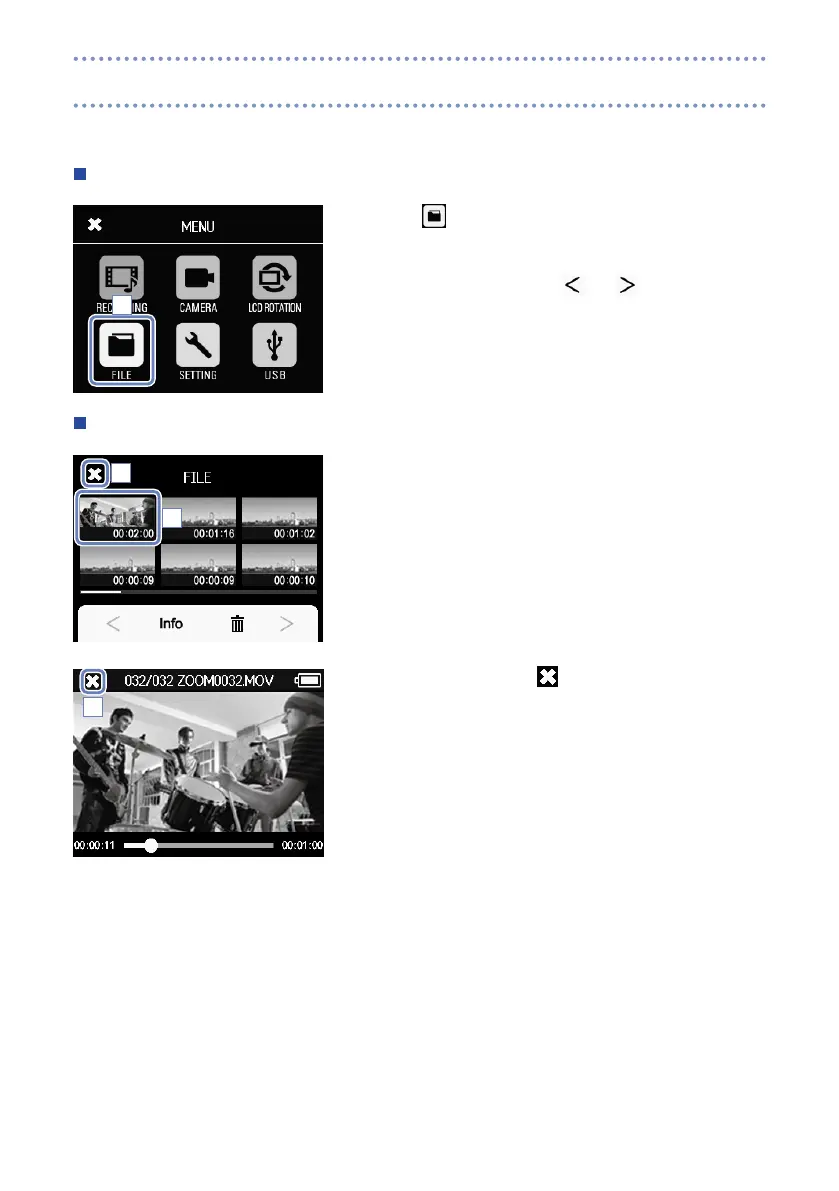
On this screen, you can view a list of video files and play them back.
Opening the file list
1. Touch
on the Menu screen.
This opens the FILE list screen.
If there are many files, touch
and
to change pages.
Playing files from the list
1. Touch the thumbnail for the file you want to play.
The touched file will start playing.
2. To stop playback, touch .
The FILE list screen reopens.
1
1
2
2
File list



 To Next Page