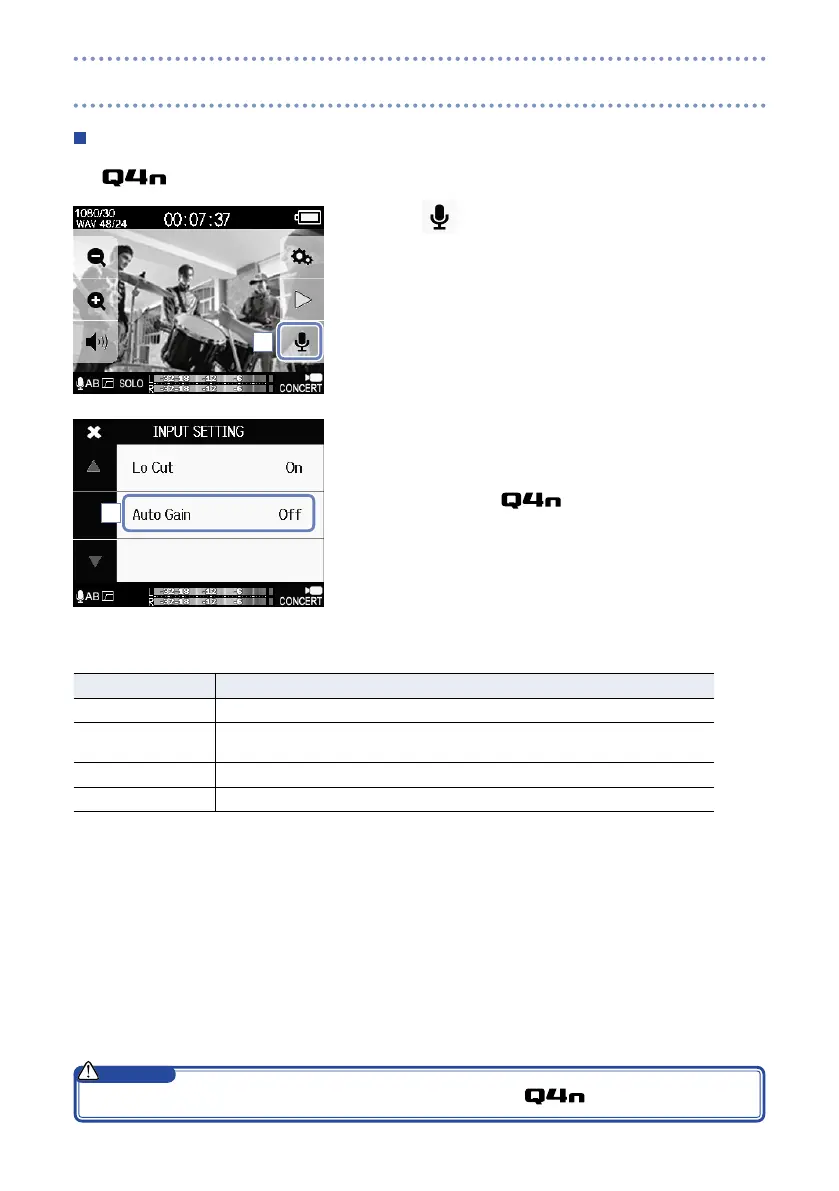
Auto Gain
The can adjust recording levels automatically.
1. Touch
on the Main screen.
2. Touch Auto Gain on the INPUT SETTING screen, and
change the setting.
When enabled, the
will automatically adjust the gain
for suitable recording levels.
Auto Gain: settings and main applications
Setting Main applications
Off This disables Auto Gain. Adjust the recording level manually.
Concert This is suitable for recording band performances, concerts and other loud situ-
ations.
Solo Use for solo performances and other quiet sounds.
Meeting Use for meetings and field recordings.
1
2
When Auto Gain is enabled, the input volume control on the top of the has no effect.
CAUTION
Setting the sound (continued)



 To Next Page