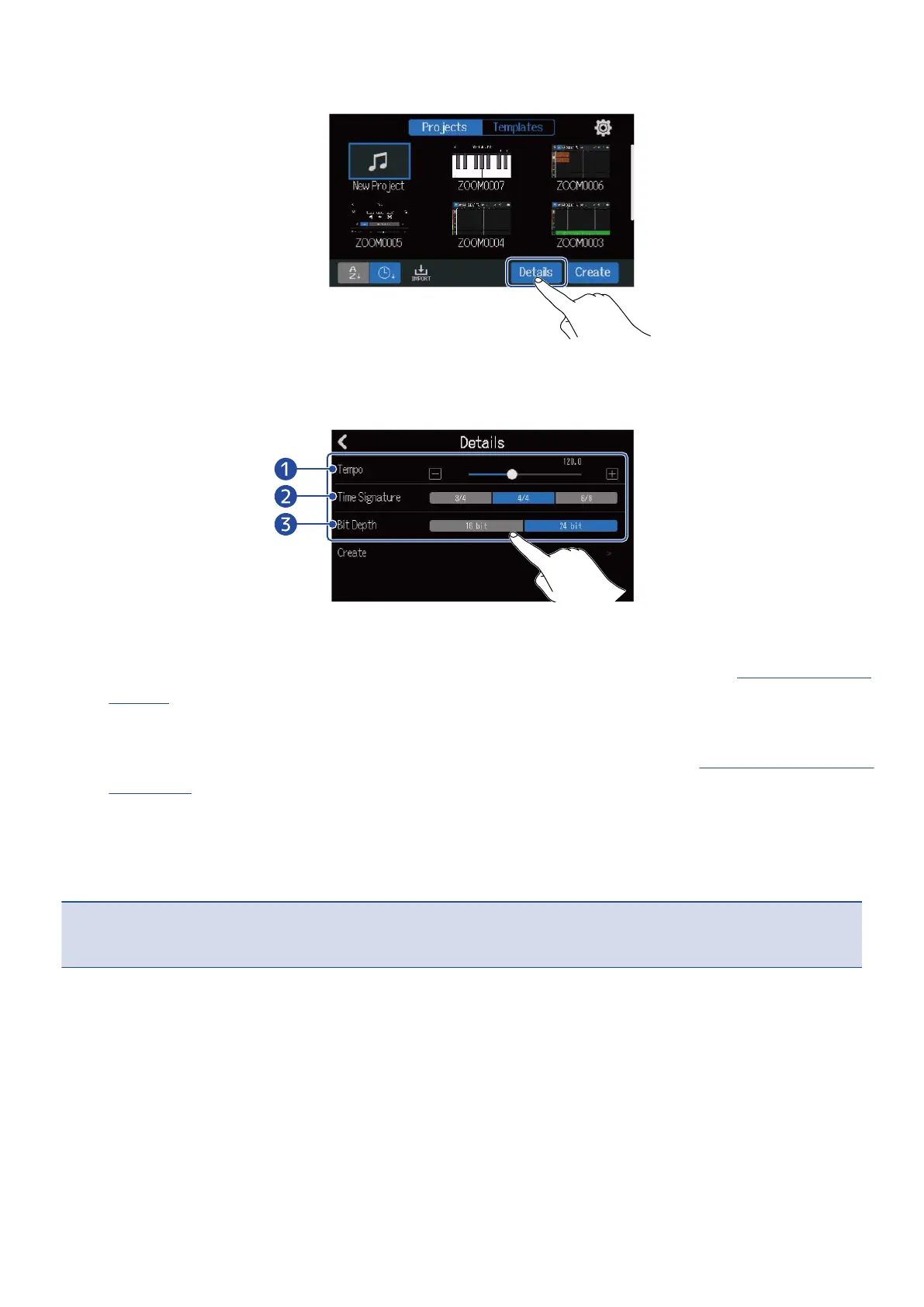
3. Tap “Details”.
Tapping “Create” will create a project without changing settings.
4. Change the project settings by tapping and sliding.
❶
Tempo
This changes the setting of the tempo used for the entire song (40.0–250.0). (→ Changing project
tempos)
❷
Time Signature
This changes the setting of the time signature used for the entire song. (→ Changing project time
signatures)
❸
Bit Depth
This sets the amount of data per digital signal sample. The 24-bit option captures more
information, increasing audio detail and expression, but it also creates more data.
NOTE:
Bit Depth cannot be changed later.
32



 To Next Page