RT100 Rough Terrain Crane
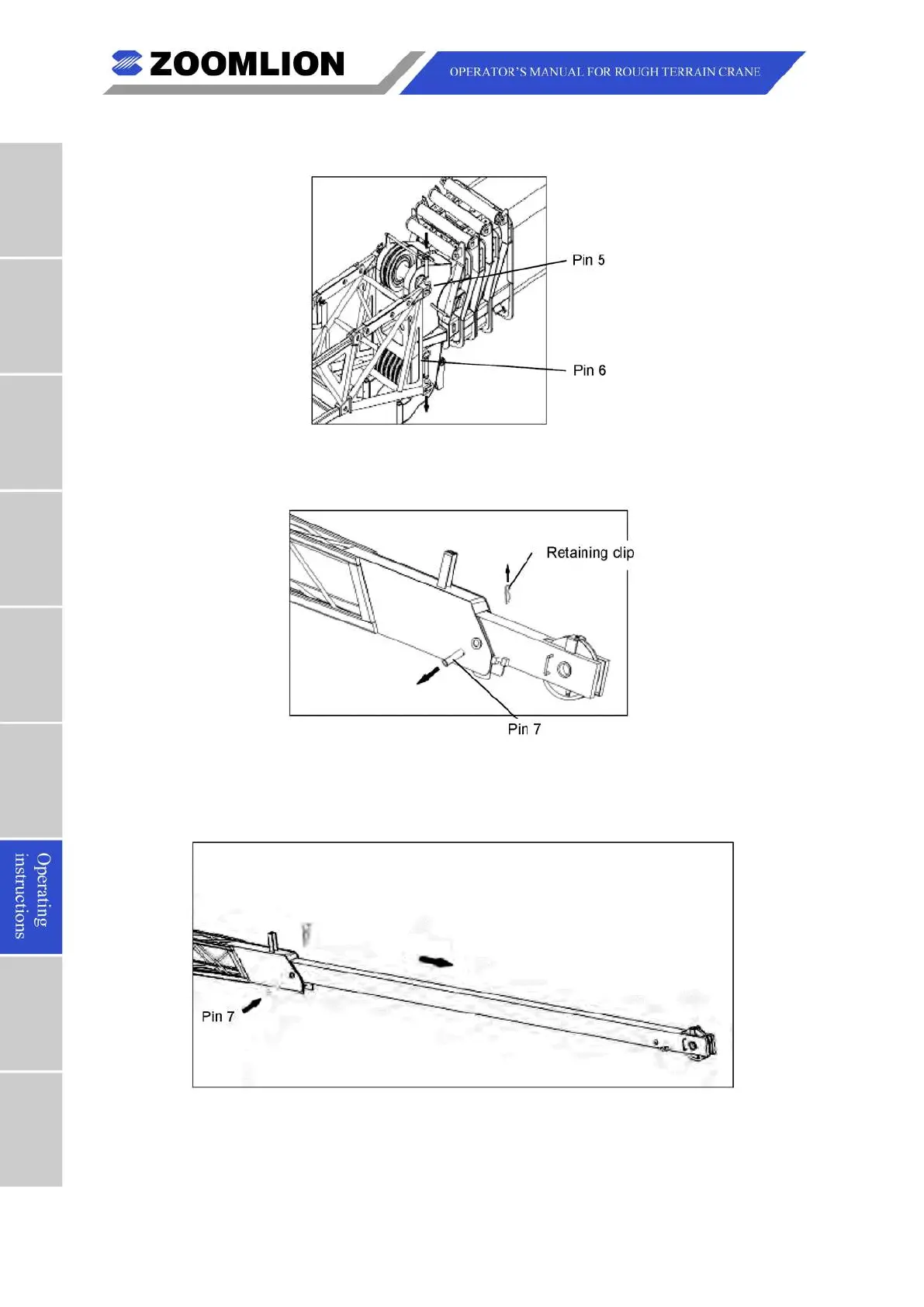
(11) Align the end of the jib with connection points on the main boom. Install the pin (5)
and pin (6) and the retaining clip.
Figure 07 – 45 Pin (5) and Pin (6) Installation
(12) Remove the pin (7) and retaining clip from jib section 2.
Figure 07 – 46 Pin (7) Removal
(13) Pull out the section 2, and stop when it touches the limit stop. Align the holes and
install the pin (7) and the retaining clip.
Figure 07 – 47 Pin (7) Installation
(14) Reeve the wire-rope from the auxiliary winch through the end of the jib. Install
the auxiliary hook and the anti-two block switch.



 To Next Page