RT100RoughTerrainCrane 06-25
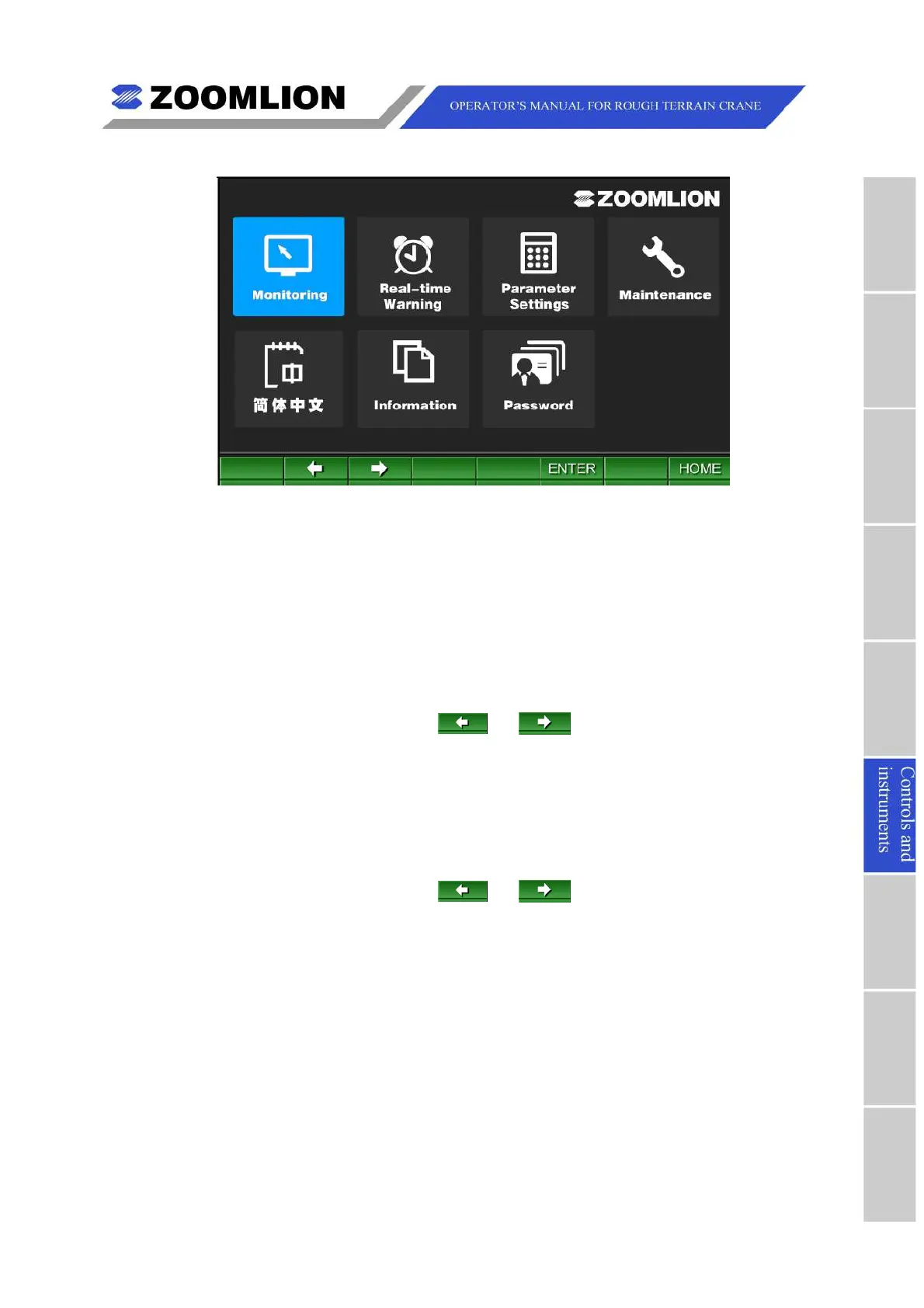
Figure06 – 17 MainMenu
6.3.3.1LANGUAGESWITCHING
YoucanmakethemonitordisplayingallinformationinEnglishorChinesemodeunder
MainMenuScreen.
(1)SwitchtoEnglishmode
InChinesemode,underTravelModeScreenorWorkModeScreen,press “
主菜单
”
(MENU)toenterMainMenuScreen.
UnderMainMenuScreen,press or tomovethecursorleftorrightto
selectthe “English” item,seeFigure06 – 18,andpress “ 确认” (ENTER).Afterthis
operating,monitordisplaysallinformationinEnglishmode,seeFigure06 – 19.
(2)SwitchtoChinesemode
InEnglishmode,underTravelModeScreenorWorkModeScreen,press “MENU” to
enterMainMenuScreen.
UnderMainMenuScreen,press or tomovethecursorleftorrightto
selectthe “ 简体中文” (Chinese)item,seeFigure06 – 19,andpress “ENTER”.After
thisoperating,monitordisplaysallinformationinChinesemode,seeFigure06 – 18.



 To Next Page