06-26 RT100RoughTerrainCrane
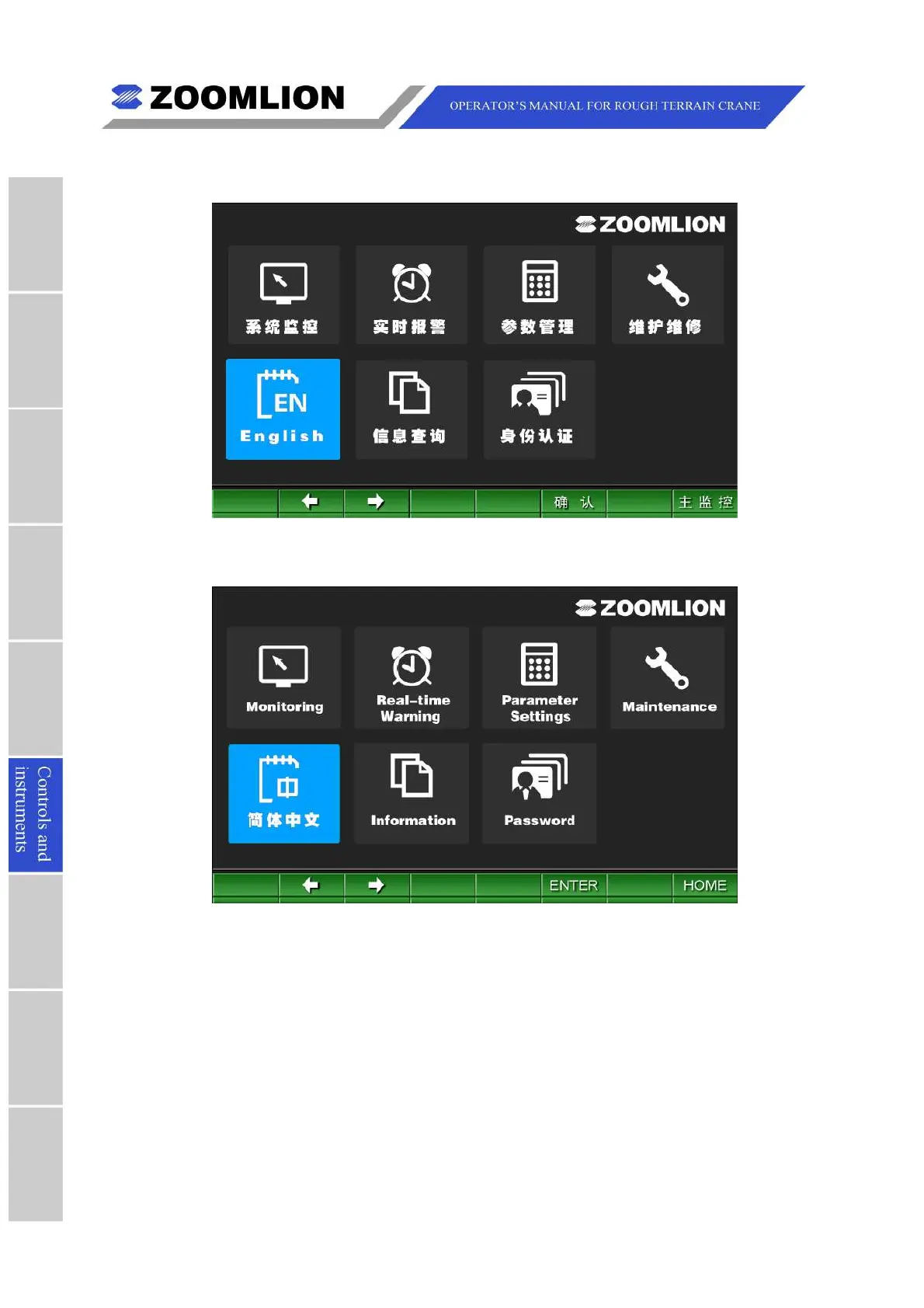
Figure06 – 18 MainMenu(Chinesemode)
Figure06 – 19 MainMenu(Englishmode)
6.3.3.2MONITORING
IntheMonitoringScreen,movethecursorleft/rightandpressthekey “ENTER” toselect
theitemssuchasTravelmode,Workmode,VehiclestatusandBusstatus.SeeFigure06
– 20.
Pressthekey “BACK” or “MENU” toreturntotheMainMenuScreen.Pressthekey
“HOME"toentertheTravelModeScreen.



 To Next Page