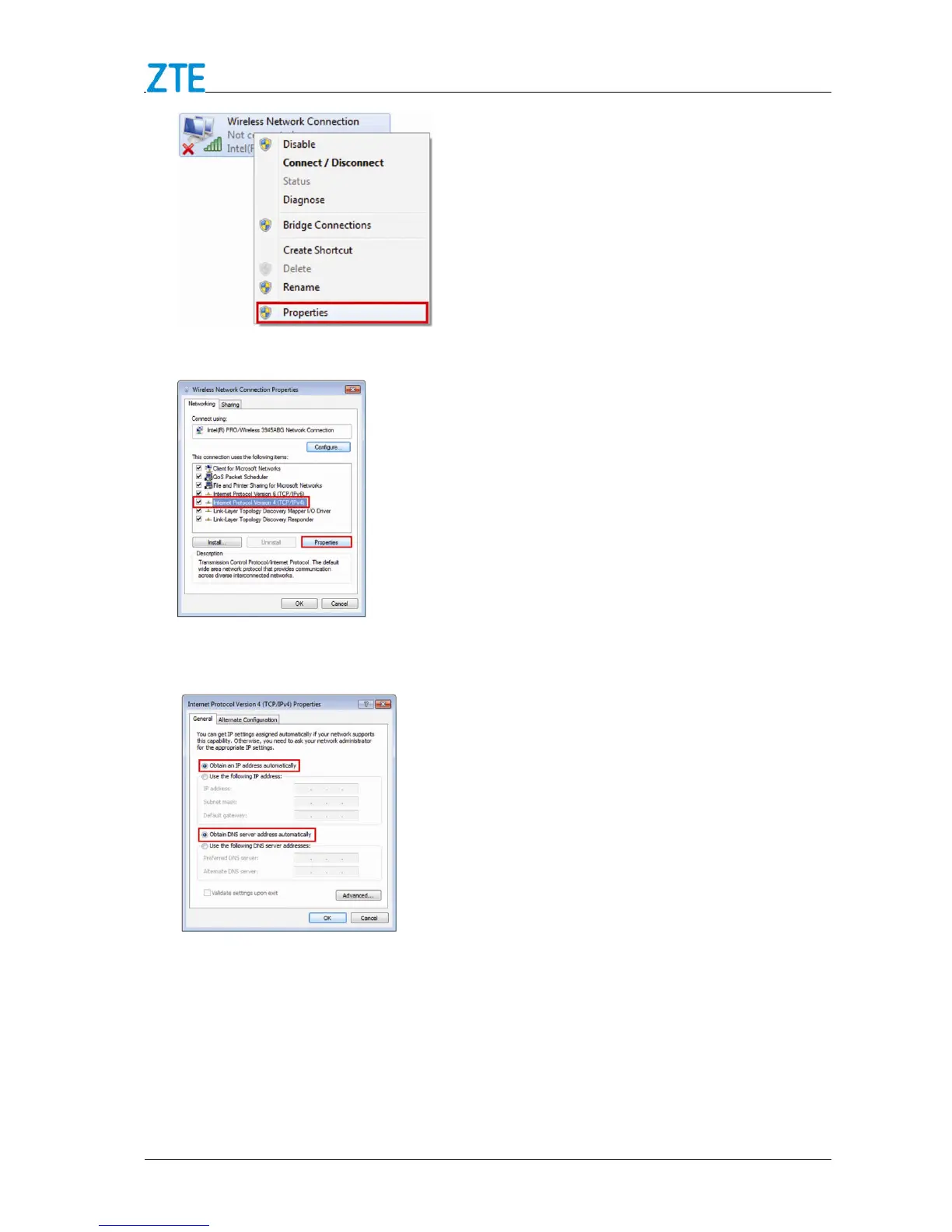
4. Select Internet Protocol Version 4 (TCP/IPv4), and click Properties.
5. Select Obtain an IP address automatically and Obtain DNS server address
automatically, and click OK.
Connecting to Your Device
1.
Make sure that Wi-Fi is enabled. Please check the Wi-Fi Settings on the 4G Mobile
Hotspot configuration page.



 To Next Page