Confidential and Proprietary Information of ZTE CORPORATION
the connection is established.
Password is used to obtain authentication from the ISP when
the connection is established.
NOTES:
The Profile Name
If the Authentication is set to
Password.
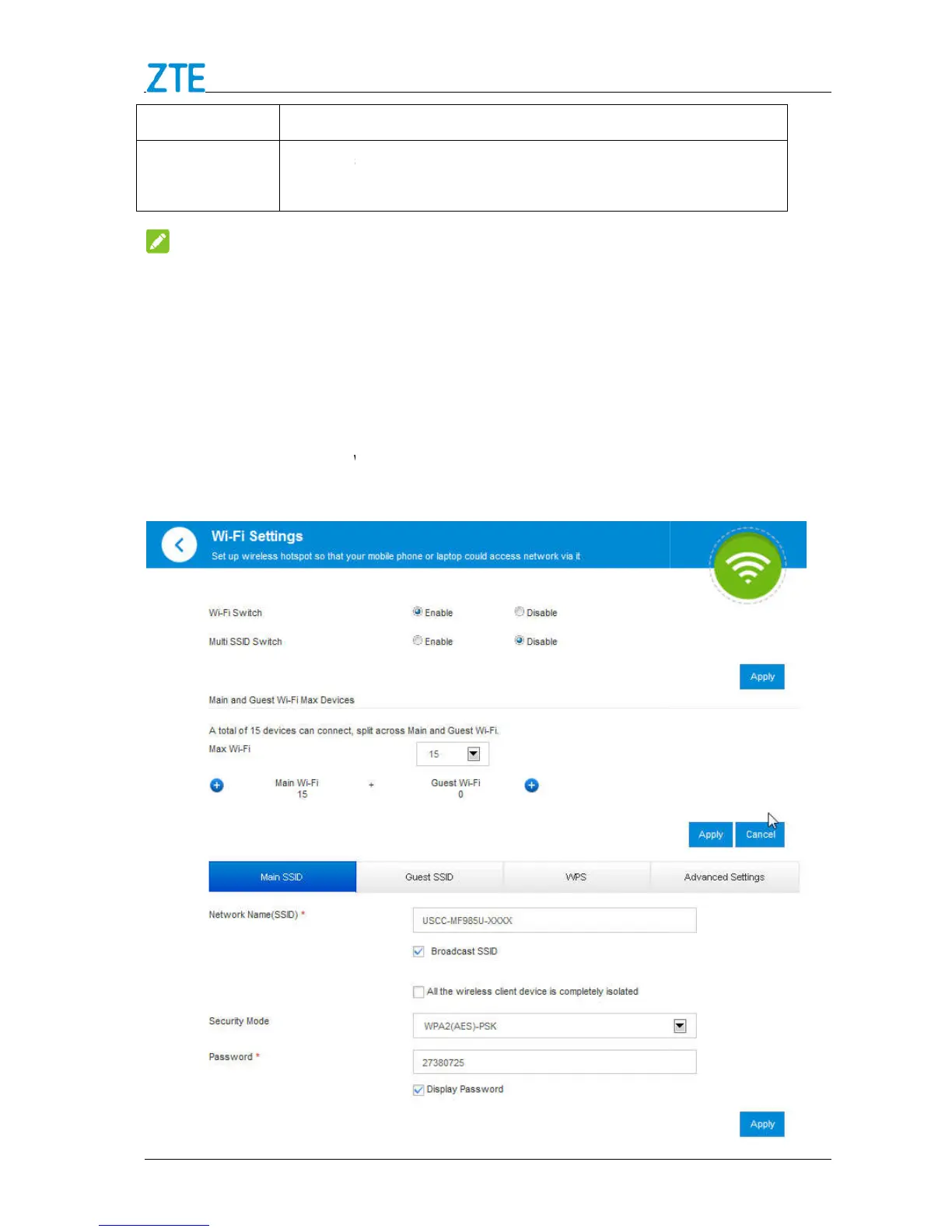
Wi-Fi Settings
Main SSID Settings
1. Select Settings below
Wi
are shown in the following figure.
Confidential and Proprietary Information of ZTE CORPORATION
the connection is established.
Password is used to obtain authentication from the ISP when
the connection is established.
are mandatory, others are optional.
If the Authentication is set to
, you don’t need to set the User Name and
Wi
-Fi and click Main SSID. T
he main SSID basic parameters
are shown in the following figure.
Password is used to obtain authentication from the ISP when
are mandatory, others are optional.
, you don’t need to set the User Name and
he main SSID basic parameters



 To Next Page