Confidential and Proprietary Information of ZTE CORPORATION
WARNING!
To avoid damage to the
SIM card cut from a SIM card. You can get a standard
from your service provider.
NOTE:
You can also install a
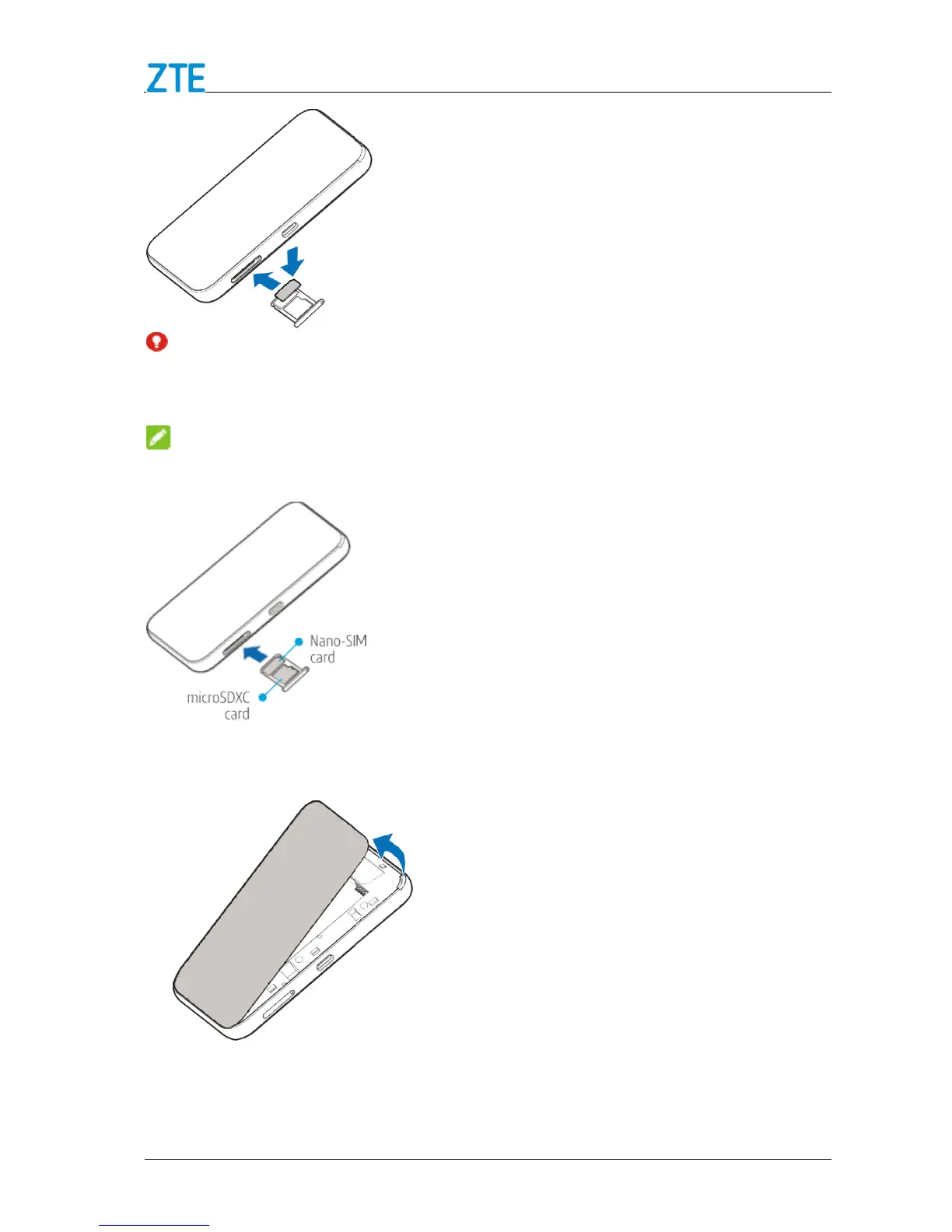
Remove the battery cover.
Insert the battery as shown with the contacts
press the battery down into the case.
Confidential and Proprietary Information of ZTE CORPORATION
device, do not use any other kind of SIM cards, or any
SIM card cut from a SIM card. You can get a standard
microSD
XC card(sold separately) o
n the card tray, as shown.
Remove the battery cover.
Insert the battery as shown with the contacts
located against the metal springs, and
press the battery down into the case.
, do not use any other kind of SIM cards, or any
SIM card cut from a SIM card. You can get a standard
n the card tray, as shown.
located against the metal springs, and



 To Next Page