Confidential and Proprietary Information of ZTE CORPORATION 25
5. Click Apply to save the settings.
6. Launch the browser on your PC/Tablet/Smart phone connected to the device via
Wi-Fi and enter http://uscc.hotspot or http://192.168.1.1 in the address bar.
7. Click View SD card to access the files in microSDXC card.
Advanced Settings
This chapter provides information on how to configure advanced settings for the device
such as power-save settings, firewall settings, router settings, etc.
Power-save
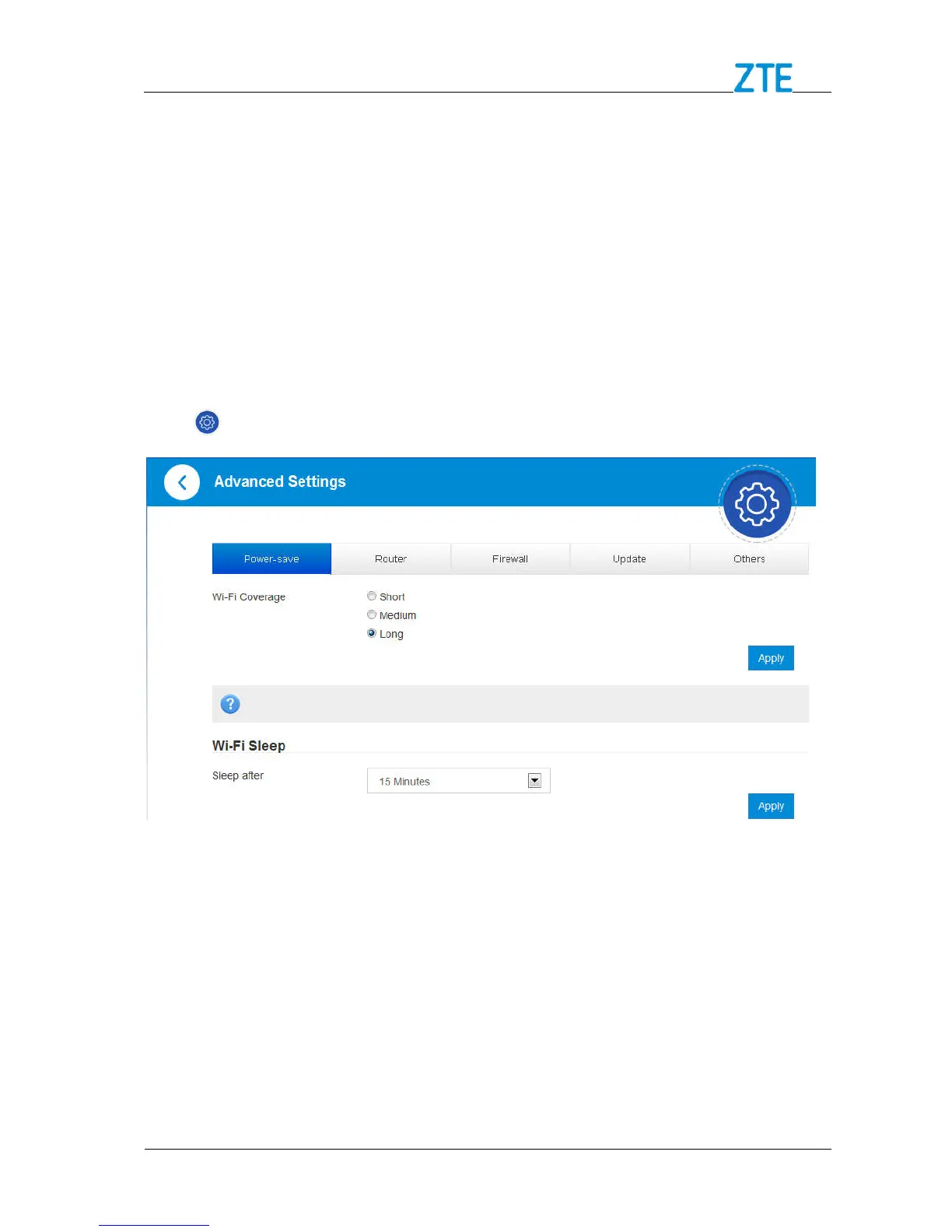
Click > Power-save to set the power save settings.
Wi-Fi Coverage
Short: Minimum power consumption and coverage.
Medium: 50% of device power consumption and coverage.
Long: Maximum power consumption and coverage.
Wi-Fi Sleep
Sleep after: Select a time from the drop-down list. When there’s no Wi-Fi connection in
the specified time, Wi-Fi will be unavailable and the system will turn to sleep mode for
power-saving.



 To Next Page