MF985U User Manual
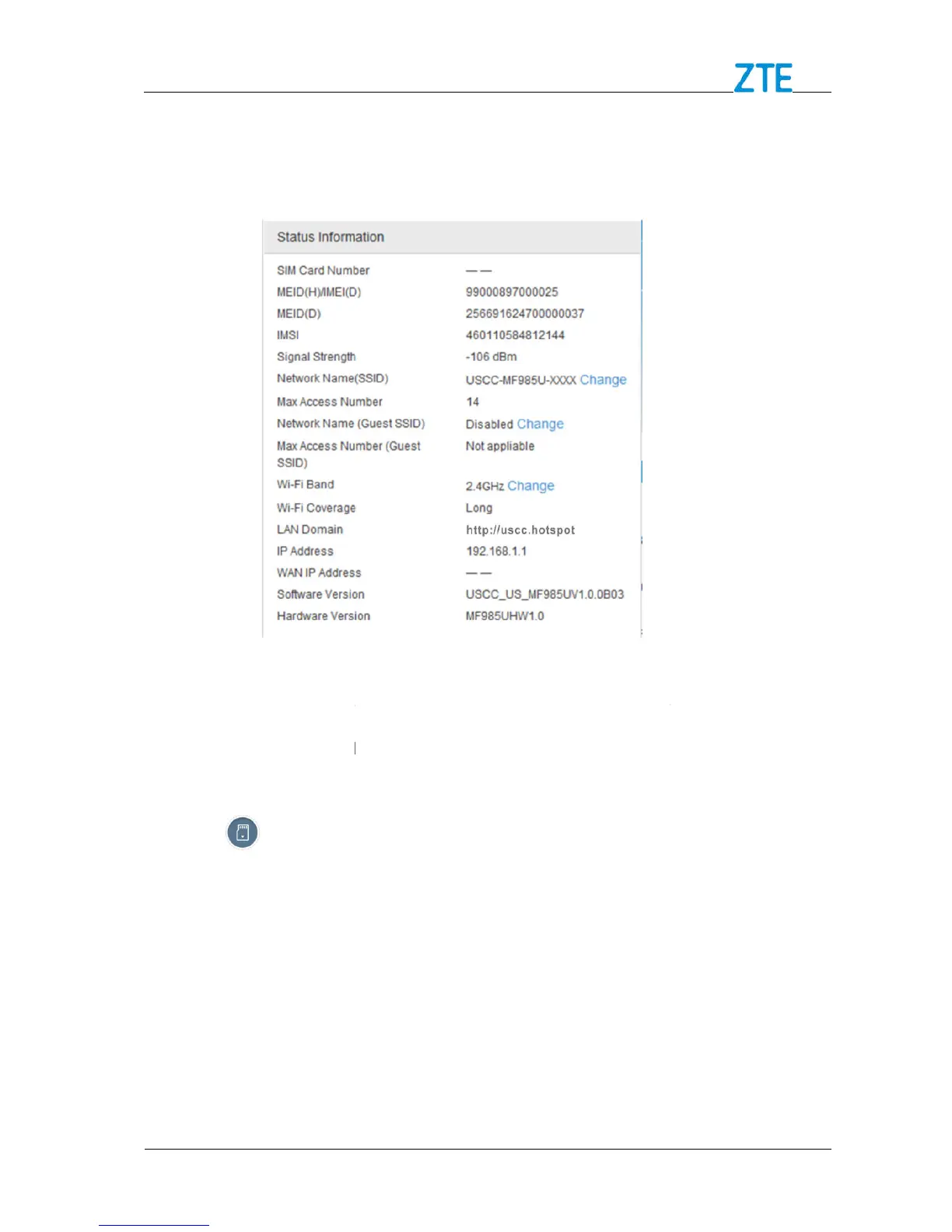
Status Information
Click Detail Information
information.
File Sharing
File sharing allows you to share the files in a
browser.
Sharing microSDX
Log in to the 4G Mobile Hotspot configuration page.
to set the sharing mode. The default mode is
Confidential and Proprietary Information of ZTE CORPORATION
in Status Information area
to view the detail status
File sharing allows you to share the files in a
C card via USB cable or web
C Card via USB Cable
Log in to the 4G Mobile Hotspot configuration page.
to set the sharing mode. The default mode is
Confidential and Proprietary Information of ZTE CORPORATION
to view the detail status
C card via USB cable or web
.



 To Next Page