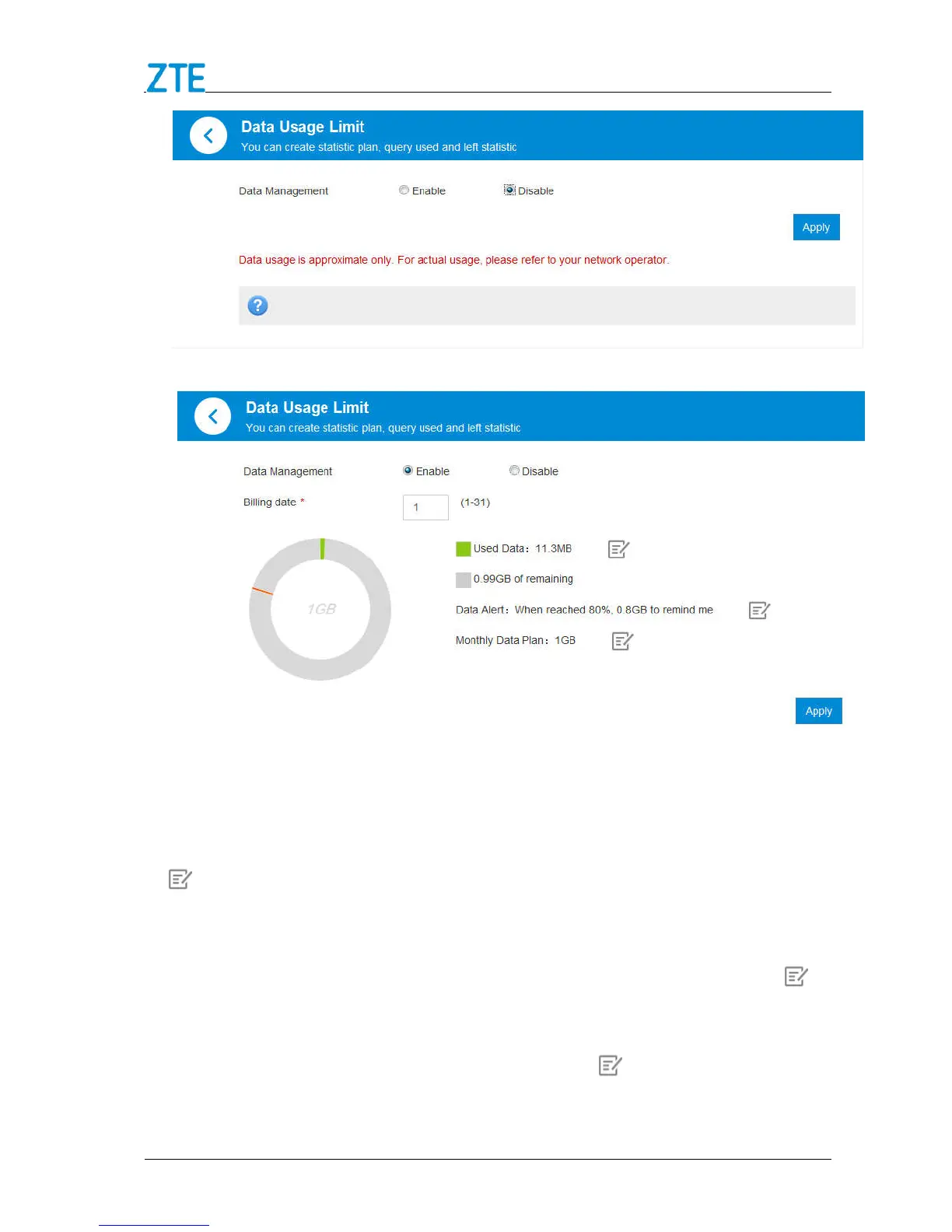
2. Set Data Management to Enable.
Data Management: Enable or disable data management function.
Billing date: Set the usage cycle reset date on the every month.
Used Data: Check how much data has been used during the time cycle you set. Click
to enter the related parameters.
XX of remaining: Check how much data remains during the time cycle you set.
Data Alert: Remind you when used data reaches specified percentage. Click to
adjust the parameters.
Monthly Data Plan: Set mobile data usage limit. Click to adjust the parameters.
3. Click Apply to confirm your configuration.



 To Next Page