Software System Operation
Auto print patient report
Auto print patient report
after test
The QC report is
automatically printed after
QC test
Auto print calibration report
The calibration report is
automatically printed after
QC test
Automatically print patient
report reviewed
The report is automatically
printed after being reviewing
Select the printer used to
print the report
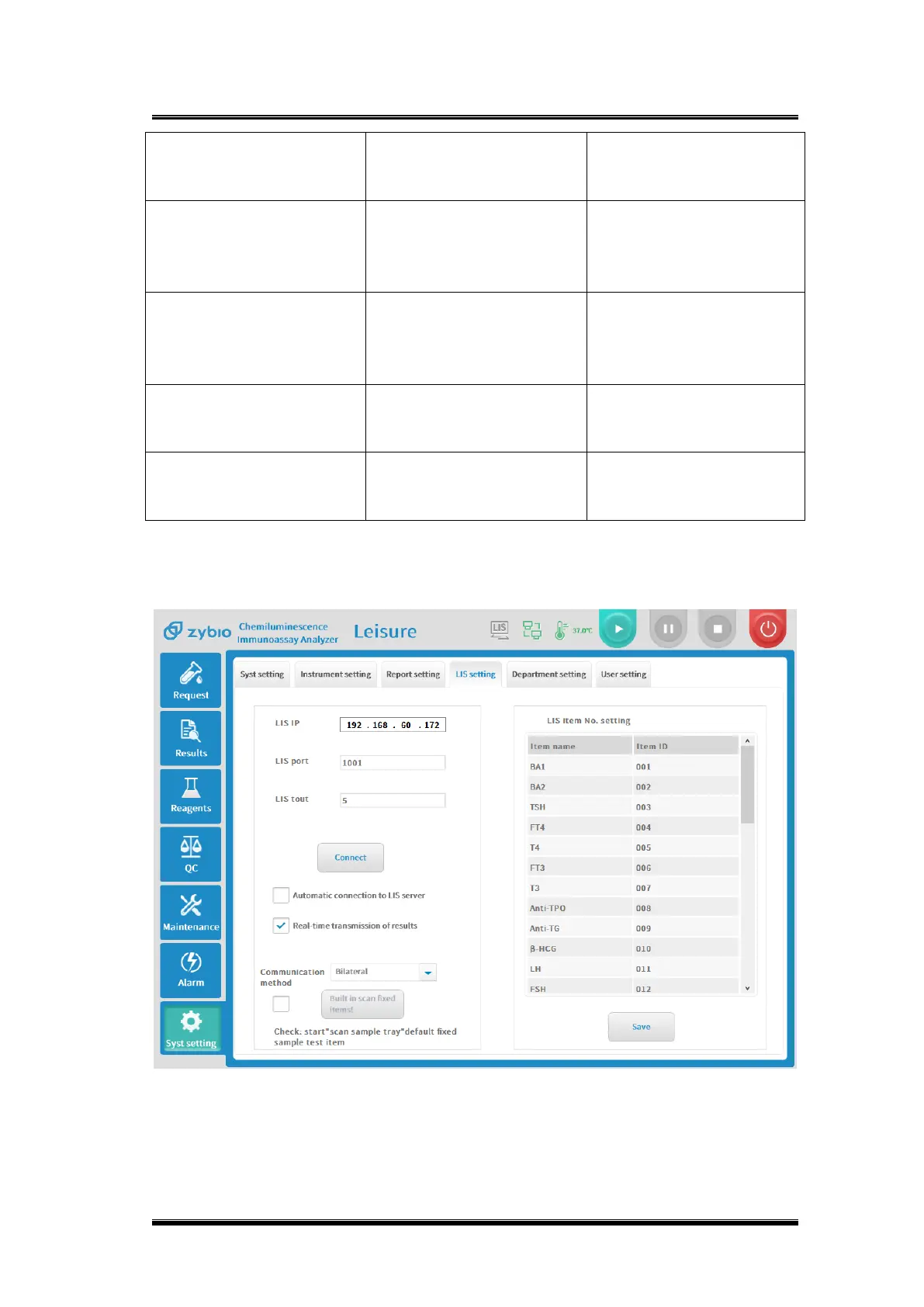
4.8.3.LIS setting
Figure 4-15 LIS settings interface
Basic parameter explanation


 To Next Page