Configuration & User Manual: 2N IP Intercoms and CCURE 9000
COPYRIGHT © 2022 2N Telekomunikace a.s. All rights reserved
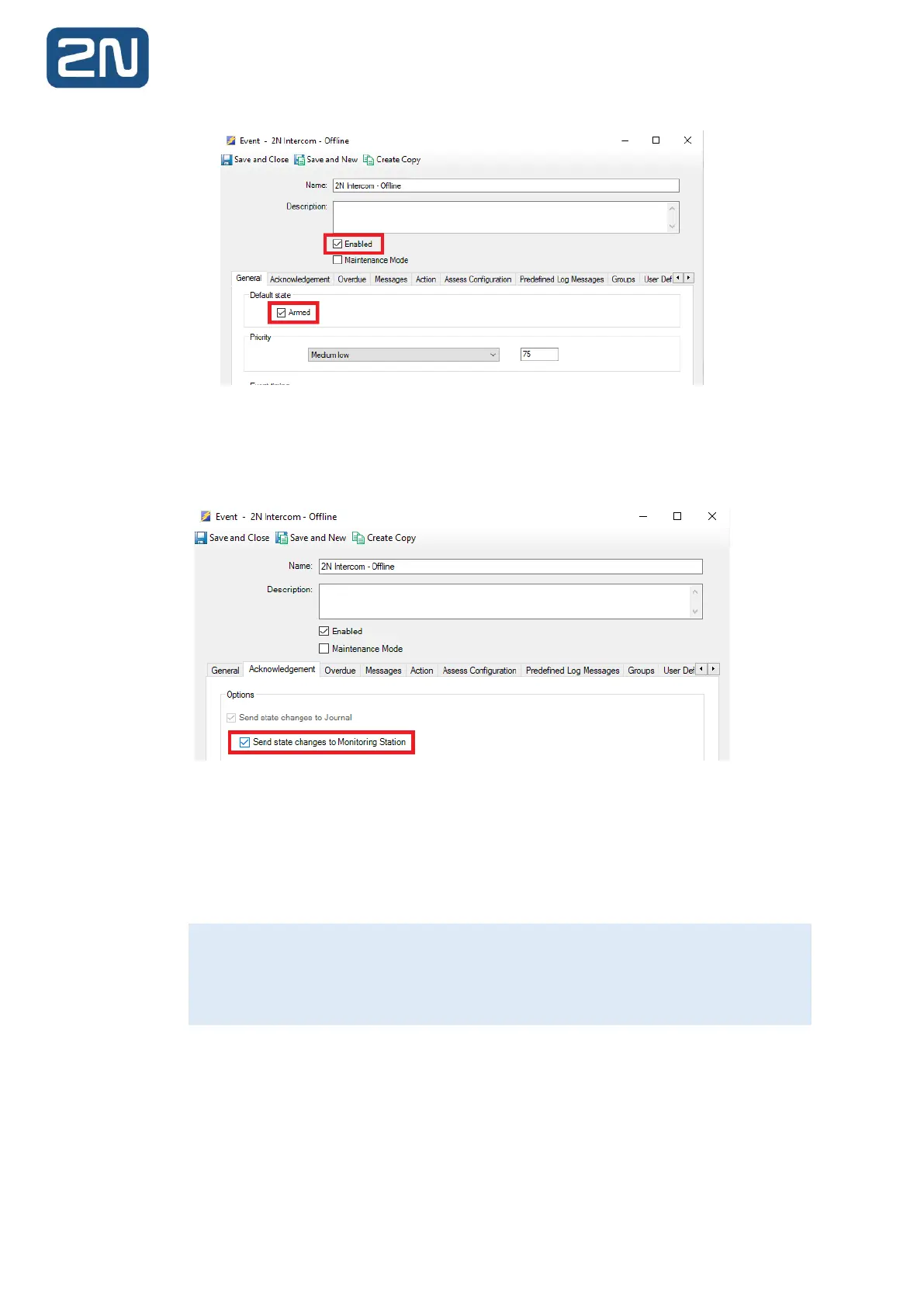
5. Change the Priority of the event from the drop-down, if required.
6. Navigate to the Acknowledgement tab. Check the Send State Changes to Monitoring Station
tab:
7. You may optionally configure the event to require Acknowledgement, Clearing and a
combination of requiring log messages from the C•CURE operator:
a. In this example, the event configured will clear automatically once the state becomes
Inactive, e.g., when the 2N Intercom comes back online.
8. Click Save and Close. The Event is saved.
9. Repeat the above steps for any additional 2N Events required on the system.
The example described above shows how to create a self-clearing C•CURE Event, meaning
the Event will close automatically once the Event state becomes Inactive. For a detailed
description of the other settings available in the Acknowledgment tab, please see the
C•CURE documentation.



 To Next Page