Configuration & User Manual: 2N IP Intercoms and CCURE 9000
COPYRIGHT © 2022 2N Telekomunikace a.s. All rights reserved
4.2. 2N Master Station setup
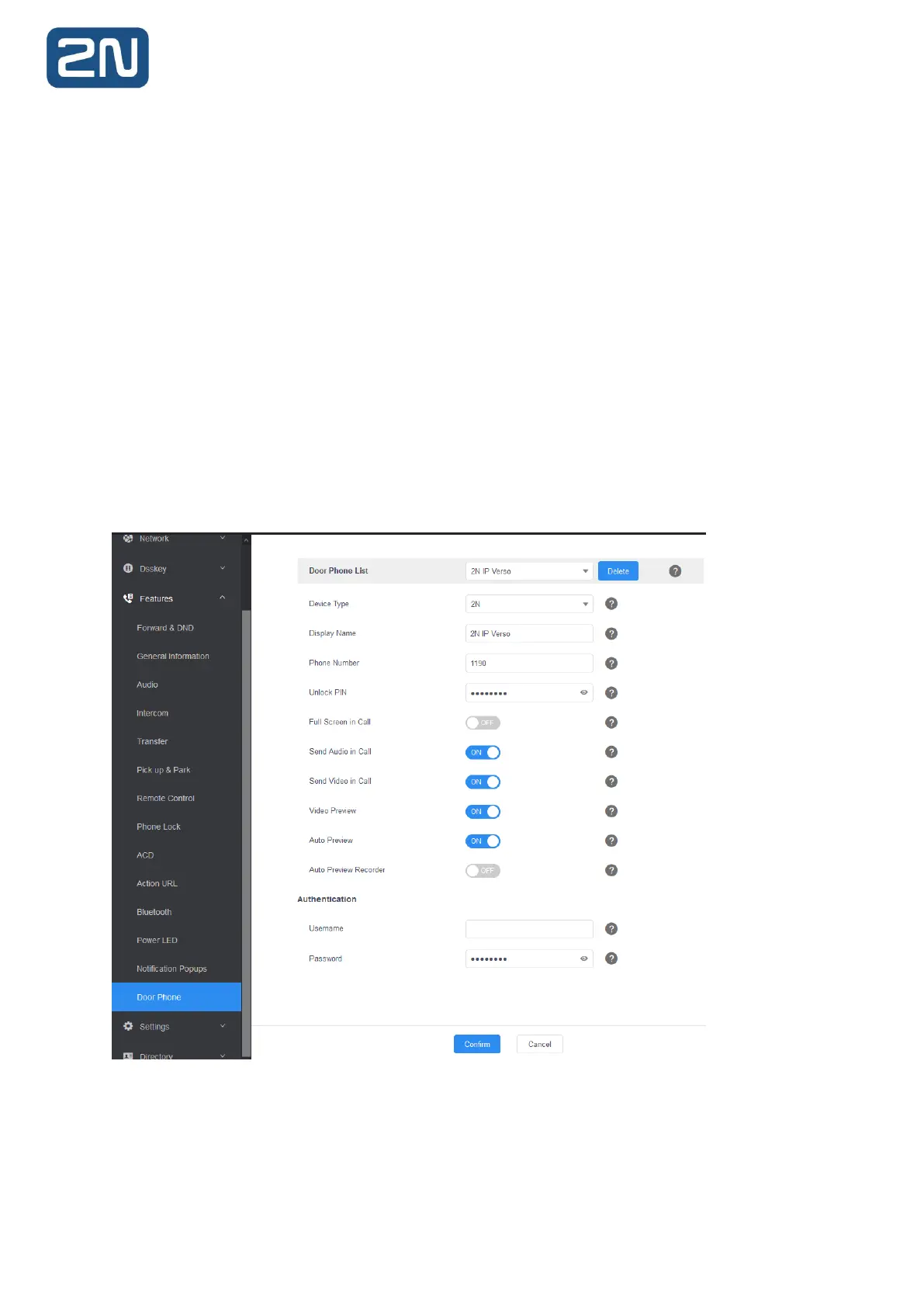
1. Configuration of the 2N Master Station is very straightforward. Pick one of the Door
Phones from the Door Phone List and set it as follows:
Device Type: 2N
Display Name: according to your preference
Phone Number: intercom’s Phone Number (ID) – as configured above
Unlock PIN: e.g. 00* – Don’t forget the asterisk. This PIN must be a valid Switch code set in your
intercom Switch settings. Its also “DTMF Code” in C•CURE 9000 settings.
Full Screen: Disabled
Send Audio: Enabled
Send Video: Enabled
Video Preview: Enabled
Auto Preview: Enabled



 To Next Page