Configuration & User Manual: 2N IP Intercoms and CCURE 9000
COPYRIGHT © 2022 2N Telekomunikace a.s. All rights reserved
Part 9 Map Configuration
2N intercoms may be added to a map in C•CURE, where calls can be initiated, held and terminated and
call states may be monitored. To add a map to C•CURE, carry out the following steps:
9.1 Configuring a map
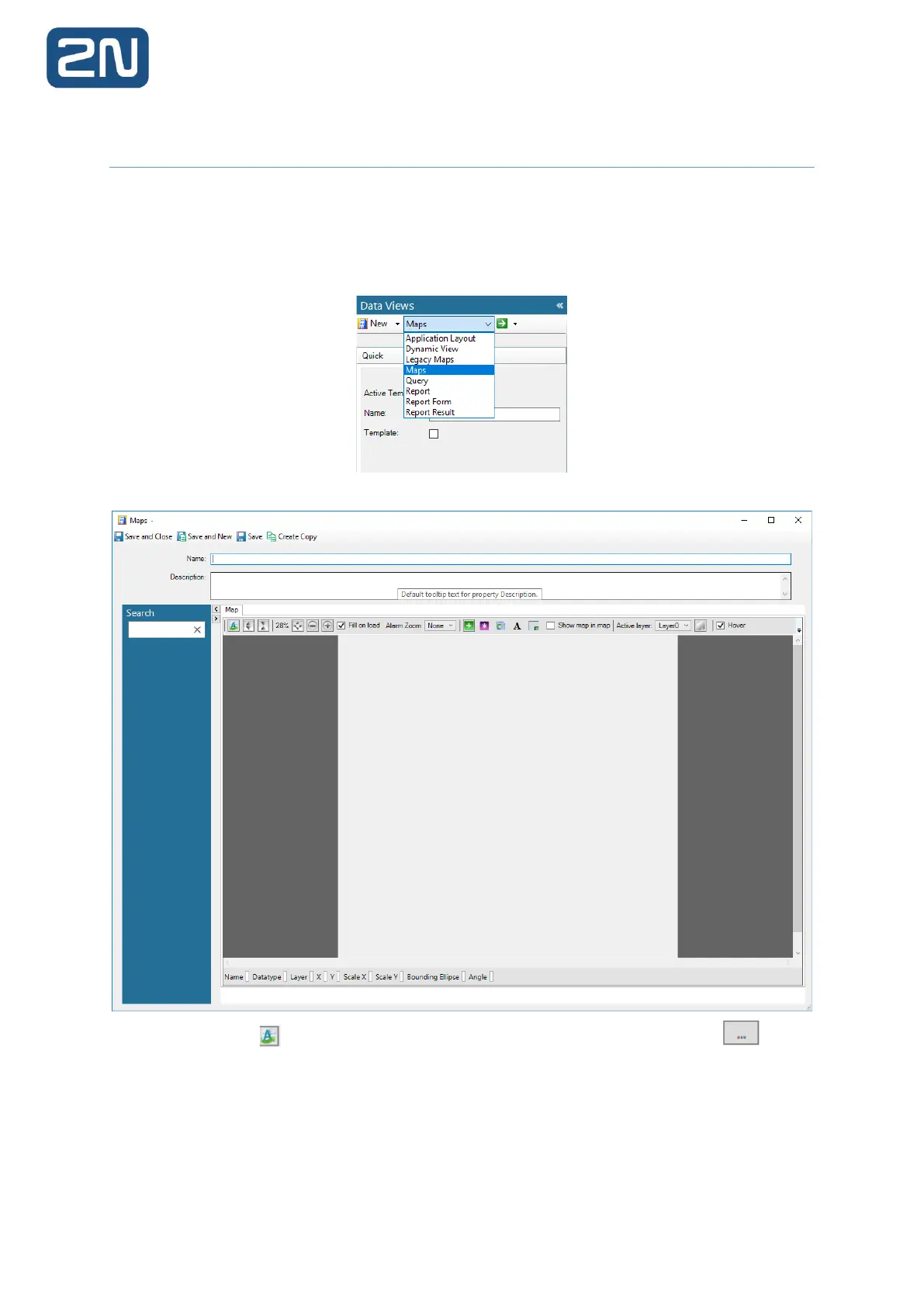
1. In the Administration Workstation, select Data Views, and Maps from the list:
2. Click New. The New Map screen appears:
3. Press the button to import a map image. In the appearing window, click the button
to browse the computer for a map:



 To Next Page