1.
2.
3.
4.
5.
6.
Resetting procedure (version 535v5 and earlier)
Switch off.2N IP Vario
®
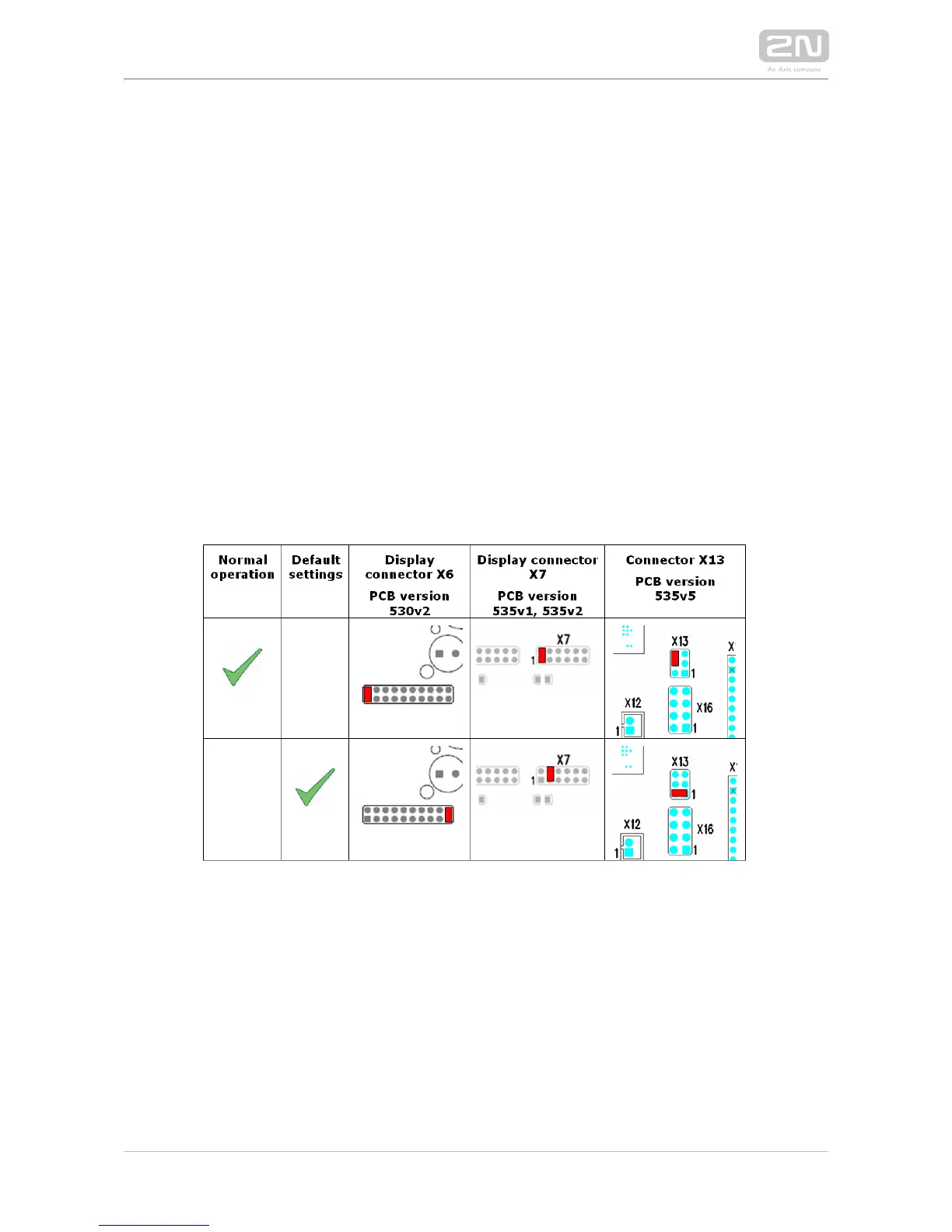
Connect the jumper into the resetting (default setting) position (put the display
switch into the F_RES position in the display-equipped models with 535v1 and
535v2 board versions).
Switch on and wait for the acoustic start signalling.2N IP Vario
®
Switch off.2N IP Vario
®
Remove the jumper from the resetting (default setting) position (put the display
switch into the NORMAL position in the display-equipped models with 535v1 and
535v2 board versions).
Switch on.2N IP Vario
®
Configuration Jumpers on Display Connector



 To Next Page