Static IP Address Setting
Follow the instructions below to enable the static IP address mode:
Connect to the power supply (or, disconnect and reconnect it if 2N IP Vario
®
already connected).
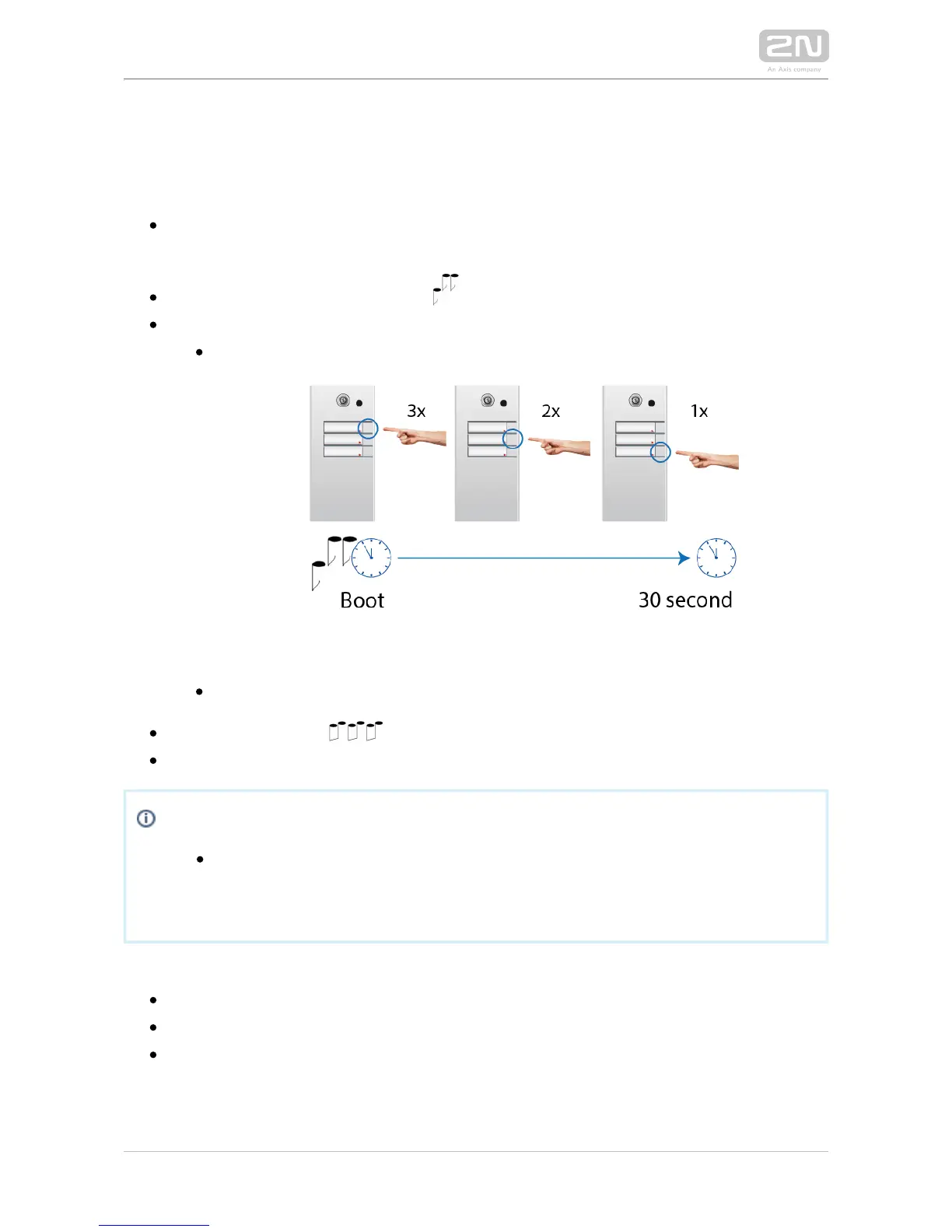
Wait for the first acoustic signal .
Press following buttons sequentially:
1, 1, 1, 2, 2, 3 for 3-buttons models
Switching to static IP address
4, 4, 4, 5, 5, 6 for 6-buttons models
The acoustic signal indicates mode switching.
Wait until the device is restarted automatically.
Note
The 1, 1, 1, 2, 2, 3 sequence must be entered within 30 seconds after the
first sound signal for security reasons. The inter-digit delay may be 2 s at
most.
The device will have the following network parameters after restart:
IP address – 192.168.1.100
Network mask – 255.255.255.0
Default gateway – 192.168.1.1



 To Next Page