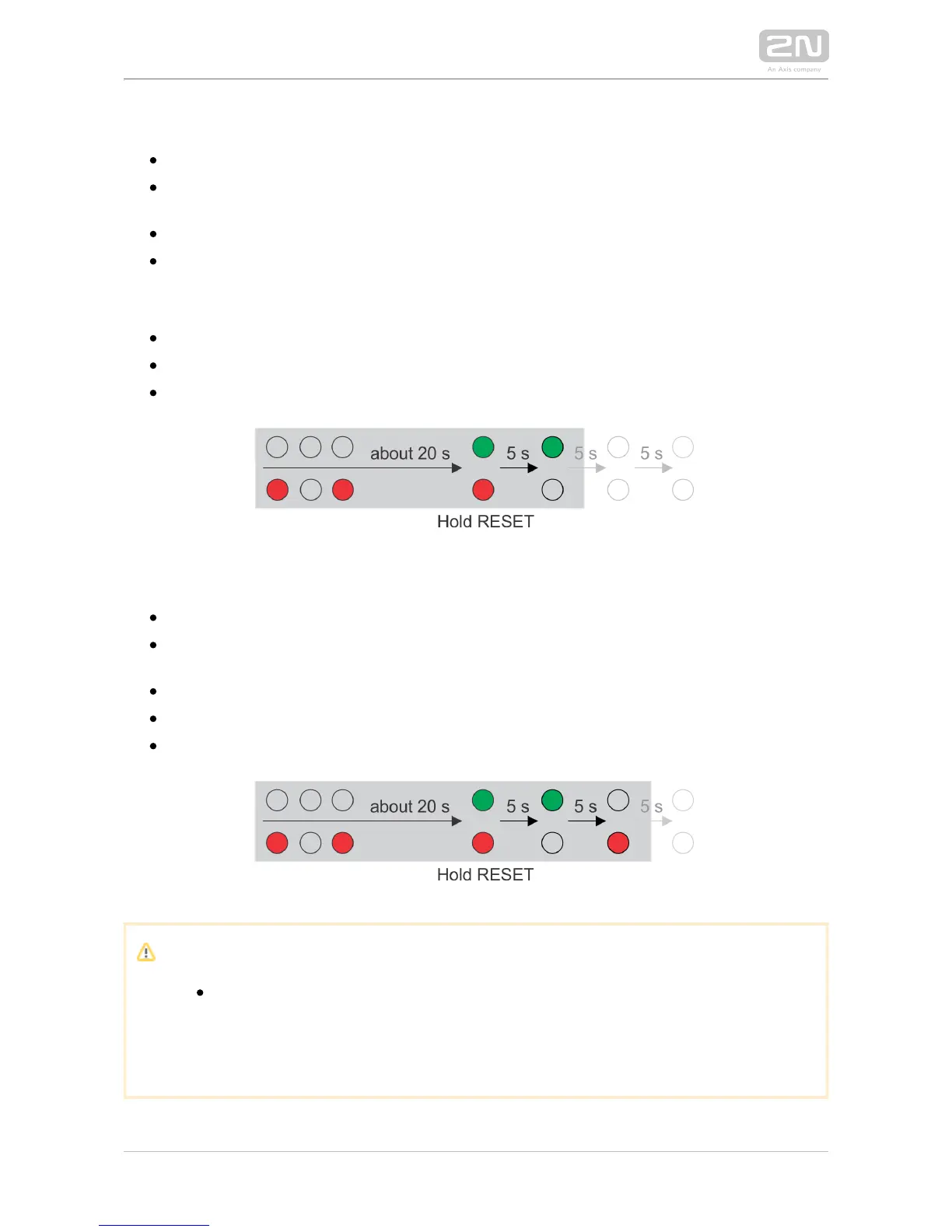
Follow the instructions below to switch on the mode (DHCP OFF):Static IP address
Press and hold the REST button.
Wait until the red and green LEDs on the device come on simultaneously
(approx. 20 s).
Wait until the red LED goes off (approx. 5 s).
Release the RESET button.
The following network parameters will be set after restart:
IP address: 192.168.1.100
Nework mask: 255.255.255.0
Default gateway: 192.168.1.1
Follow the instructions below to switch on the mode (DCHP ON):Dynamic IP address
Press the RESET button.
Wait until the red and green LEDs on the device come on simultaneously
(approx. 20 s).
Wait until the red LED goes off (approx. 5 s).
Wait until the green LED goes off and the red LED comes on again (another 5 s).
Release the RESET button.
Caution
In case of resetting the factory default settings on a device with a
version of firmware 2.18 or higher it is necessary to reprogram the
using the instructions from section .2N Security Relay
®
2.5



 To Next Page