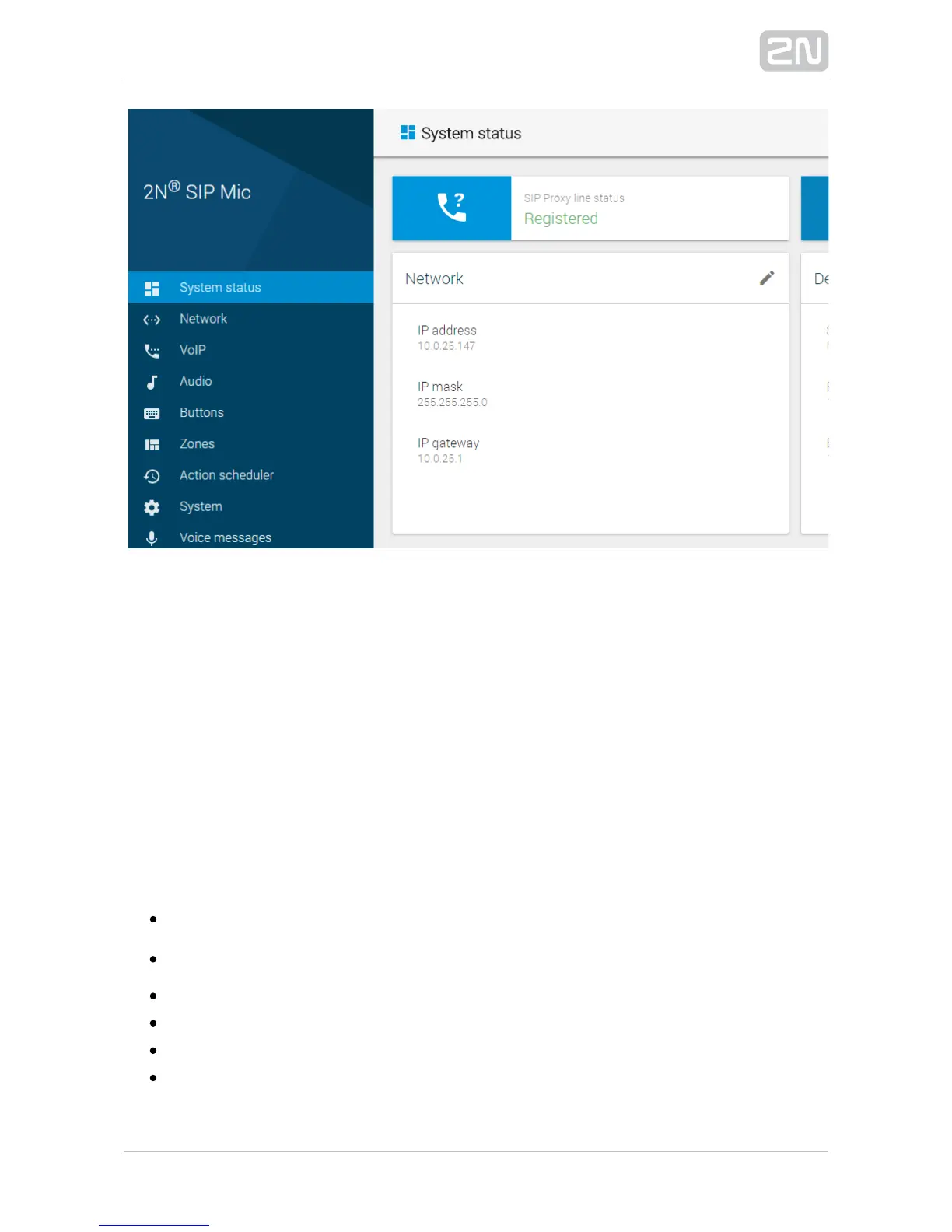
The start screen is also the first menu level and quick navigation (click on the pencil
symbol) to selected 2N SIP Mic
®
configuration sections. Some tiles also show selected
service states.
Configuration Menu
2N SIP Mic
®
configuration consists of 9 main menus – , ,System status Network, VoIP
, , , , and , each of which Audio Buttons Zones Action scheduler System Voice messages
is divided into submenus; see the survey below.
System Status
– line state infoSIP Proxy line status
– operation timeOperation time 2N SIP Mic
®
– lock stateLock state
– LAN connection settingsNetwork
– device infoDevice
– real time and time zone settingsDate and time
Network


 To Next Page