3.1.3 VoIP
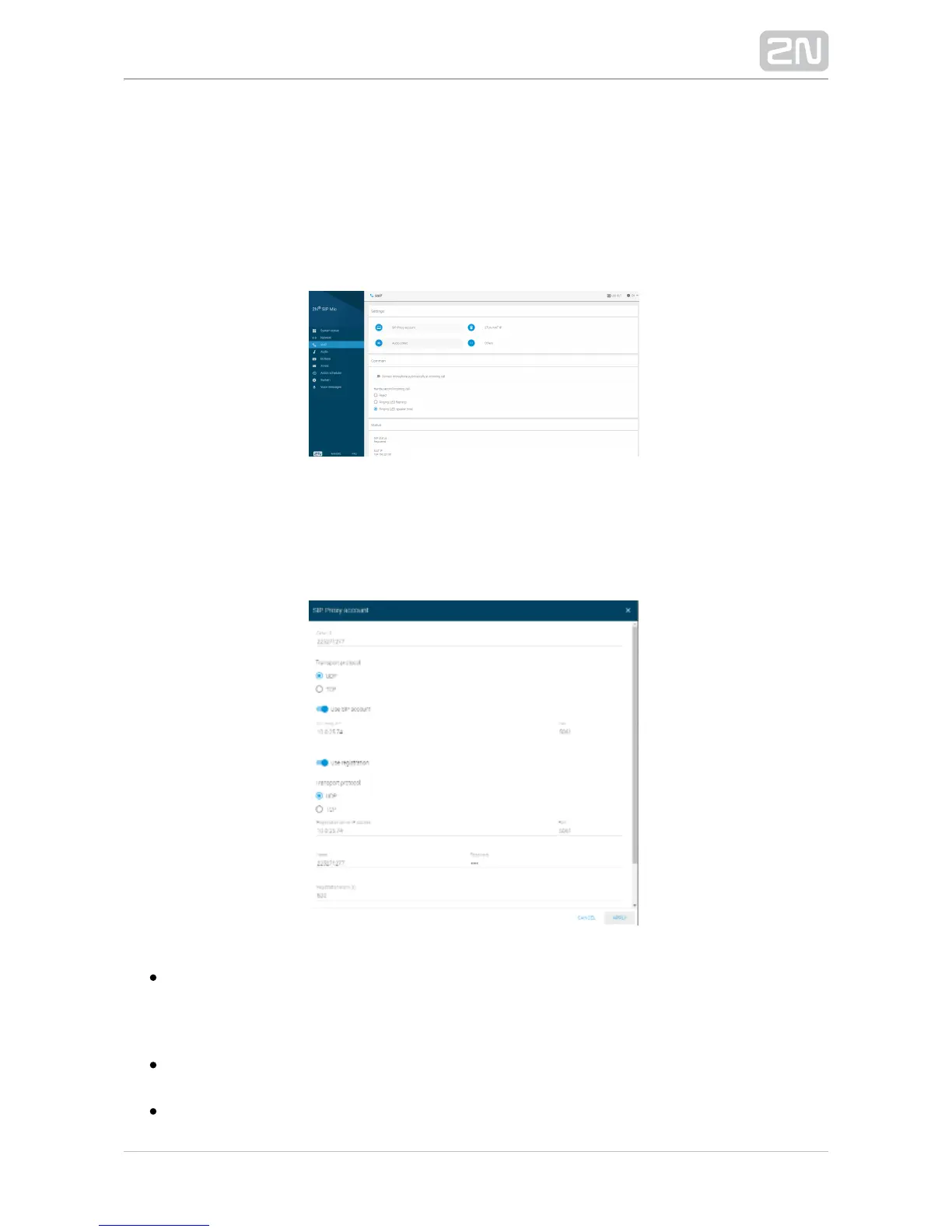
There are three SIP telephony sections in this menu. Use the Settings to set relevant
call setup parameters, Proxy and registration server addresses, codec parameters and
priorities and special actions during calls. Common helps you define how the device
should receive calls or deal another incoming call. The Status section is for information
only.
Settings
SIP Proxy account – set the user account parameters on the SIP Proxy Server:
registration, protocols and registration expiry.
Caller ID – set your own phone number (or another unique ID consisting of
characters and digits), which, together with the domain, identifies in 2N SIP Mic
®
calls and registration.
– specify whether the UDP or TCP should be strictly used for Transport protocol
SIP and RTP transmission.
– allow the SIP Proxy use.Use SIP account


 To Next Page