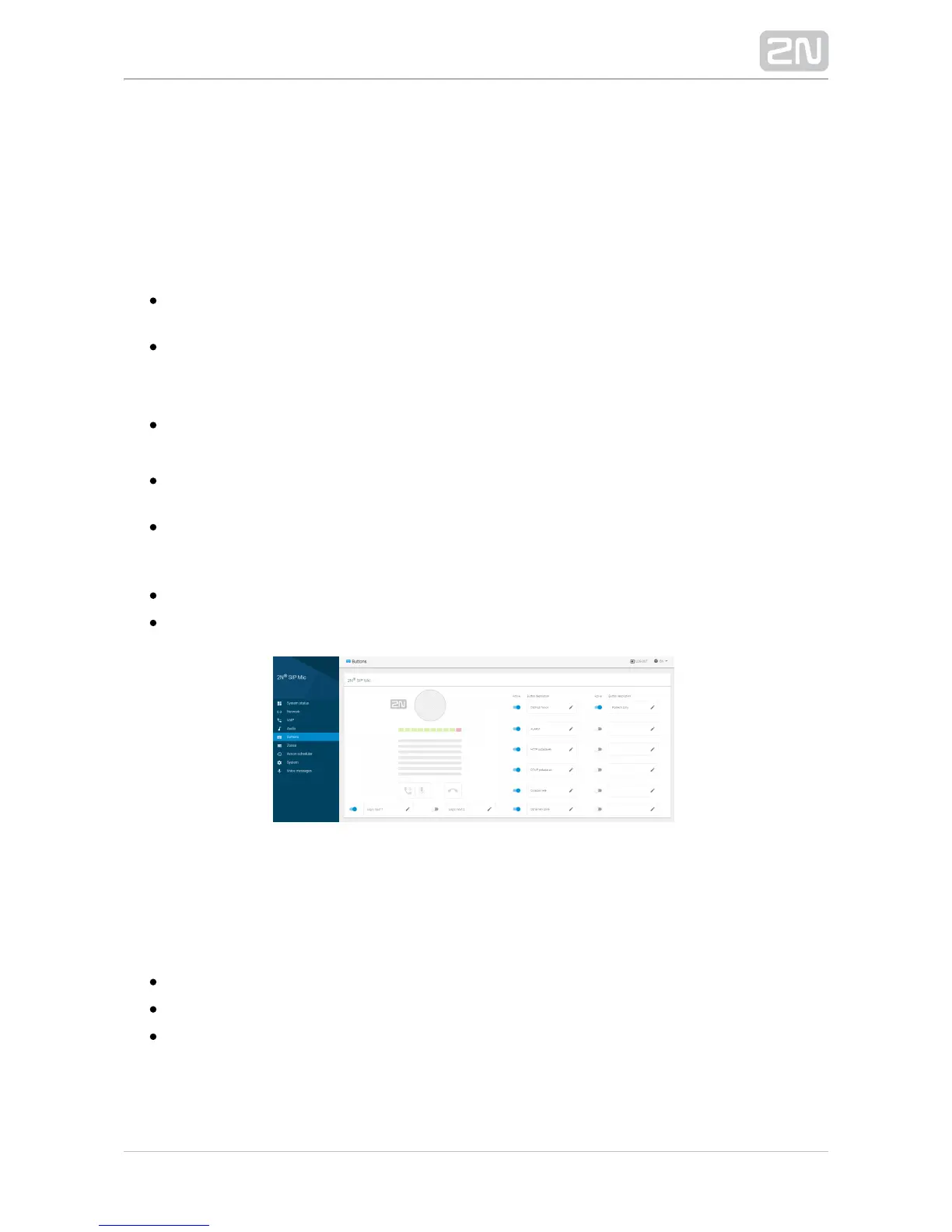
3.1.5 Buttons
Assign one of seven available functions to the buttons on this page. See 2N SIP Mic
®
the button survey below. Logic inputs are located below the call controlling buttons
on the device back side. By default, all the available buttons are inactive and assigned
no action. The options are as follows:
Outgoing call – when the button is pressed, a call is set up to the set destination
via SIP Proxy.
– when the button is pressed, a call is set up to the set ALARM Outgoing call
destination via SIP Proxy. The DTMF code or a voice message is played after the
setup.
– when the button is pressed, an HHTP request is sent from HTTP request 2N
®
.SIP Mic
– when the button is pressed, a call is set up to the set destination DTMF request
via SIP Proxy. The selected DTMF code is played after the setup.
– the button controls the relay whose terminals are located on the Relay control
back.2N SIP Mic
®
– the button activates the defined announcement to a zone.Announce to zone
– the button activates the defined listening to a zone.Listen to zone
Change Button Setting
Click the edit symbol at the button to be edited to open a dialogue window. Each type
of action includes three identical options.
– activate the button to enable the action to be executed.Button active
– button name.Name
– choose one of seven available actions.Action


 To Next Page