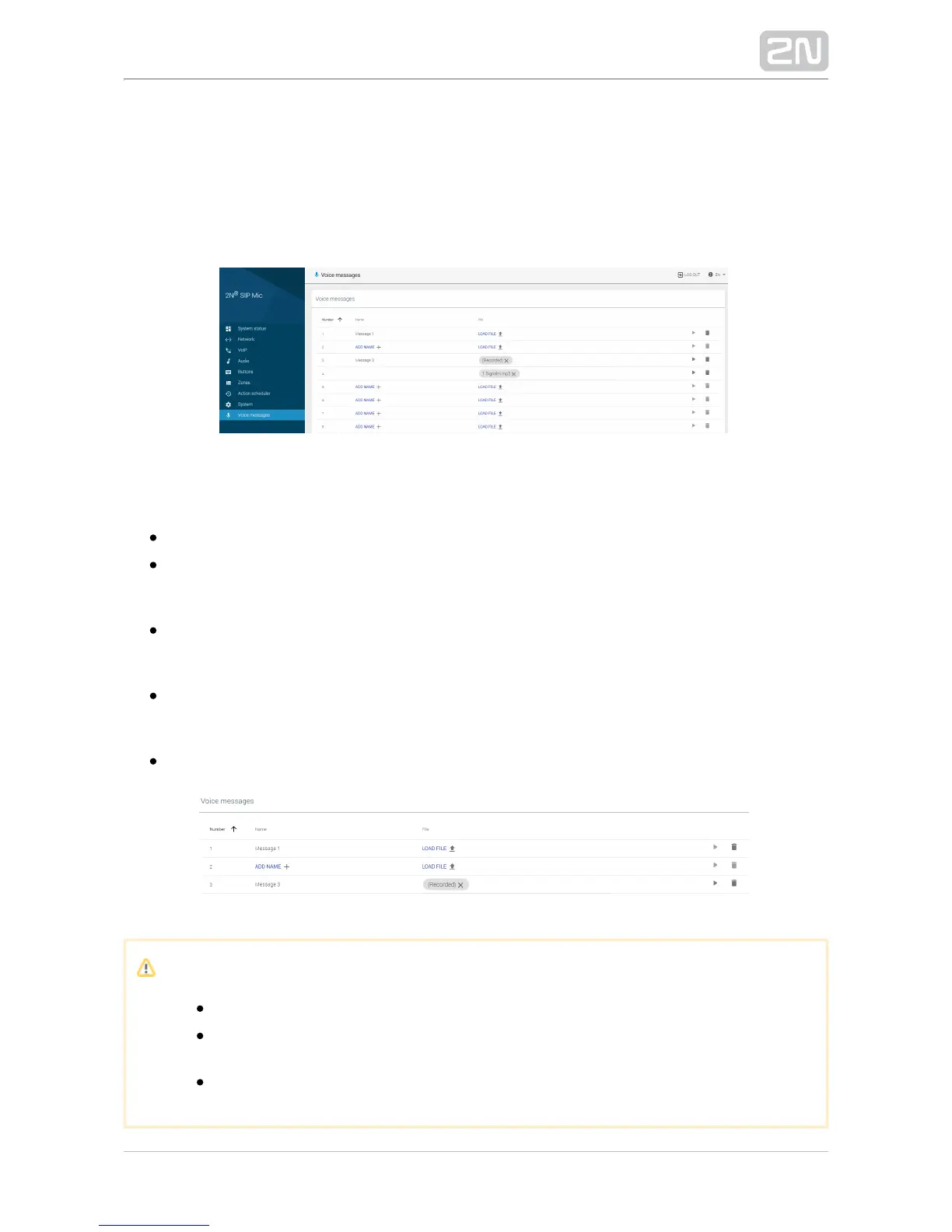
3.1.9 Voice Messages
This menu includes a survey of 14 user message positions in the device for zone
announcements. You can load messages in files, play pre-defined messages or remove
messages from the device. You can arrange the rows from A to Z or vice versa in each
column.
Voice Messages
– set the message serial number: 1–14.Number
– add the message name of your own, up to 60 characters. If the message Name
is loaded automatically via a button, the name is always Message x, where x
denotes the message number.
– open a dialogue window to select the path to the audio file on your Load file
PC hard drive. Click the cross to delete a message without changing the
message number.
– press Play to play a message. Click Stop, which does not appear Play/Stop
until the playing starts, to stop playing the current file. Sound is played to your
PC system speakers or attached headset.
– delete a file including its name irretrievably.Delete
Note
The allowed format of the files to be played is MP3.
Once loaded, the file is resampled to 32 kHz to be transmitted via the
SIP and VAPIX protocols.
The maximum file size is 8 MB regardless of its length.


 To Next Page