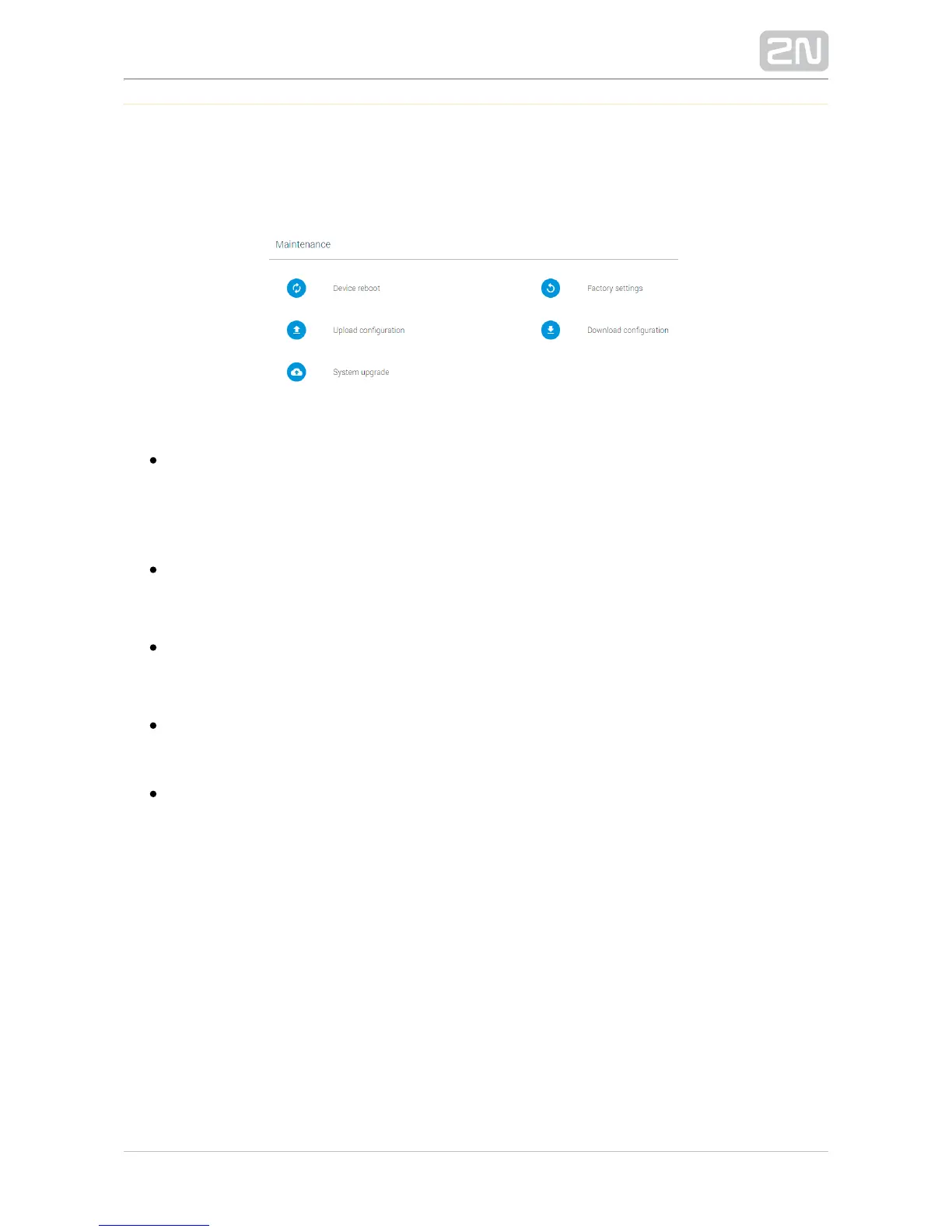
Maintenance
This section only describes the action buttons that generate direct actions to be
confirmed using a dialogue window.
Device reboot – restart . The entire restart process takes about 30 s. 2N SIP Mic
®
Once obtains the IP address after restart, the login window is 2N SIP Mic
®
displayed automatically.
– reset all the parameters except for network settings. Factory reset 2N SIP Mic
®
To reset fully, use the Reset button on the device bottom.2N SIP Mic
®
– upload configuration from backup. Press the button to Upload configuration
display a dialogue window for you to choose the configuration file to be
uploaded.
– back up the current configuration. Press Download configuration 2N SIP Mic
®
the button to download the full configuration to be saved on your PC.
– upgrade your firmware. Press the button to System upgrade 2N SIP Mic
®
display a dialogue window for you to choose the firmware file for your 2N SIP
®
. is automatically restarted upon a successful firmware upload to Mic 2N SIP Mic
®
make full use of the new firmware. The entire upgrade process takes less than 1
minute. Refer to for the latest firmware version. The www.2n.cz 2N SIP Mic
®
firmware upgrade does not affect the configuration. checks the 2N SIP Mic
®
firmware file and prevents you from uploading a wrong or corrupt file.


 To Next Page