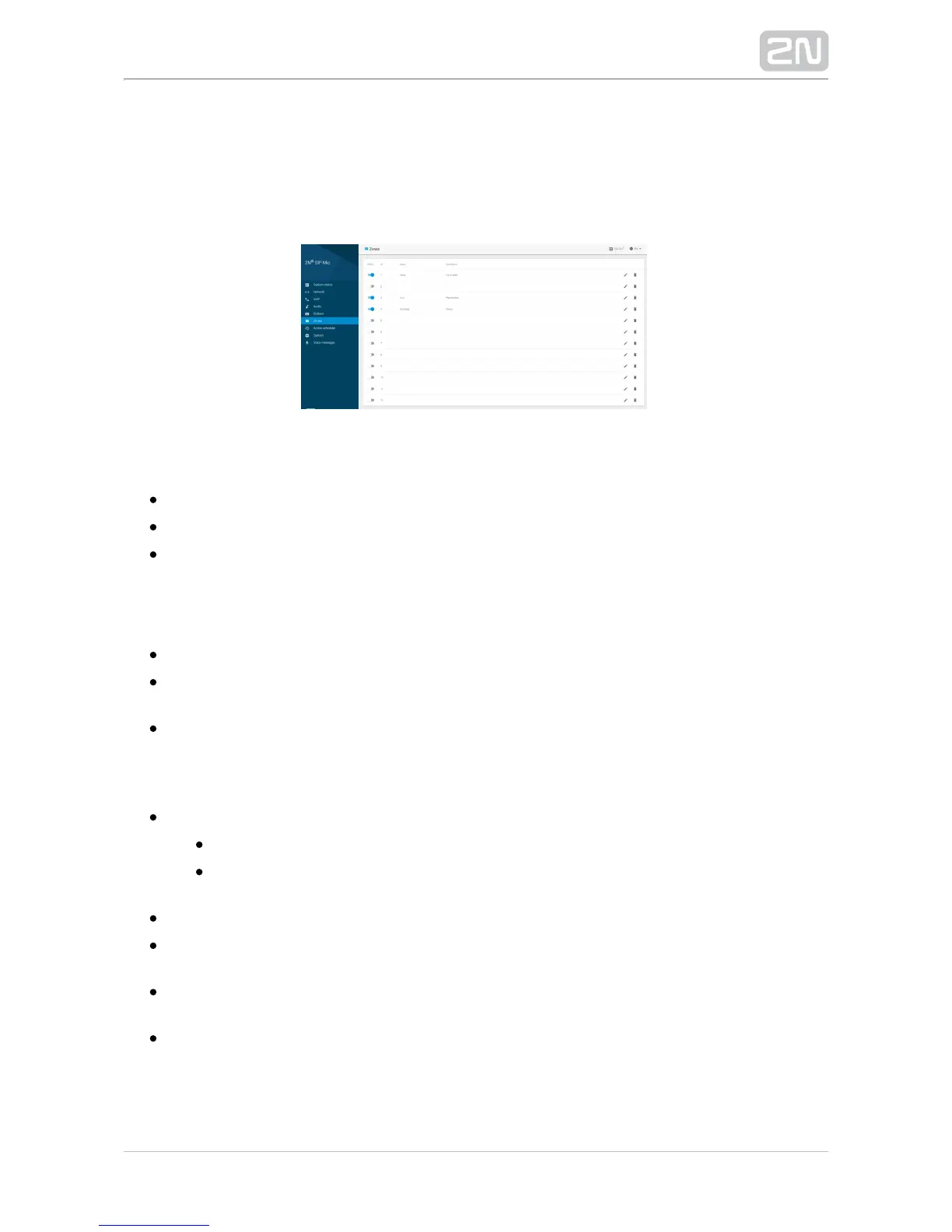
3.1.6 Zones
Find 12 pre-defined zone positions in the menu. Activate the zones using a button. If
set yet inactive, a zone cannot be called or announced to. Click the trash bin to delete
a row setting.
The following options are shared by all the zones:
– on or offState
– zone name, up to 20 charsName
Description – brief description, up to 60 chars
The setting forms are specific for the selected announcement destinations. See below.
The following types of destinations are available:
– define the call type: or .SIP destination SIP proxy direct call
– define the address to which the stream is sent for the Multicast address
announcing device.
– set the address for VAPIX communication.VAPIX destination
SIP Destination
Call via
SIP Proxy – use the SIP Proxy set in the VoIP menu for outgoing calls.
– route the call directly without the use of a SIP Proxy. The Direct call
required destination format is .identification@ip_address:port
– enter the phone number for SIP Proxy or SIP URI for direct calls.Destination
– set the count of call setup retries after call Retry count after call rejection
rejection: 0 to 10. The default value is 0.
– set the timeout in seconds for call setup retries: 0 to 30. The Retry timeout
default value is 10 s..
– set the maximum call duration after which the call shall Maximum call duration
be terminated: 0 to 60 min. The default value is 0 min – the parameter is not
applied, the call duration is unlimited.


 To Next Page