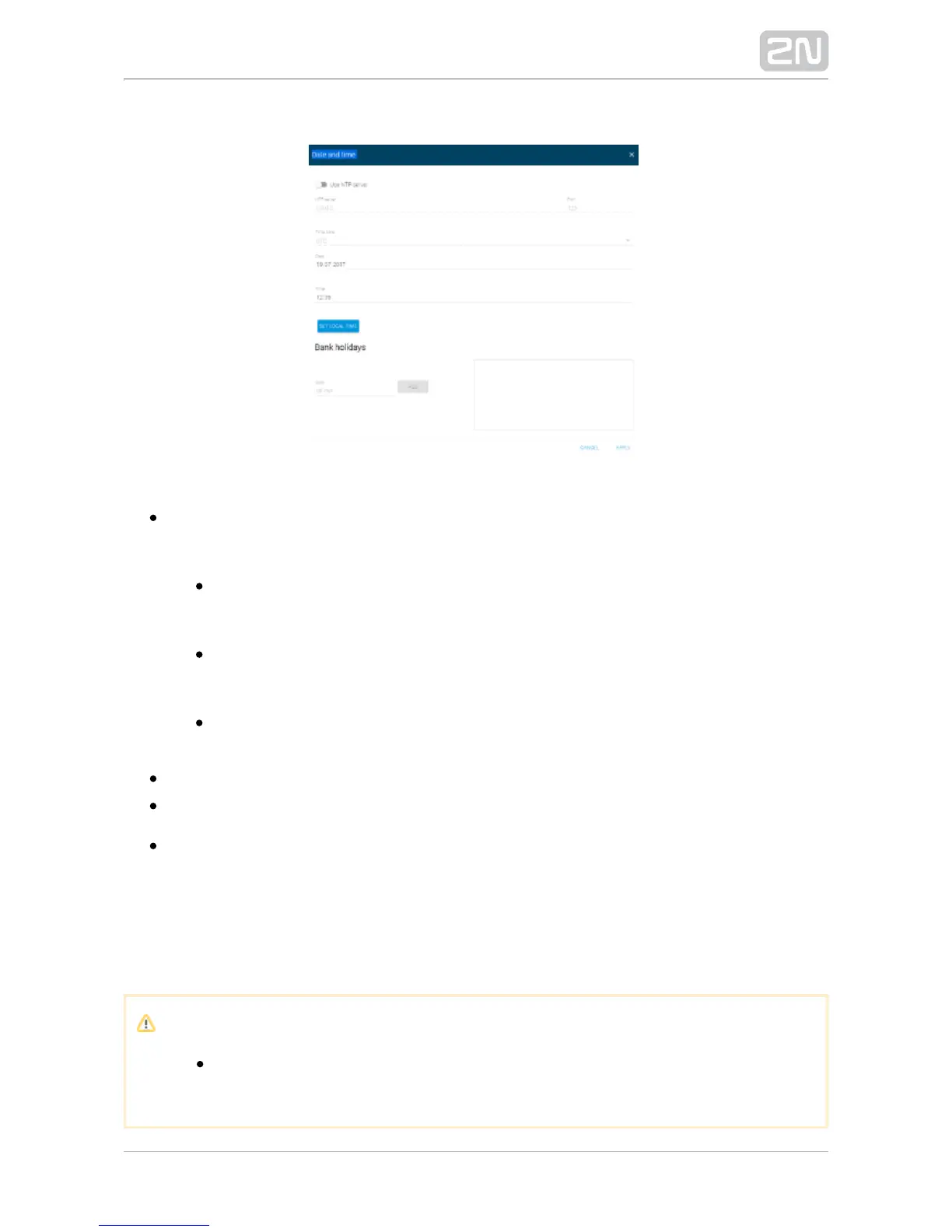
Date and time
Use NTP server – use the NTP server for internal time synchronisation with 2N
®
. Enable the function to deactivate the manual local time setting.SIP Mic
– set the NTP server IP address to be used for NTP server 2N SIP Mic
®
internal time synchronisation.
– set the NTP server port to be used for internal time Port 2N SIP Mic
®
synchronisation.
– set the time zone for the installation site. WinterTime zone 2N SIP Mic
®
/summer time is not considered automatically.
– set a date in the DD.MM.RRRR format.Date
– set a time value in the HH:MM 24-hour format.Time
– use the button to synchronise the time with your Set local time 2N SIP Mic
®
current PC time value. Press Apply to set the time value in whole minutes.
– this function has not been implemented yet.Syslog
– lock the console to prevent the action buttons from being used. Console lock
Locking is signalled by backlight flashing of the button pressed.
Note
The console lock only controls the upper panel buttons. The logical
inputs attachable to the back panel remain active.


 To Next Page