186 CHAPTER 14: MANAGING SYSTEM FILES
Backing Up System
Files
The Backup Page permits network managers to backup the system
configuration to a TFTP or HTTP server.
The monitor users have no access to this page.
To backup System files:
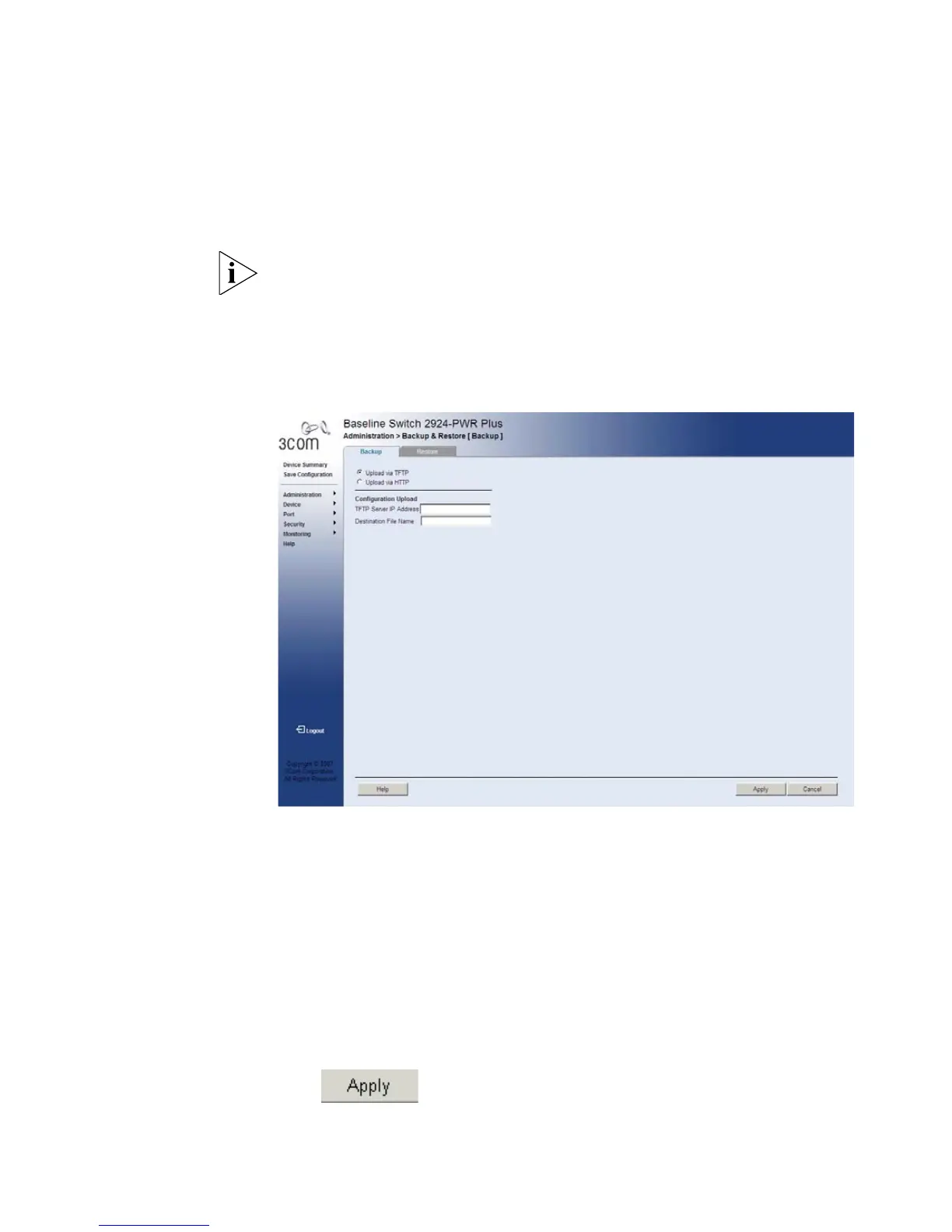
1 Click Administration > Backup & Restore > Backup. The Backup Page
opens:
Figure 92 Backup Page
The Backup Page contains the following fields:
■ Upload via TFTP — Enables initiating a TFTP upload.
■ Upload via HTTP — Enables initiating an HTTP or HTTPS upload.
Configuration Upload
■ TFTP Server IP Address — Specifies the TFTP Server IP Address to
which the configuration files are uploaded.
■ Destination File Name — Specifies the destination file to which the
configuration file is uploaded.
2 Define the relevant fields.
3 Click . The backup file is defined, and the device is updated.










 To Next Page