3D Systems, Inc.
Inspect Planarizer Blade Routine
If any of these signs are visible on the Planarizer Blade it will need to be replaced:
• Excess buildup that cannot be cleaned off
• Blade is warped
• Blade is damaged (bent or kinked)
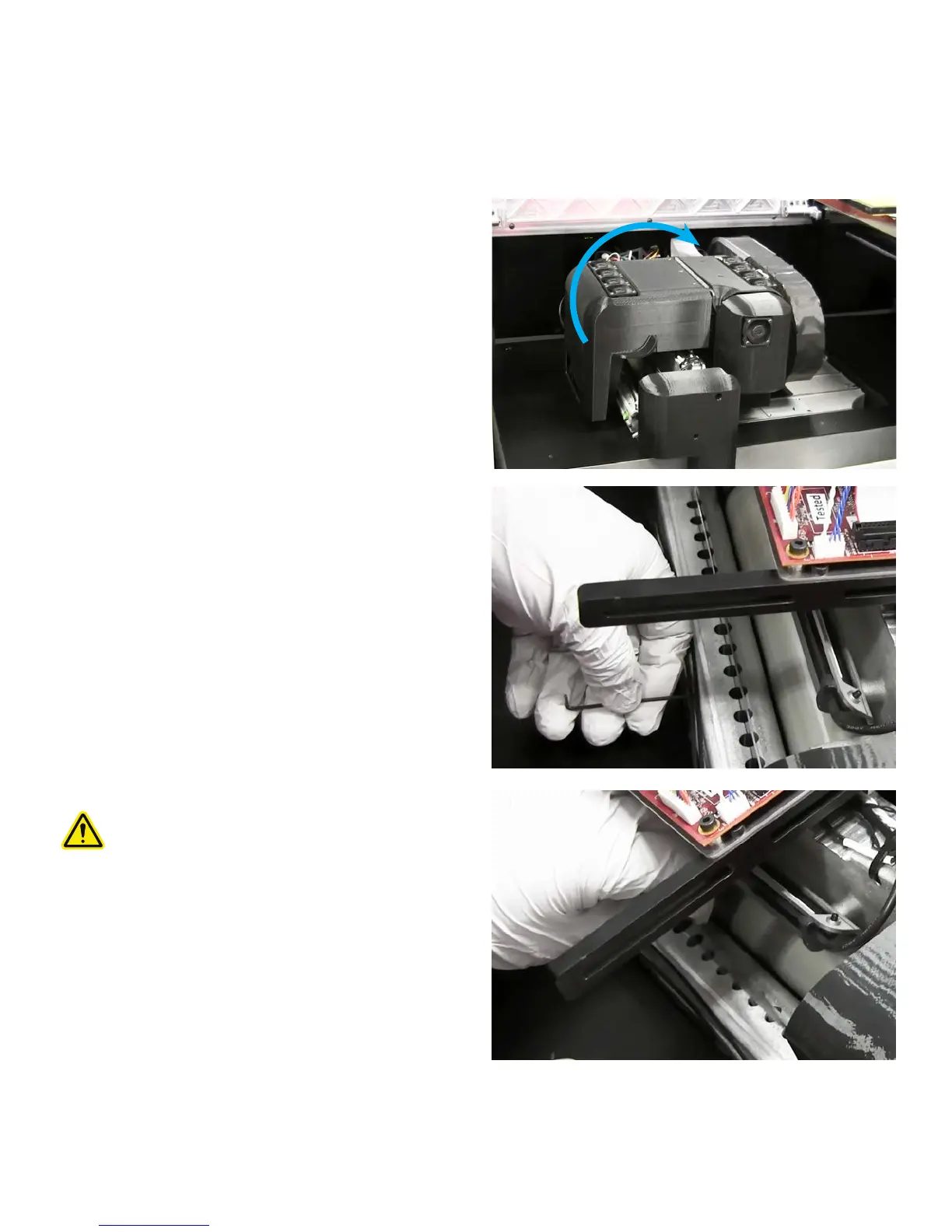
To change planarizer blade:
1. Move print engine to the Ready state. This will place the
printer over build plate area and will tilt the blade.
2. Lift the cover to expose the planarizer blade.
3. Loosen 2x5 cap screw holding planarizer blade in place with
a 1.5mm Allen wrench.
4. Carefully pull blade out of aluminum housing.
CAUTION: Blade is sharp, be careful not to cut
yourself when removing blade.
24










 To Next Page