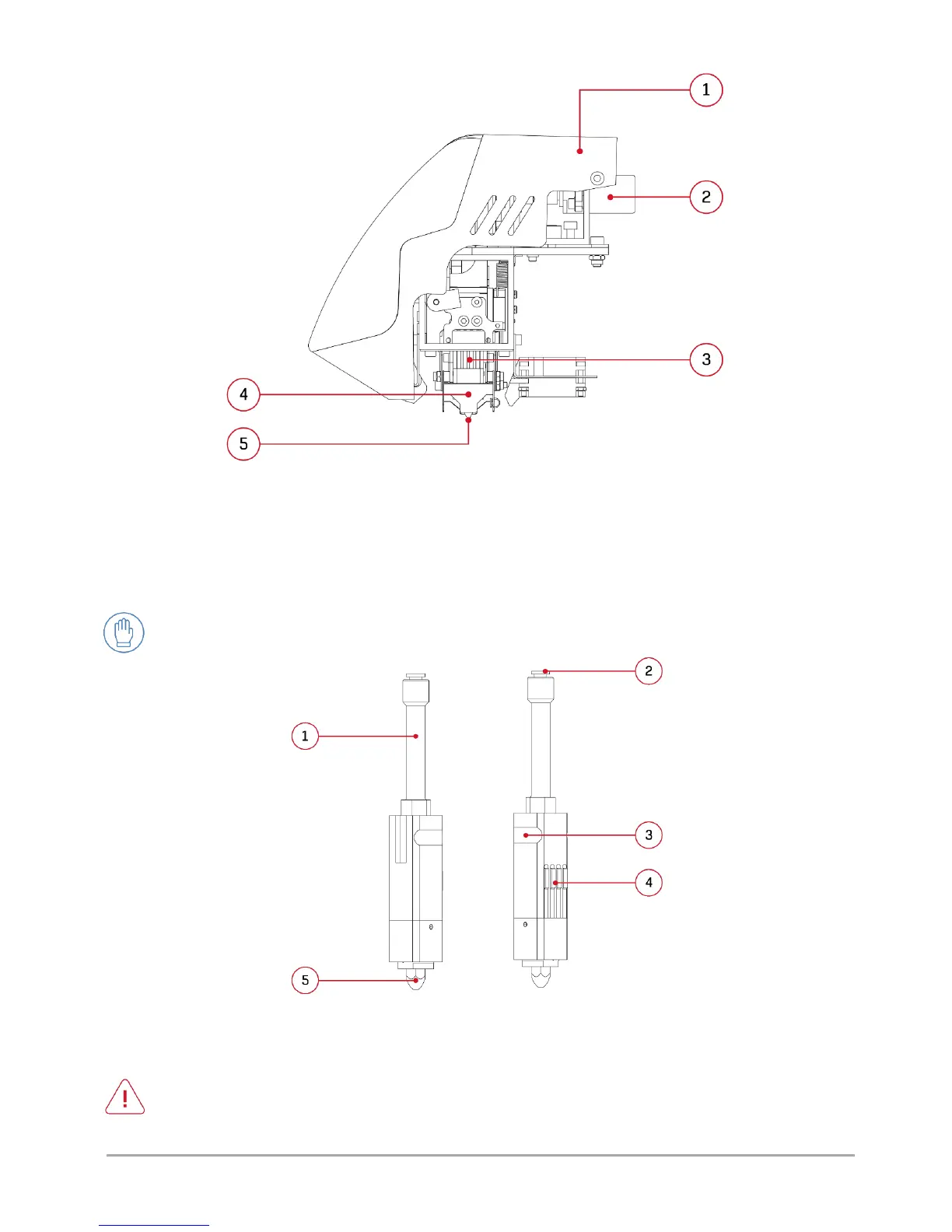
Fig. 49 Dual hotend module: 1. Casing (permanent part) | 2. Servomechanism
3. Hotend contact plate | 4. Mechanical hotend stopper | 5. Hotend nozzle
1. HOTEND CHANGE
3DGence DOUBLE P255 printer is equipped with the quick hotend change system (PUSH SYSTEM). The hotends are
shown in fig. 50. A different hotend should be used for each material when making multiple-material printouts.
Fig. 50 Hotend of 3DGence DOUBLE P255 printer:
1. Guiding sleeve | 2. Connector | 3. Groove | 4. Contacts | 5. 0.4 nozzle
ATTENTION: the front casing of the dual hotend module may be dismounted only if the printer is disconnected from
the power supply! Otherwise, bodily injuries may be suffered!



 To Next Page