Calibration of XY offsets:
1. Load the model filament (PLA) and support filament (BVOH) by selecting from the printer menu: MATERIALS → LOAD
MODEL MATERIAL / LOAD SUPPORT MATERIAL and follow the instructions on the display.
2. Print the calibration model in the printer memory by selecting from the printer menu: MENU → ADVANCED → MODULE
CALIB. → AUTO XY CALIB.
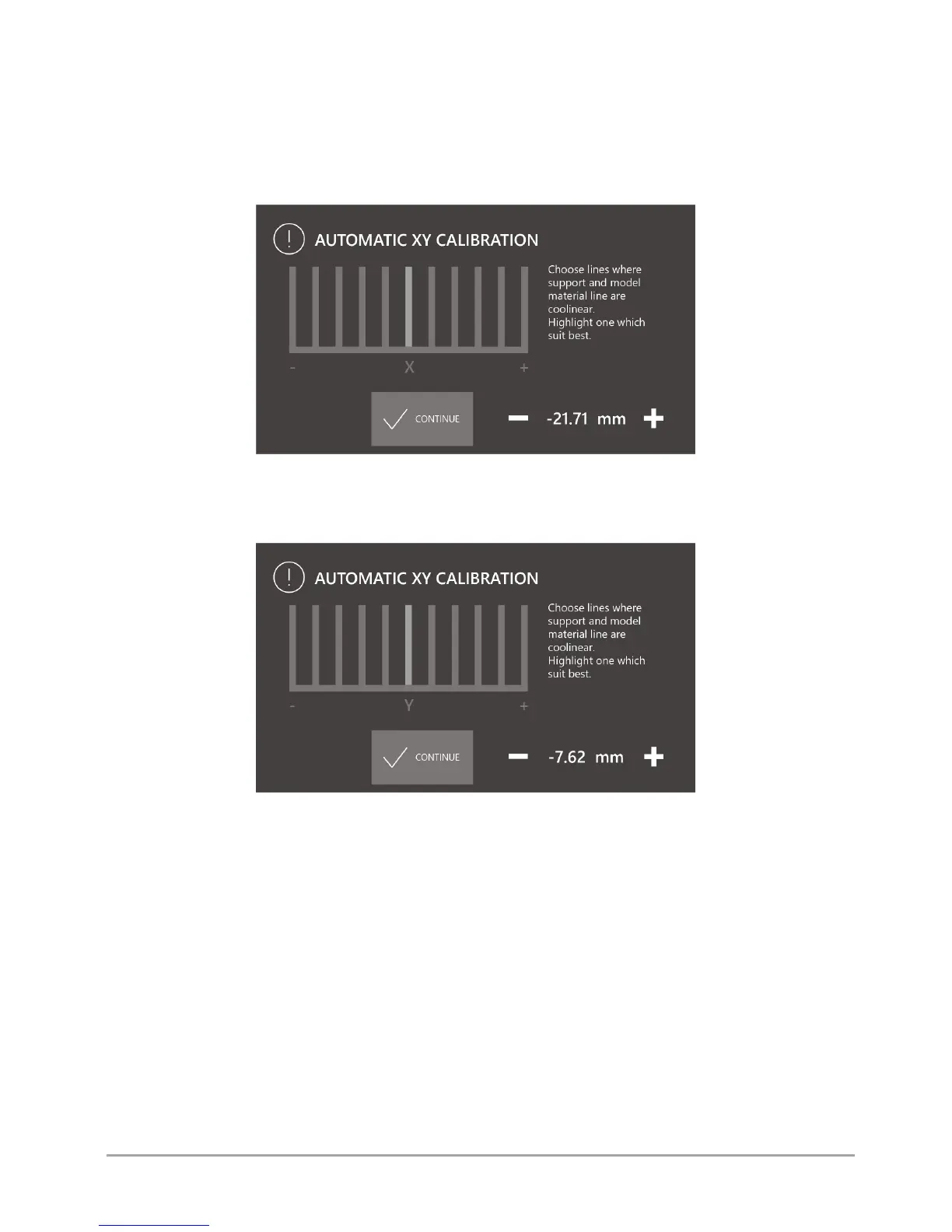
3. After printing the model, select the line on the display on which the model material with the support material in part X is
best covered (fig. 65).
Fig. 65 Automatic offset calibration screen in the X axis
4. Select the CONTINUE button.
5. Select the line on the display on which the model material with the support material in part Y is best covered (fig. 66).
Fig. 66 Automatic offset calibration screen in the Y axis
6. Select the CONTINUE button.
7. Confirm with the SAVE key.
8. Print the calibration model in the printer memory again by selecting from the printer menu: MENU → ADVANCED →
MODULE CALIB. → AUTO XY CALIB. and visually check the offset calibration level:
• if on the middle line the model material coincides with the support material both in the X axis and in the Y axis - the
XY offsets of the dual hotend module are calibrated correctly,
• if the model material does not coincide with the support material both on the X axis and in the Y axis on the middle
line - the XY offsets of the dual hotend module are not calibrated correctly. Calibrate the offsets again in accordance
with points 2 - 7.



 To Next Page