2. System settings
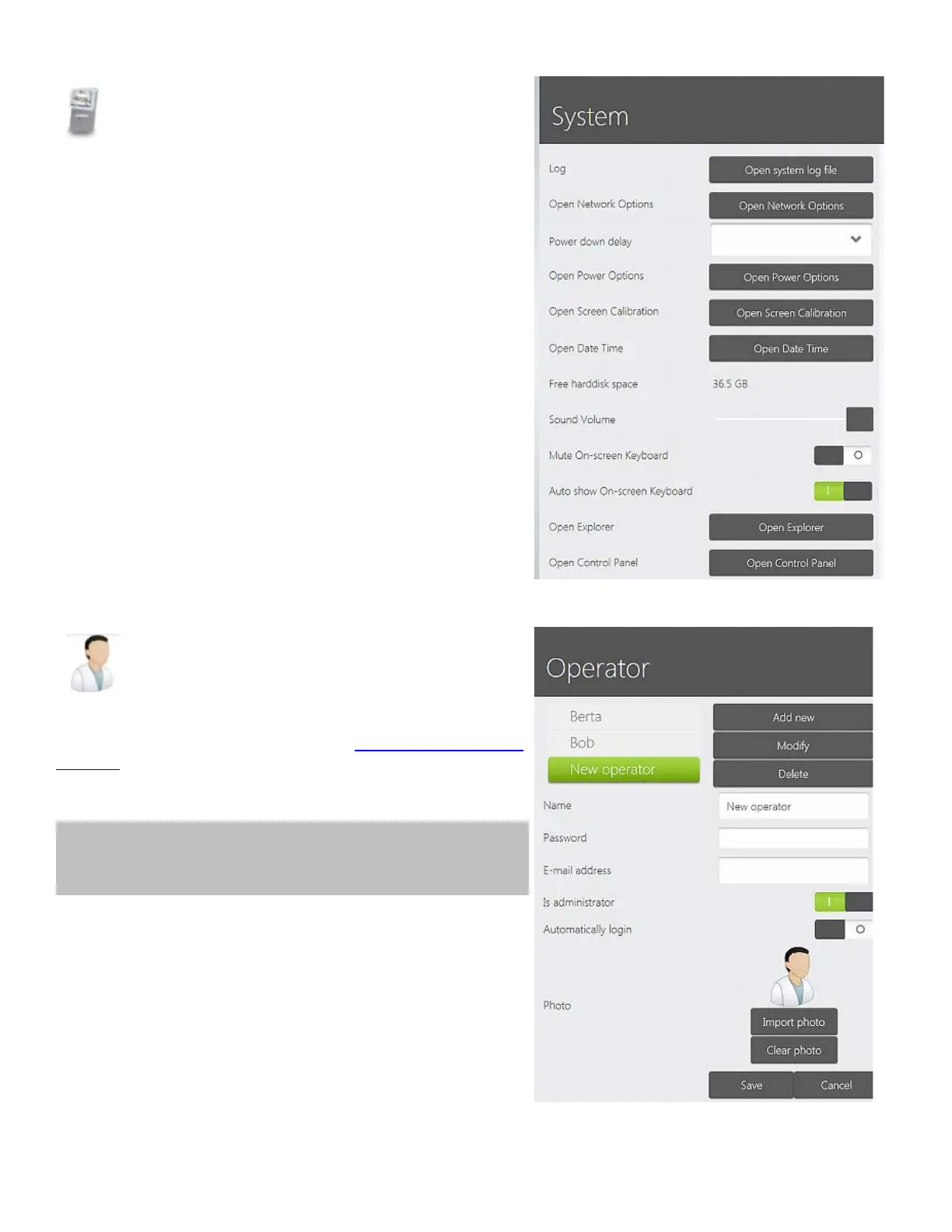
System settings allow you to set up system preferences by
giving you access to different system options.
For example, you can set up date and time, change the
sound volume, open the file explorer and Control Panel, etc.
3. Operator settings
Press Operator to add a new TRIOS operator or change
the existing name and password (see
Operator Options and
Settings for details).
Tip! Your account photo is added by pressing the Import
photo button in *.png or *.jpg format.
48



 To Next Page