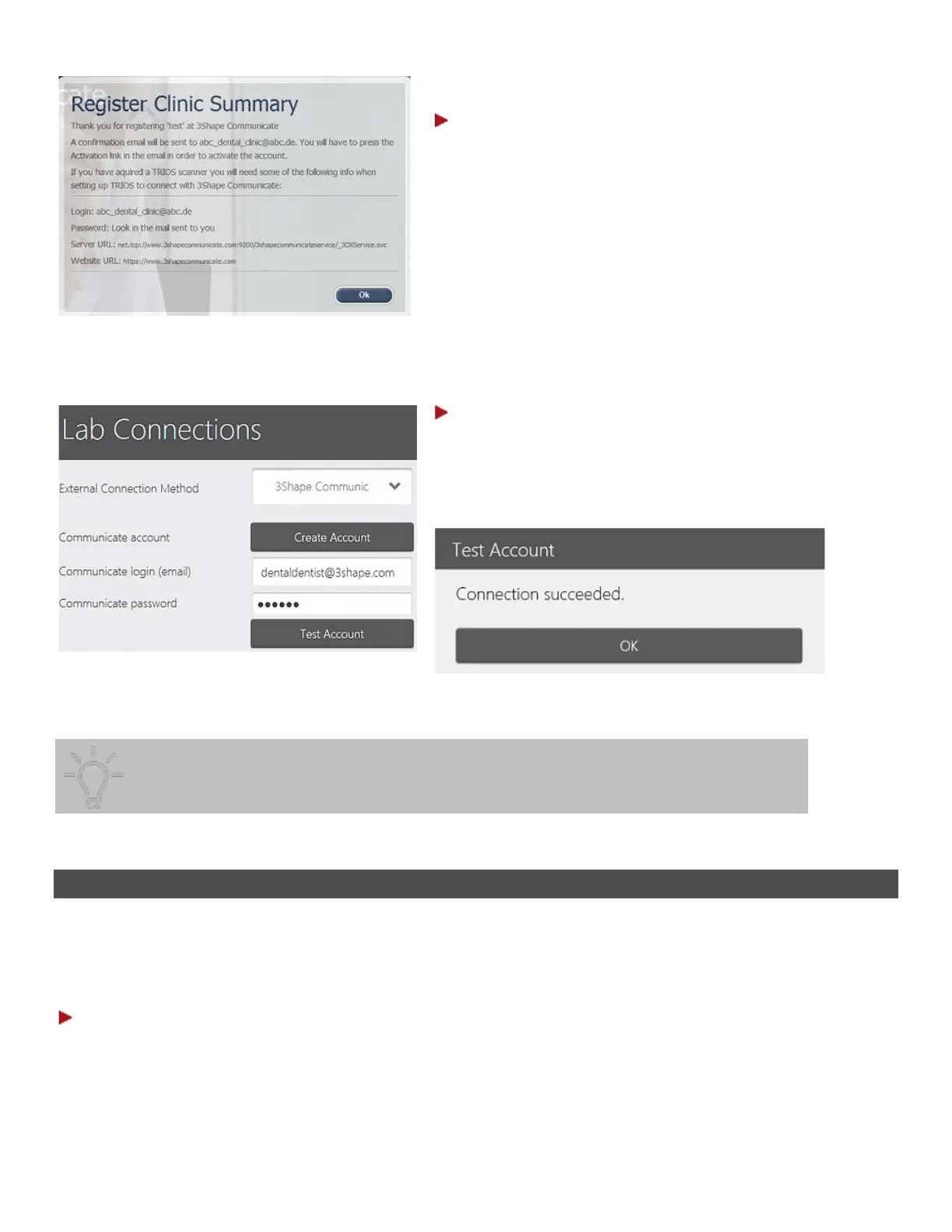
Step 6: Activate your account
Open the confirmation e-mail sent to your e-
mail address and press the activation link.
Step 7: Start using 3Shape Communicate™
Open Lab Connections, enter your login and password
and press
Test Account. If the connection is
successful, you receive a Connection succeeded
message.
You can use your credentials to access your 3Shape Communicate account from
5.2 Connect to the Lab
After your 3Shape Communicate account is created, you need to set a connection to the Lab.
You can use either a direct connection to your local Lab (need to specify Direct Connection Folder and
login) or an external connection to a remote Lab. To setup a connection to an external Lab:
Step 1: Go to Configure->Lab Connections settings
66



 To Next Page