6 Maintenance
6.1 Scanner Calibration
WHEN TO CALIBRATE
• Calibrate the scanner before using it for the first time and every eight days during regular use.
• Calibrate the scanner when it has been moved, sustained hits or wide-range temperature changes.
• Calibrate the scanner when the scan quality degrades. Calibration adjusts the scan quality to the
initial factory level and ensures optimum results.
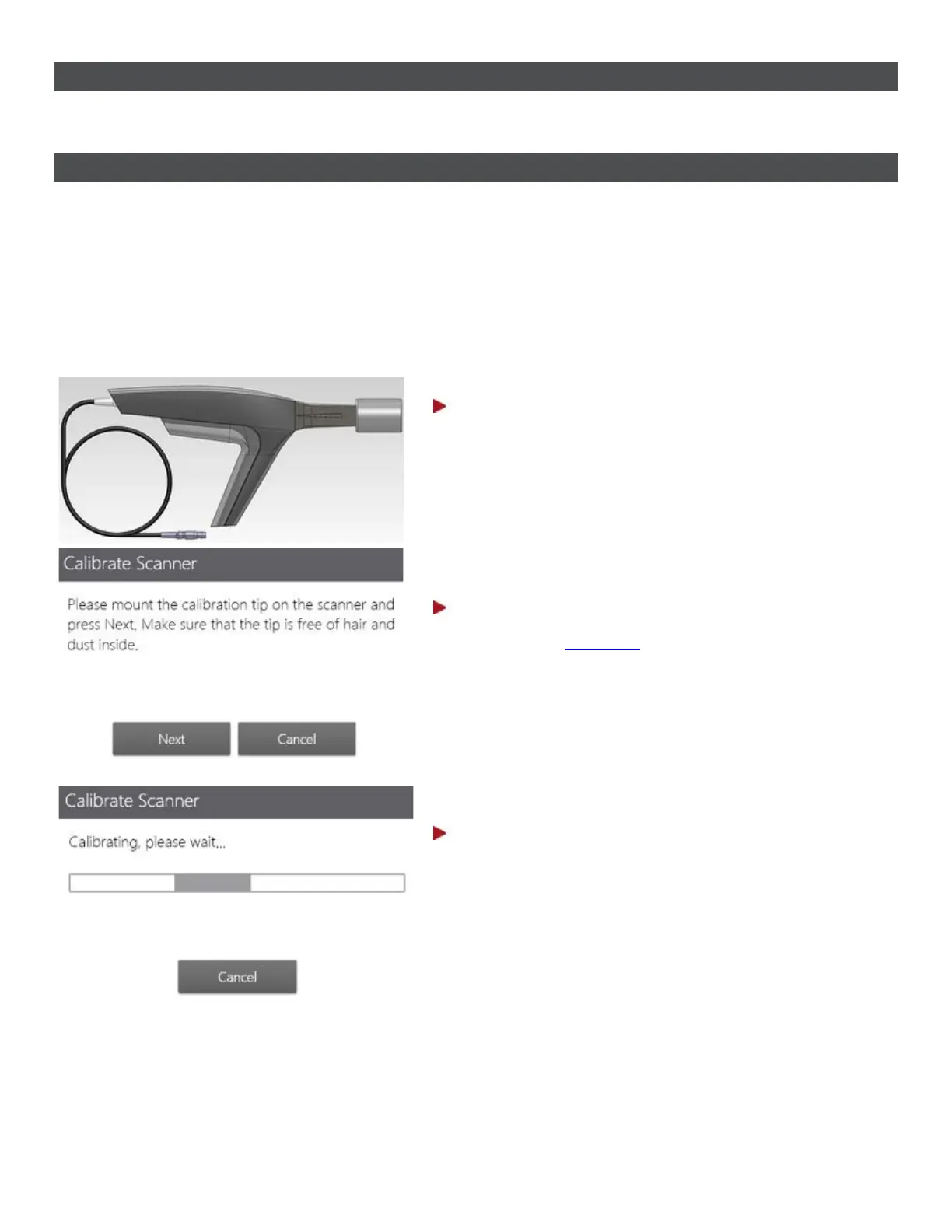
HOW TO CALIBRATE
Step 1: Prepare for calibration
Remove the scanner tip from the TRIOS scanner and
put on the calibration tip.
Step 2: Start calibration wizard
1. Go to the
Configure page of your TRIOS
system.
2. Select Scan->Calibrate Scanner.
3. Follow the on-screen instructions.
Step 3: Wait for system to calibrate the device
75



 To Next Page