5.3 Send Order to the Lab
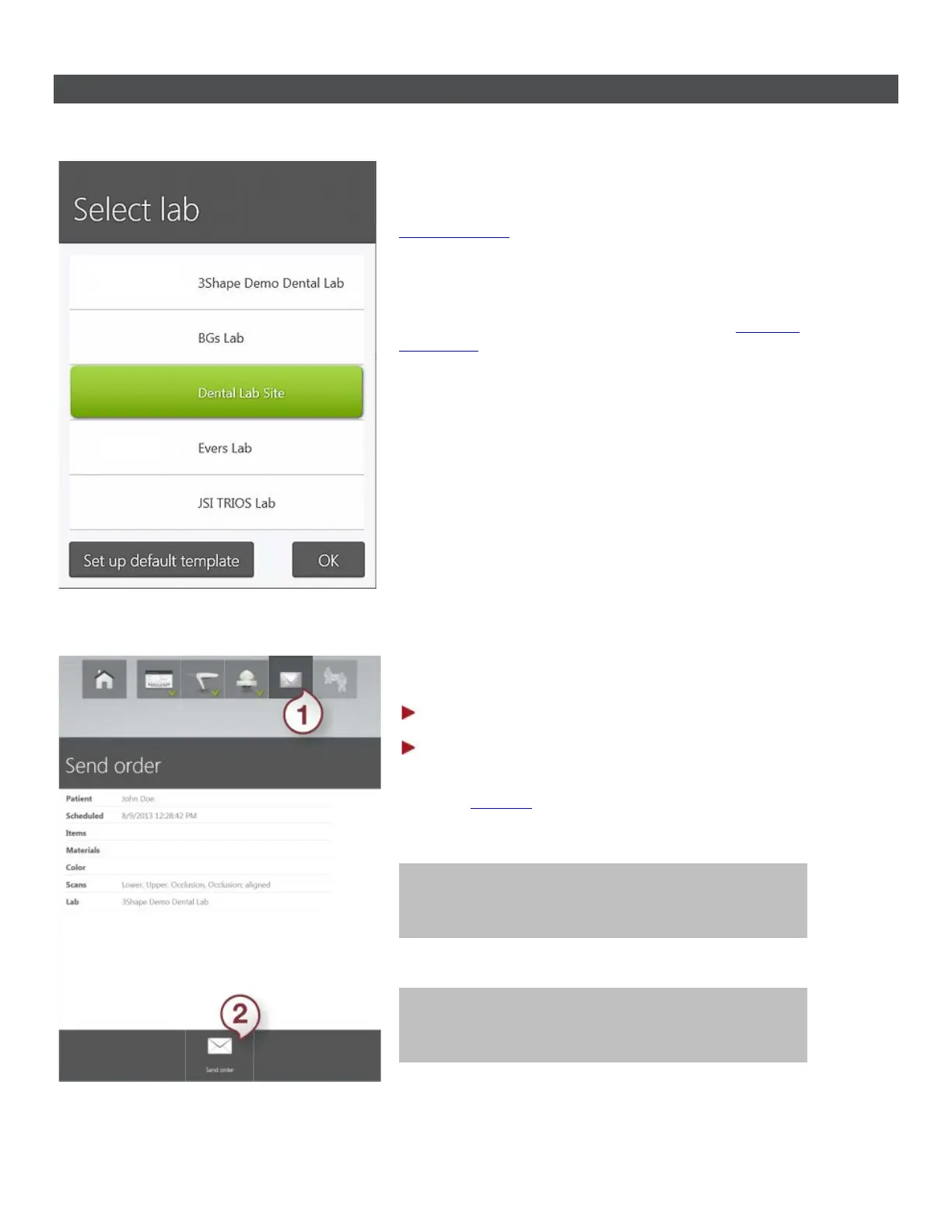
On the order page, choose the desired Lab while
creating order by clicking Change Lab button and
selecting the lab. You can then perform scanning
and send your order to the Lab.
The list of labs can be modified using the Lab
Connections settings. Please see chapter
Connect
to the Lab for details.
To send your order:
Step 1: Press the Send button (1)
Step 2: Press the Send order button (2)
If you haven't performed post-processing at the
previous
Analyze
step, it is automatically performed
during order sending and may take a minute to
complete.
Tip! It is recommended to do post-processing at
the Analyzing step and inspect the result.
Tip! You can always return to the order and send
it later. You can also re-send a changed order.
70



 To Next Page