5.1 Create 3Shape Communicate™ Account
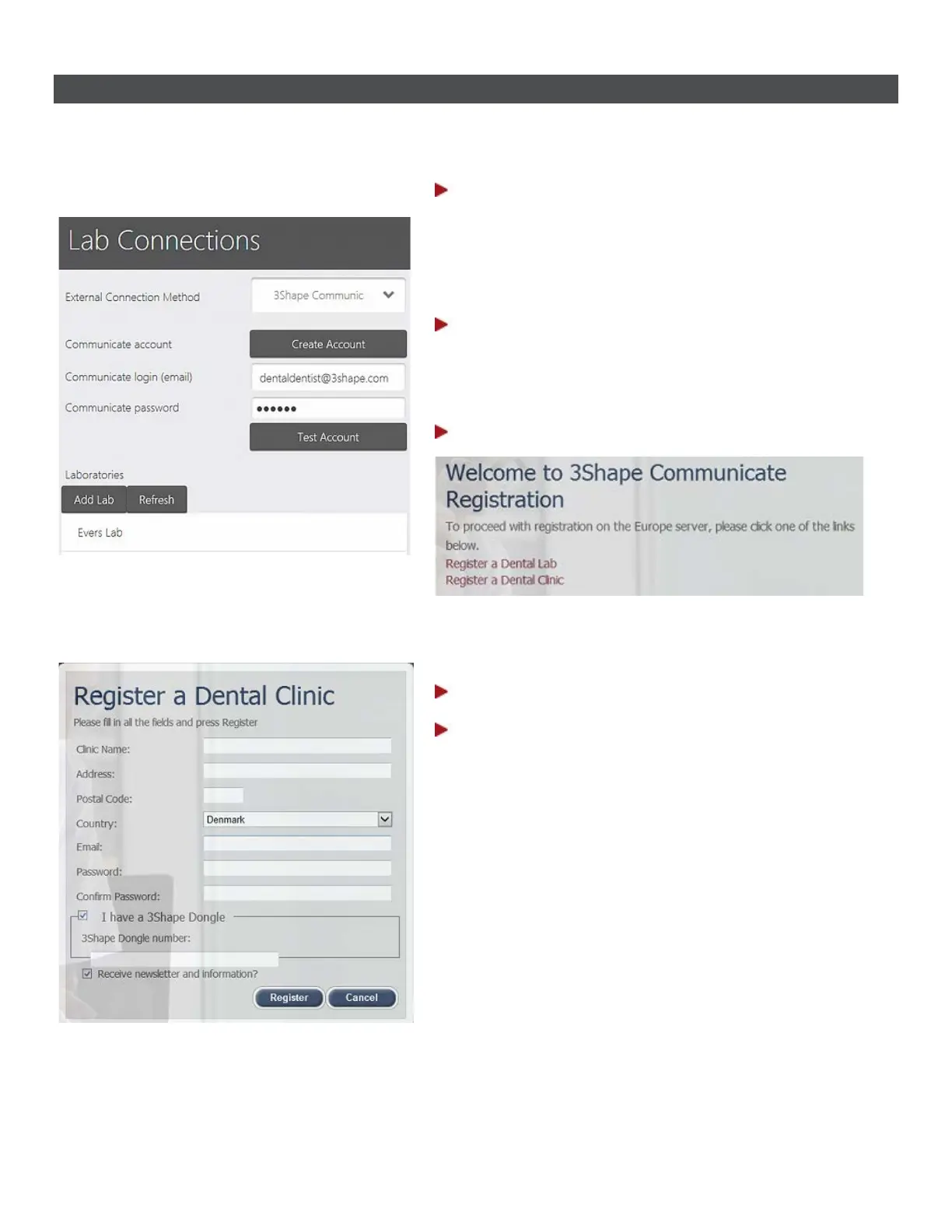
To create a 3Shape Communicate account, please follow steps below (Access to the internet is required):
Step 1: Go to Configure->Lab Connections
settings
Make sure the Connection Method is 3Shape
Communicate.
Step 2: Press the Create Account button
This will open the 3Shape Communicate web page
www.3shapecommunicate.com
Step 3: Select Register a Dental Clinic
Step 4: Fill in the registration form
Step 5: Press the Register button to
complete registration
65



 To Next Page