4.2 Operator Options and Settings
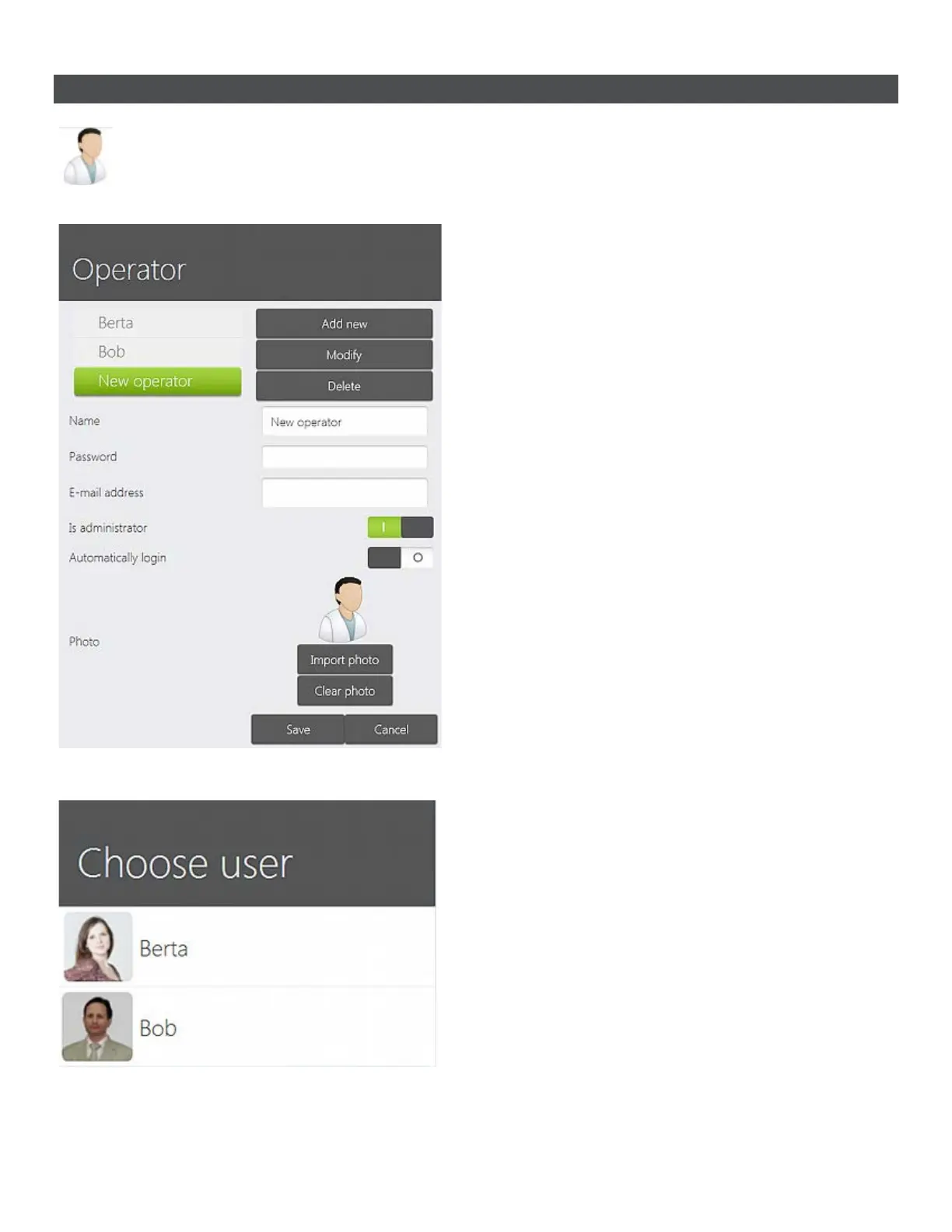
Options help you add or modify TRIOS operators:
• Add new - Used to create a new TRIOS
operator (the name appears in the list on
the left).
• Modify - Lets you edit the selected
operator.
• Delete - Removes the selected operator
from the list.
• Name - Fill in your name.
• Password - Create/modify your
password. If you do not want to have a
password, leave this field blank. The field
will be filled with dots no matter if you
entered a password or not. The dots have
no effect.
• E-mail address - Fill in your e-mail
address.
• Is Administrator - sets operator as an
administrator.
• Automatically login - Logs the operator
in TRIOS automatically.
You can upload your personal photo in .png or
.jpg formats by pressing the Import photo
button.
The Clear photo button removes added photo.
User photos appear next to the operators names
in the Choose user login screen.
52



 To Next Page